How to apply an Elasticsearch ILM policy to Logstash indices
Applying an Elasticsearch Index Lifecycle Management policy to Logstash indices lets a pipeline write to one stable rollover alias while Elasticsearch rolls and ages the backing indices. It fits Logstash outputs that still target classic indices instead of data streams and need cluster-side retention.
The elasticsearch output handles the handoff by installing a managed index template, creating the first write index, and sending events through ilm_rollover_alias. A custom policy named in ilm_policy must already exist in Elasticsearch, and an explicit template_name gives the Logstash-managed template a predictable API target.
Use alias-based indices only when that is the intended target. Elastic recommends data streams for new append-only time-series data, Elasticsearch Serverless uses data lifecycle management instead of ILM, and dynamic index ⇒ substitution is not compatible with an ILM rollover alias.
Steps to apply an Elasticsearch ILM policy to Logstash indices:
- Confirm the target ILM policy exists in Elasticsearch.
$ curl --silent --show-error --fail \
  --cacert /etc/logstash/certs/http_ca.crt \
  --user reader_user:reader-password \
  "https://es.example.net:9200/_ilm/policy/logstash-hot-warm?pretty"
{
  "logstash-hot-warm" : {
    "policy" : {
      "phases" : {
        "hot" : {
          "actions" : {
            "rollover" : {
              "max_primary_shard_size" : "50gb",
              "max_age" : "30d"
            }
          }
        },
        "delete" : {
          "min_age" : "90d",
          "actions" : {
            "delete" : { }
          }
        }
      }
    }
  }
}
A custom policy must already exist before Logstash starts with ilm_policy ⇒ “logstash-hot-warm”. Create or correct the policy first if this request returns 404.
- Update the elasticsearch output block in /etc/logstash/conf.d/30-output.conf.
output {
  elasticsearch {
    hosts => ["https://es.example.net:9200"]
    ssl_enabled => true
    ssl_certificate_authorities => ["/etc/logstash/certs/http_ca.crt"]
    user => "logstash_internal"
    password => "${LOGSTASH_INTERNAL_PASSWORD}"
    data_stream => false
    ilm_enabled => true
    ilm_policy => "logstash-hot-warm"
    ilm_rollover_alias => "logstash-ilm"
    ilm_pattern => "000001"
    manage_template => true
    template_name => "logstash-ilm"
    template_overwrite => true
  }
}
ilm_rollover_alias becomes the write target, and ilm_pattern supplies the zero-padded suffix for indices such as logstash-ilm-000001. Do not add index ⇒ to the same output block.
template_overwrite ⇒ true rewrites the Logstash-managed template named logstash-ilm. If a separate process owns the template, use manage_template ⇒ false and apply the matching template through Elasticsearch instead.
- Test the pipeline configuration as the logstash service user.
$ sudo -u logstash /usr/share/logstash/bin/logstash --path.settings /etc/logstash --path.data /tmp/logstash-ilm-configtest --config.test_and_exit
Using bundled JDK: /usr/share/logstash/jdk
Configuration OK
[2026-06-18T17:10:00,000][INFO ][logstash.runner          ] Using config.test_and_exit mode. Config Validation Result: OK. Exiting Logstash
The temporary --path.data directory must be writable by the logstash user. Configuration validation checks pipeline syntax and plugin settings, not whether the remote credential can create templates or write events.
- Remove the temporary validation data path.
$ sudo rm -rf /tmp/logstash-ilm-configtest
- Restart the Logstash service.
$ sudo systemctl restart logstash
Restarting Logstash briefly pauses active pipelines while outputs reconnect and in-flight batches drain.
- Review recent Logstash startup logs for template and rollover-alias setup.
$ sudo journalctl --unit logstash --since "5 minutes ago" --no-pager Jun 18 17:16:45 logstash-01 logstash[2418]: [2026-06-18T17:16:45,527][INFO ][logstash.outputs.elasticsearch][main] Elasticsearch pool URLs updated {changes: {removed: [], added: [https://es.example.net:9200/]}} Jun 18 17:16:45 logstash-01 logstash[2418]: [2026-06-18T17:16:45,578][INFO ][logstash.outputs.elasticsearch][main] Connected to ES instance {url: "https://es.example.net:9200/"} Jun 18 17:16:45 logstash-01 logstash[2418]: [2026-06-18T17:16:45,588][INFO ][logstash.outputs.elasticsearch][main] Data streams auto configuration (`data_stream => auto` or unset) resolved to `false` Jun 18 17:16:45 logstash-01 logstash[2418]: [2026-06-18T17:16:45,617][INFO ][logstash.outputs.elasticsearch][main] Installing Elasticsearch template {name: "logstash-ilm"} Jun 18 17:16:45 logstash-01 logstash[2418]: [2026-06-18T17:16:45,630][INFO ][logstash.outputs.elasticsearch][main] Created rollover alias {name: "<logstash-ilm-000001>"} Jun 18 17:16:45 logstash-01 logstash[2418]: [2026-06-18T17:16:45,983][INFO ][logstash.javapipeline ][main] Pipeline started {"pipeline.id" => "main"}401, 403, TLS, template, or mapping errors in this log mean the output did not complete the runtime handoff even if the configuration test passed.
- Check the installed index template settings.
$ curl --silent --show-error --fail \
  --cacert /etc/logstash/certs/http_ca.crt \
  --user reader_user:reader-password \
  "https://es.example.net:9200/_index_template/logstash-ilm?pretty&filter_path=index_templates.name,index_templates.index_template.index_patterns,index_templates.index_template.template.settings.index.lifecycle"
{
  "index_templates" : [
    {
      "name" : "logstash-ilm",
      "index_template" : {
        "index_patterns" : [
          "logstash-ilm-*"
        ],
        "template" : {
          "settings" : {
            "index" : {
              "lifecycle" : {
                "name" : "logstash-hot-warm",
                "rollover_alias" : "logstash-ilm"
              }
            }
          }
        }
      }
    }
  ]
}
The template must contain the same index.lifecycle.name and index.lifecycle.rollover_alias values used by the output block.
- Verify the rollover alias points to the first write index.
$ curl --silent --show-error --fail \
  --cacert /etc/logstash/certs/http_ca.crt \
  --user reader_user:reader-password \
  "https://es.example.net:9200/_alias/logstash-ilm?pretty"
{
  "logstash-ilm-000001" : {
    "aliases" : {
      "logstash-ilm" : {
        "is_write_index" : true
      }
    }
  }
}
The alias should name one write index. If the request returns 404, no index has been bootstrapped yet or Logstash failed before alias creation.
- Confirm the write index is managed by the intended policy.
$ curl --silent --show-error --fail \
  --cacert /etc/logstash/certs/http_ca.crt \
  --user reader_user:reader-password \
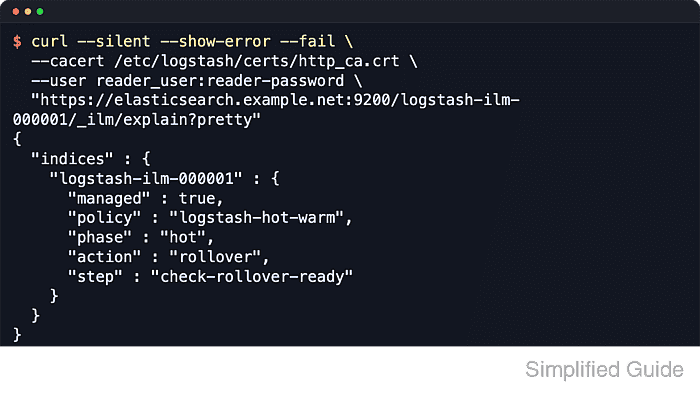
  "https://es.example.net:9200/logstash-ilm-000001/_ilm/explain?pretty&filter_path=indices.*.managed,indices.*.policy,indices.*.phase,indices.*.action,indices.*.step"
{
  "indices" : {
    "logstash-ilm-000001" : {
      "managed" : true,
      "policy" : "logstash-hot-warm",
      "phase" : "hot",
      "action" : "rollover",
      "step" : "check-rollover-ready"
    }
  }
}
managed: true plus the expected policy name confirms that the index created through the Logstash rollover alias is enrolled in ILM. The phase, action, and step values change as the lifecycle progresses.
- Search through the rollover alias after a fresh event reaches the pipeline.
$ curl --silent --show-error --fail \
  --cacert /etc/logstash/certs/http_ca.crt \
  --user reader_user:reader-password \
  "https://es.example.net:9200/logstash-ilm/_search?pretty&size=1&filter_path=hits.total,hits.hits._index,hits.hits._source.message"
{
  "hits" : {
    "total" : {
      "value" : 1,
      "relation" : "eq"
    },
    "hits" : [
      {
        "_index" : "logstash-ilm-000001",
        "_source" : {
          "message" : "GET /checkout 200 14ms"
        }
      }
    ]
  }
}
If the alias and ILM checks pass but the search is empty, send one new event through the existing input and wait for the index refresh interval before searching again. Mapping errors for fields such as service, host, or event usually mean the event shape conflicts with the current template.