Creating an Index Lifecycle Management (ILM) policy in Elasticsearch lets rolling indices age through rollover and retention rules without manual cleanup jobs. It is useful for log, metric, and event indices that should keep accepting writes while older generations are deleted after a defined period.
An ILM policy is stored in cluster state, but a rollover policy also needs index settings that tell Elasticsearch which policy and write alias belong to each new index. For alias-based rolling indices, that means creating the policy, adding index.lifecycle.name and index.lifecycle.rollover_alias to a composable index template, and bootstrapping the first numbered write index.
Data streams need less manual wiring and are usually the better starting point for append-only time-series data. Alias-based ILM still fits classic indices that need direct updates or deletes by index name. An application-specific pattern such as app-logs-* avoids collisions with built-in Elastic templates, and secured clusters need the HTTPS endpoint plus credentials or an API key header on each request.
Steps to create an index lifecycle policy in Elasticsearch:
- Create the ILM policy with a hot-phase rollover action and a delete phase.
$ curl -sS --fail -H "Content-Type: application/json" -X PUT "http://localhost:9200/_ilm/policy/app-logs-policy?pretty&filter_path=acknowledged" -d '{
  "policy": {
    "phases": {
      "hot": {
        "actions": {
          "rollover": {
            "max_age": "7d",
            "max_primary_shard_size": "25gb"
          }
        }
      },
      "delete": {
        "min_age": "30d",
        "actions": {
          "delete": {}
        }
      }
    }
  }
}'
{
  "acknowledged" : true
}
Use max_primary_shard_size for new rollover policies because max_size is deprecated.
Tool: JSON Validator - Read the stored policy back from the cluster.
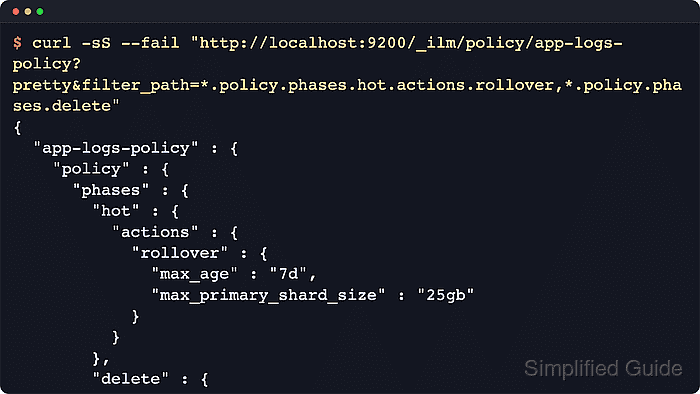
$ curl -sS --fail "http://localhost:9200/_ilm/policy/app-logs-policy?pretty&filter_path=*.version,*.policy.phases.hot.actions.rollover,*.policy.phases.delete" { "app-logs-policy" : { "version" : 1, "policy" : { "phases" : { "hot" : { "actions" : { "rollover" : { "max_age" : "7d", "max_primary_shard_size" : "25gb" } } }, "delete" : { "min_age" : "30d", "actions" : { "delete" : { "delete_searchable_snapshot" : true } } } } } } } - Create a composable index template for future app-logs-* indices.
$ curl -sS --fail -H "Content-Type: application/json" -X PUT "http://localhost:9200/_index_template/app-logs-template?pretty&filter_path=acknowledged" -d '{
  "index_patterns": ["app-logs-*"],
  "priority": 300,
  "template": {
    "settings": {
      "number_of_replicas": 0,
      "index.lifecycle.name": "app-logs-policy",
      "index.lifecycle.rollover_alias": "app-logs-write"
    }
  }
}'
{
  "acknowledged" : true
}
number_of_replicas is 0 so a one-node validation cluster can allocate every shard. Raise it on multi-node clusters that should keep replica copies.
Related: How to create and manage index templates in Elasticsearch - Simulate the first index name against the template.
$ curl -sS --fail -X POST "http://localhost:9200/_index_template/_simulate_index/app-logs-000001?pretty&filter_path=template.settings.index.lifecycle,template.settings.index.number_of_replicas,overlapping"
{
  "template" : {
    "settings" : {
      "index" : {
        "lifecycle" : {
          "name" : "app-logs-policy",
          "rollover_alias" : "app-logs-write"
        },
        "number_of_replicas" : "0"
      }
    }
  },
  "overlapping" : [ ]
}
The simulation confirms that a matching index will inherit the lifecycle policy and shows whether another template also matches the same name.
- Bootstrap the first write index with the rollover alias.
$ curl -sS --fail -H "Content-Type: application/json" -X PUT "http://localhost:9200/app-logs-000001?pretty&filter_path=acknowledged,shards_acknowledged,index" -d '{
  "aliases": {
    "app-logs-write": {
      "is_write_index": true
    }
  }
}'
{
  "acknowledged" : true,
  "shards_acknowledged" : true,
  "index" : "app-logs-000001"
}
Alias-based rollover requires a generation-style index name such as app-logs-000001, a matching index.lifecycle.rollover_alias setting, and the alias marked with is_write_index.
- Verify that the alias points to the bootstrapped write index.
$ curl -sS --fail "http://localhost:9200/_cat/aliases/app-logs-write?h=alias,index,is_write_index&v"
alias          index           is_write_index
app-logs-write app-logs-000001 true
The _cat APIs are intended for human-readable terminal checks. Use the JSON alias APIs for automation.
- Check the lifecycle state for the managed index.
$ curl -sS --fail "http://localhost:9200/app-logs-000001/_ilm/explain?pretty"
{
  "indices" : {
    "app-logs-000001" : {
      "index" : "app-logs-000001",
      "managed" : true,
      "policy" : "app-logs-policy",
##### snipped #####
      "phase" : "new",
      "action" : "complete",
      "step" : "complete",
      "phase_execution" : {
        "policy" : "app-logs-policy",
        "version" : 1
      }
##### snipped #####
    }
  }
}
managed set to true and policy set to app-logs-policy confirm that Elasticsearch enrolled the index in ILM. A newly bootstrapped index can show phase new with step complete before the next lifecycle poll advances it. Empty indices do not roll over on max_age unless the rollover action includes "min_docs": 0.

Mohd Shakir Zakaria is a cloud architect with deep roots in software development and open-source advocacy. Certified in AWS, Red Hat, VMware, ITIL, and Linux, he specializes in designing and managing robust cloud and on-premises infrastructures.


