How to configure Filebeat processors
Filebeat processors modify events on the host before Filebeat sends them to Elasticsearch, Logstash, or another output. Use them to add host or application metadata, remove noisy fields, and keep downstream searches, dashboards, and alerts focused on the fields that matter.
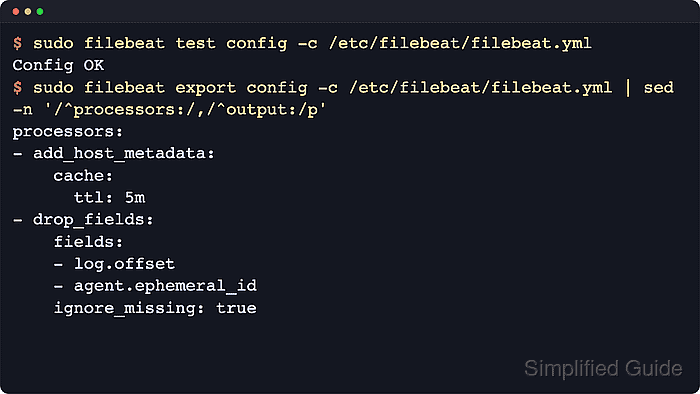
Filebeat runs processors in the order they appear. A top-level processors list affects every event, a per-input processors list affects only that input, and module-specific processors belong under the module's input section when one module needs different handling from the rest of the agent.
Package-based Linux installs usually read processor settings from /etc/filebeat/filebeat.yml and load them after the filebeat service restarts. A config test proves the YAML and processor settings are valid, and a downstream search confirms the changed event fields appear as intended after fresh logs are shipped.
Steps to configure Filebeat processors:
- Back up the active Filebeat configuration.
$ sudo cp /etc/filebeat/filebeat.yml /etc/filebeat/filebeat.yml.bak
Restore the previous file with sudo cp /etc/filebeat/filebeat.yml.bak /etc/filebeat/filebeat.yml if validation fails or downstream field changes break searches.
- Open the Filebeat configuration file.
$ sudoedit /etc/filebeat/filebeat.yml
- Add top-level processors when the rules should affect every event.
- /etc/filebeat/filebeat.yml
processors:
  - add_host_metadata:
      cache.ttl: 5m
  - drop_fields:
      fields:
        - log.offset
        - agent.ephemeral_id
      ignore_missing: true
Keep field-removal processors after processors that still need to read the original event fields.
drop_fields cannot remove @timestamp or type.
- Place source-specific processors under the matching input when only one log source should receive the change.
- /etc/filebeat/filebeat.yml
filebeat.inputs:
  - type: filestream
    id: app-logs
    enabled: true
    paths:
      - /var/log/app/*.log
    processors:
      - add_fields:
          target: ''
          fields:
            ingest_source: app_logs
A top-level processors list still runs for this event; the input-level list adds rules that apply only to the app-logs input.
Related: How to configure a filestream input in Filebeat - Test the Filebeat configuration.
$ sudo filebeat test config -c /etc/filebeat/filebeat.yml
Config OK
Related: How to test a Filebeat configuration
Tool: YAML Validator - Export the resolved configuration to confirm the active processor order.
$ sudo filebeat export config -c /etc/filebeat/filebeat.yml
filebeat:
  inputs:
  - enabled: true
    id: app-logs
    paths:
    - /var/log/app/*.log
    processors:
    - add_fields:
        fields:
          ingest_source: app_logs
        target: ""
    type: filestream
output:
##### snipped #####
processors:
- add_host_metadata:
    cache:
      ttl: 5m
- drop_fields:
    fields:
    - log.offset
    - agent.ephemeral_id
    ignore_missing: true
The exported configuration can include output hosts, inline credentials, or internal paths from the active file. Review and sanitize it before sharing.
- Restart Filebeat to load the updated processor chain.
$ sudo systemctl restart filebeat
- Confirm the Filebeat service returned to the active state.
$ sudo systemctl is-active filebeat
active
- Search a recent Filebeat event for the processor result.
$ curl --silent --show-error --fail \
  --user "elastic:${ELASTIC_PASSWORD}" \
  --header "Content-Type: application/json" \
  --request POST "https://elasticsearch.example.net:9200/filebeat-*/_search?pretty" \
  --data '{
    "size": 1,
    "_source": ["message", "ingest_source", "host.name", "log.offset", "agent.ephemeral_id"],
    "query": {
      "term": {
        "ingest_source": "app_logs"
      }
    }
  }'
{
  "hits" : {
    "hits" : [
      {
        "_source" : {
          "message" : "application started",
          "ingest_source" : "app_logs",
          "host" : {
            "name" : "web-01"
          }
        }
      }
    ]
  }
}
The response should contain the added field and host metadata, while fields removed by drop_fields should be absent from newly shipped events. Existing documents from before the restart may still contain the old field shape.