Filtering events in Filebeat removes records or fields before the Beat publishes them. Use it for debug messages, health-check requests, or noisy payload fields that should not consume Elasticsearch storage or appear in dashboards and alerts.
Filebeat uses processors to change each event before it reaches the configured output. The drop_event processor removes the whole event when a when condition matches, and drop_fields removes named fields from events that still need to be shipped.
On Linux package installs, global processor rules usually live in /etc/filebeat/filebeat.yml and require a successful config test before the filebeat service is restarted. Keep drop_event conditions narrow, because dropped events cannot be recovered by Logstash, ingest pipelines, or later index rules.
Steps to filter and drop events in Filebeat:
- Create a backup of the current Filebeat configuration before editing processor rules.
$ sudo cp /etc/filebeat/filebeat.yml /etc/filebeat/filebeat.yml.bak
Restore the previous settings with sudo cp /etc/filebeat/filebeat.yml.bak /etc/filebeat/filebeat.yml if the updated configuration does not validate.
- Open the Filebeat configuration file.
$ sudoedit /etc/filebeat/filebeat.yml
- Add or update the processors list with the event and field filters.
processors:
  - drop_event:
      when:
        or:
          - equals:
              log.level: "debug"
          - regexp:
              message: '^GET /healthz\b'
  - drop_fields:
      fields:
        - "trace.debug_id"
        - "http.request.body.content"
      ignore_missing: true
A top-level processors list affects every input. Put the same list under one input when only that source should use the filter.
Related: How to configure a filestream input in Filebeat - Keep field-removal processors after processors that still need the original values.
Elastic recommends placing drop and rename processors near the end because later processors cannot read fields that were already removed.
- Check the event-drop and field-drop boundaries before saving the change.
drop_event requires a when condition, and a broad match discards events before any output, Logstash pipeline, or Elasticsearch ingest pipeline sees them. drop_fields cannot remove @timestamp or type.
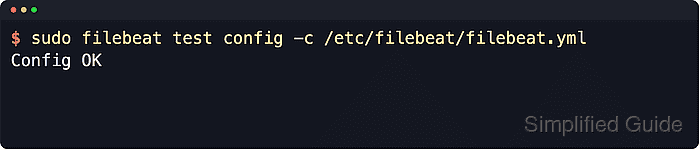
- Test the Filebeat configuration before restarting the service.
$ sudo filebeat test config -c /etc/filebeat/filebeat.yml
Config OK
Related: How to test a Filebeat configuration
- Restart the Filebeat service to load the updated processor chain.
$ sudo systemctl restart filebeat
- Confirm that the Filebeat unit returned to an active state.
$ sudo systemctl is-active filebeat
active
- Confirm matching records stop arriving in the configured destination after fresh logs are written.
Search for the same fields used in drop_event, such as log.level: debug or message: “GET /healthz”. Existing indexed documents may still appear, so filter the search to a time range after the restart.
- Review the recent Filebeat journal if the service does not stay active or matching events still appear downstream.
$ sudo journalctl -u filebeat.service --since "10 min ago" --no-pager --lines=80
Look for YAML parsing errors, field names that do not exist in the event, or a condition that matches more events than intended.

Mohd Shakir Zakaria is a cloud architect with deep roots in software development and open-source advocacy. Certified in AWS, Red Hat, VMware, ITIL, and Linux, he specializes in designing and managing robust cloud and on-premises infrastructures.


