How to mount a searchable snapshot in Elasticsearch
Mounting a searchable snapshot in Elasticsearch makes an index stored inside a snapshot available for queries without restoring it as a normal writable index. It is useful when archived logs, events, or investigation data need to be searched from a registered repository while the mounted index keeps a separate name from live data.
The mount API creates a new read-only index whose shards read from the snapshot repository and cache data locally according to the selected storage mode. The full_copy mode fully caches shard data in the cluster and works well for a focused manual mount, while shared_cache is for frozen-tier style mounts on nodes with a configured searchable snapshot cache.
The repository must already be registered, the snapshot must be in SUCCESS state, and the cluster license must allow searchable snapshots. Do not manually mount snapshots that Index Lifecycle Management created for a managed policy, because manual mounts can interfere with ILM's automatic snapshot and tier handling. The local endpoint can be replaced with the cluster's secured HTTP endpoint, and mounted index names should avoid collisions with live indices.
Steps to mount a searchable snapshot in Elasticsearch:
- Confirm the cluster license supports searchable snapshots.
$ curl -sS --fail "http://localhost:9200/_license?pretty"
{
  "license" : {
    "status" : "active",
    "type" : "enterprise",
##### snipped #####
  }
}
A trial license can validate the API in a lab. Production searchable snapshots require an Enterprise license.
- Verify that the snapshot repository is reachable from the cluster.
$ curl -sS --fail -X POST "http://localhost:9200/_snapshot/local_fs/_verify?pretty"
{
  "nodes" : {
    "KHdzsUu7TgGA3Y_so6KcXg" : {
      "name" : "node-01"
    }
  }
}
Register and verify the repository before creating or mounting snapshots.
Related: How to create and manage Elasticsearch snapshots - Inspect the snapshot that contains the source index.
$ curl -sS --fail "http://localhost:9200/_snapshot/local_fs/archive-logs-2026.06-snapshot?pretty&filter_path=snapshots.snapshot,snapshots.indices,snapshots.state"
{
  "snapshots" : [
    {
      "snapshot" : "archive-logs-2026.06-snapshot",
      "indices" : [
        "archive-logs-2026.06"
      ],
      "state" : "SUCCESS"
    }
  ]
}
If the required index is missing or the snapshot state is not SUCCESS, choose another snapshot before mounting.
- Check that the target mounted index name is not already in use.
$ curl -sS -o /dev/null -w "%{http_code}\n" "http://localhost:9200/archive-logs-searchable"
404
A 404 response means the mounted index name is free. Use a different renamed_index value if this check returns 200.
- Mount the source index from the snapshot under a searchable index name.
$ curl -sS --fail -H "Content-Type: application/json" -X POST "http://localhost:9200/_snapshot/local_fs/archive-logs-2026.06-snapshot/_mount?wait_for_completion=true&storage=full_copy&pretty" -d '{
  "index": "archive-logs-2026.06",
  "renamed_index": "archive-logs-searchable",
  "index_settings": {
    "index.number_of_replicas": 0
  },
  "ignore_index_settings": [ "index.refresh_interval" ]
}'
{
  "snapshot" : {
    "snapshot" : "archive-logs-2026.06-snapshot",
    "indices" : [
      "archive-logs-searchable"
    ],
    "shards" : {
      "total" : 1,
      "failed" : 0,
      "successful" : 1
    }
  }
}
Do not use the manual mount API for snapshots managed by ILM. Let ILM mount those snapshots during the policy phase that owns them.
Use storage=shared_cache only when frozen-tier nodes or other data nodes have a searchable snapshot shared cache configured.
- Monitor snapshot recovery for the mounted index.
$ curl -sS --fail "http://localhost:9200/_cat/recovery/archive-logs-searchable?v&h=index,shard,type,stage,repository,snapshot,files_percent,bytes_percent"
index                   shard type     stage repository snapshot                      files_percent bytes_percent
archive-logs-searchable 0     snapshot done  local_fs   archive-logs-2026.06-snapshot 100.0%        100.0%
The done stage with 100.0 file and byte recovery confirms shard recovery finished for the mounted index.
Related: How to monitor shard recovery in Elasticsearch - Confirm the mounted index is open and contains the expected document count.
$ curl -sS --fail "http://localhost:9200/_cat/indices/archive-logs-searchable?v&h=health,status,index,pri,rep,docs.count,store.size"
health status index                   pri rep docs.count store.size
green  open   archive-logs-searchable   1   0          1      6.9kb
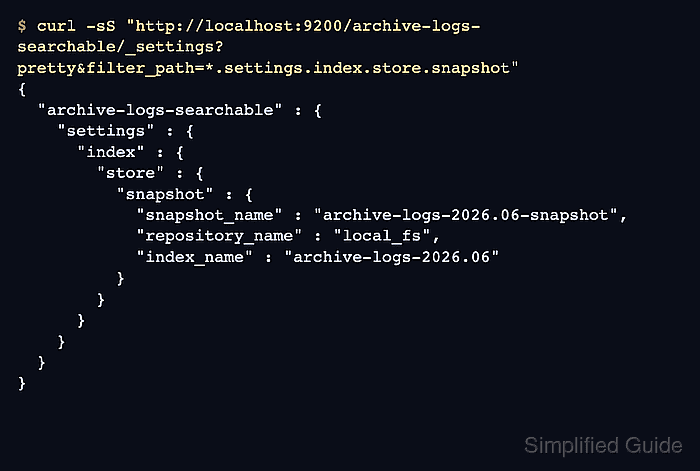
- Confirm the mounted index records its snapshot backing.
$ curl -sS --fail "http://localhost:9200/archive-logs-searchable/_settings?pretty&filter_path=*.settings.index.store.snapshot"
{
  "archive-logs-searchable" : {
    "settings" : {
      "index" : {
        "store" : {
          "snapshot" : {
            "snapshot_name" : "archive-logs-2026.06-snapshot",
            "repository_name" : "local_fs",
            "index_name" : "archive-logs-2026.06"
          }
        }
      }
    }
  }
}
The index.store.snapshot settings tie the mounted index back to the repository, snapshot, and original source index.
- Search the mounted index to prove the archived data is queryable.
$ curl -sS --fail -H "Content-Type: application/json" "http://localhost:9200/archive-logs-searchable/_search?pretty" -d '{
  "query": {
    "match": {
      "message": "snapshot"
    }
  }
}'
{
  "hits" : {
    "total" : {
      "value" : 1,
      "relation" : "eq"
    },
    "hits" : [
      {
        "_index" : "archive-logs-searchable",
        "_source" : {
          "service" : "checkout",
          "event" : "archived",
          "message" : "snapshot smoke test"
        }
      }
    ]
  }
}