How to configure a dedicated master-eligible node in Elasticsearch
Configuring a dedicated master-eligible node in Elasticsearch reserves one self-managed node for elections and cluster-state publication instead of indexing, ingest, or search work. This separation is useful when a production cluster needs coordination duties kept away from shard-heavy data nodes and client request paths.
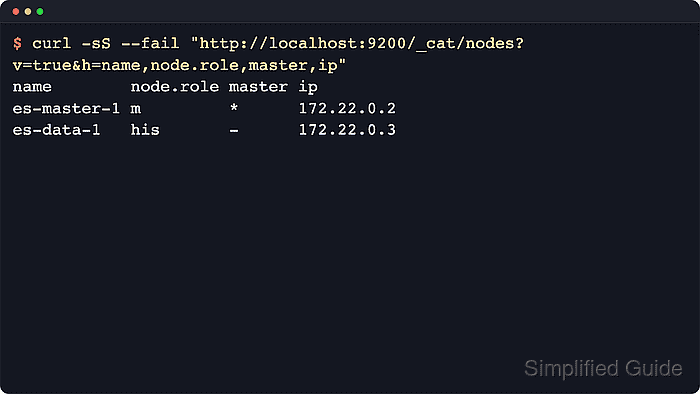
Node roles are set with node.roles in /etc/elasticsearch/elasticsearch.yml on package-based self-managed installs. Setting node.roles to only master replaces the default role set, so the node remains eligible to become the elected master but no longer acts as a data, ingest, transform, machine-learning, or remote-client node.
Keep the master-eligible set small and deliberate. High-availability clusters need at least three master-eligible nodes, with at least two that are not voting_only, and repurposing a former data node needs shard relocation before the data role is removed.
Steps to configure a dedicated master-eligible node in Elasticsearch:
- List the current node roles before changing the target node.
$ curl --silent --show-error --fail "http://localhost:9200/_cat/nodes?v=true&h=name,node.role,master,ip&s=name"
name        node.role master ip
es-data-1   di        -      172.22.0.5
es-master-1 dim       -      172.22.0.2
es-master-2 m         *      172.22.0.3
es-master-3 m         -      172.22.0.4
The compact node.role column contains m on master-eligible nodes. Use the authenticated HTTPS endpoint that already works for the cluster when security is enabled.
- Exclude the target node from shard allocation if it currently has a data role.
$ curl --silent --show-error --fail --header "Content-Type: application/json" --request PUT "http://localhost:9200/_cluster/settings?pretty&flat_settings=true" --data '{
  "persistent": {
    "cluster.routing.allocation.exclude._name": "es-master-1"
  }
}'
{
  "acknowledged" : true,
  "persistent" : {
    "cluster.routing.allocation.exclude._name" : "es-master-1"
  },
  "transient" : { }
}
Skip this step for a new node or a node that has never held shard data.
- Wait for shard relocation to finish before removing the data role.
$ curl --silent --show-error --fail "http://localhost:9200/_cluster/health?wait_for_no_relocating_shards=true&timeout=5m&filter_path=status,relocating_shards,unassigned_shards&pretty"
{
  "status" : "green",
  "relocating_shards" : 0,
  "unassigned_shards" : 0
}
Removing data roles before shard data has moved can prevent the node from starting cleanly after the role change.
- Back up the node configuration file.
$ sudo cp /etc/elasticsearch/elasticsearch.yml /etc/elasticsearch/elasticsearch.yml.before-master-role
- Open /etc/elasticsearch/elasticsearch.yml on the target node.
$ sudoedit /etc/elasticsearch/elasticsearch.yml
- Set node.roles to only master.
node.roles: [ master ]
Keep the node's existing cluster.name, node.name, discovery.seed_hosts, network, security settings, and persistent path.data intact. Do not add cluster.initial_master_nodes when the node is joining or rejoining an existing cluster.
- Restart Elasticsearch on the target node.
$ sudo systemctl restart elasticsearch
Restarting the elected master triggers a new election. Keep a majority of voting master-eligible nodes online throughout the change. If leftover shard data prevents startup, stop Elasticsearch and run sudo /usr/share/elasticsearch/bin/elasticsearch-node repurpose only while the service is down.
- Verify that the node reports only the master role.
$ curl --silent --show-error --fail "http://localhost:9200/_nodes/es-master-1?filter_path=nodes.*.name,nodes.*.roles&pretty" { "nodes" : { "qwQkaMVDQk24yGjzKGLgsQ" : { "name" : "es-master-1", "roles" : [ "master" ] } } } - Confirm the cluster-wide role view marks the node as dedicated master-eligible.
$ curl --silent --show-error --fail "http://localhost:9200/_cat/nodes?v=true&h=name,node.role,master,ip&s=name"
name        node.role master ip
es-data-1   di        -      172.22.0.5
es-master-1 m         -      172.22.0.2
es-master-2 m         *      172.22.0.3
es-master-3 m         -      172.22.0.4
The m role flag without d or i shows that es-master-1 is no longer serving data or ingest duties.
- Confirm the cluster currently has an elected master.
$ curl --silent --show-error --fail "http://localhost:9200/_cat/master?v=true"
id                     host       ip         node
AezOs1OoQC6pLAe4xAWeRA 172.22.0.3 172.22.0.3 es-master-2
Any non-voting-only master-eligible node can become elected master, so a different node name is acceptable if the cluster still has a leader.
- Check cluster health after the node rejoins with the dedicated master role.
$ curl --silent --show-error --fail "http://localhost:9200/_cluster/health?filter_path=cluster_name,status,timed_out,number_of_nodes,number_of_data_nodes,active_primary_shards,active_shards,relocating_shards,initializing_shards,unassigned_shards,number_of_pending_tasks,active_shards_percent_as_number&pretty" { "cluster_name" : "search-cluster", "status" : "green", "timed_out" : false, "number_of_nodes" : 4, "number_of_data_nodes" : 1, "active_primary_shards" : 0, "active_shards" : 0, "relocating_shards" : 0, "initializing_shards" : 0, "unassigned_shards" : 0, "number_of_pending_tasks" : 0, "active_shards_percent_as_number" : 100.0 }relocating_shards, unassigned_shards, and number_of_pending_tasks show whether the role change left unfinished cluster work behind.
- Clear the temporary allocation exclusion if one was set earlier.
$ curl --silent --show-error --fail --header "Content-Type: application/json" --request PUT "http://localhost:9200/_cluster/settings?pretty&flat_settings=true" --data '{
  "persistent": {
    "cluster.routing.allocation.exclude._name": null
  }
}'
{
  "acknowledged" : true,
  "persistent" : { },
  "transient" : { }
}
Skip this cleanup when the node never needed a temporary allocation filter.