How to set Elasticsearch discovery seed hosts
Setting discovery.seed_hosts tells a self-managed Elasticsearch node which master-eligible transport addresses to contact when it starts or rejoins a cluster. A complete seed list helps nodes find the same cluster after restarts, node additions, DNS changes, or maintenance windows.
Elasticsearch reads discovery.seed_hosts as a static node setting from /etc/elasticsearch/elasticsearch.yml on package-managed Linux nodes. The entries are transport-layer addresses, not HTTP URLs, so each name or IP address must lead to a reachable 9300 endpoint unless the cluster uses a different configured transport port.
Peer discovery still depends on matching cluster.name values, routable transport addresses, and compatible security material between nodes. For a brand-new multi-node cluster, cluster.initial_master_nodes is used only for the first election and should be removed after the cluster forms; joining or restarting nodes should use the seed host list without a bootstrap list.
Steps to set Elasticsearch discovery seed hosts:
- Back up the current Elasticsearch configuration file.
$ sudo cp --archive /etc/elasticsearch/elasticsearch.yml /etc/elasticsearch/elasticsearch.yml.bak
- Open /etc/elasticsearch/elasticsearch.yml on the node that needs the discovery update.
$ sudoedit /etc/elasticsearch/elasticsearch.yml
- Set the shared cluster.name value if it is not already defined.
Nodes with different cluster.name values never join the same cluster.
cluster.name: search-cluster
- Set discovery.seed_hosts to the transport addresses of every master-eligible node in the cluster.
discovery.seed_hosts:
  - es-master-a:9300
  - es-master-b:9300
  - es-master-c:9300
Use fixed DNS names or IP addresses that resolve to reachable transport endpoints. Each address may be host or host:port; if the port is omitted, Elasticsearch checks transport.profiles.default.port, then transport.port, and otherwise uses 9300.
- Remove cluster.initial_master_nodes from joining or restarting nodes.
cluster.initial_master_nodes:
  - es-master-a
  - es-master-b
  - es-master-c
cluster.initial_master_nodes is only for the first bootstrap of a brand-new cluster. Do not leave it on nodes joining an existing cluster, nodes that are restarting, or nodes in a full-cluster restart.
- Save the file.
- Apply the same discovery.seed_hosts list on the remaining nodes that should be able to rejoin the cluster.
The first installed node in a multi-node package deployment also needs a complete discovery.seed_hosts list, or later restarts can fail discovery bootstrap checks.
- Restart Elasticsearch on one changed node at a time.
$ sudo systemctl restart elasticsearch
Wait for each restarted node to rejoin before restarting the next one so the cluster keeps quorum and shard movement stays controlled.
- Confirm the service returned to the running state.
$ systemctl is-active elasticsearch
active
Use sudo journalctl --unit=elasticsearch.service --no-pager --lines=80 when the unit does not return active.
- Wait for the expected node count to appear through the local HTTP API.
$ curl --silent --show-error --fail "http://localhost:9200/_cluster/health?wait_for_nodes=>=3&timeout=60s&filter_path=cluster_name,status,timed_out,number_of_nodes&pretty"
{
  "cluster_name" : "search-cluster",
  "status" : "green",
  "timed_out" : false,
  "number_of_nodes" : 3
}
number_of_nodes and timed_out confirm discovery more directly than the health color alone.
Self-managed package installs with security enabled typically require HTTPS, a trusted CA, and authentication. Use the same scheme and credentials that operators use for the cluster HTTP API.
- List cluster nodes and confirm that the node rejoined the expected cluster state.
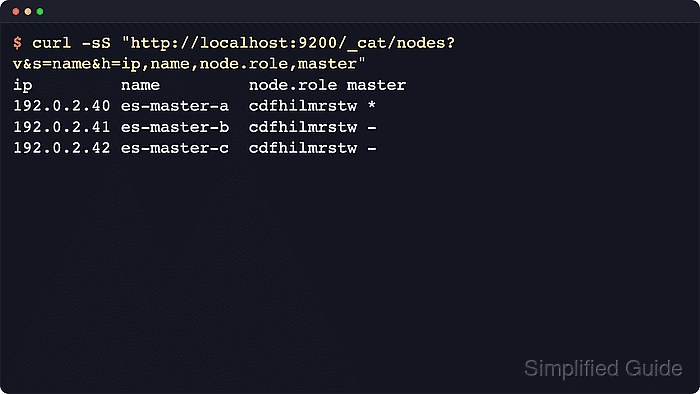
$ curl --silent --show-error --fail "http://localhost:9200/_cat/nodes?v&s=name&h=ip,name,node.role,master"
ip         name        node.role   master
192.0.2.40 es-master-a cdfhilmrstw *
192.0.2.41 es-master-b cdfhilmrstw -
192.0.2.42 es-master-c cdfhilmrstw -
The master column must show exactly one *. If the node is missing from the list, recheck transport reachability, DNS resolution, cluster.name, and whether the seed list targets master-eligible nodes.