How to back up and restore DRBD metadata
Backing up and restoring DRBD metadata protects the node-local state that DRBD stores beside each replicated volume. Operators need this rollback path before offline resizing, disk replacement, metadata repair, or recovery work that can move or overwrite the metadata area.
DRBD metadata is not interchangeable between peers. A dump from node-a must return to node-a's matching backing device, while node-b needs its own dump, because node IDs, generation identifiers, activity log, and peer bitmap state belong to the node that wrote them.
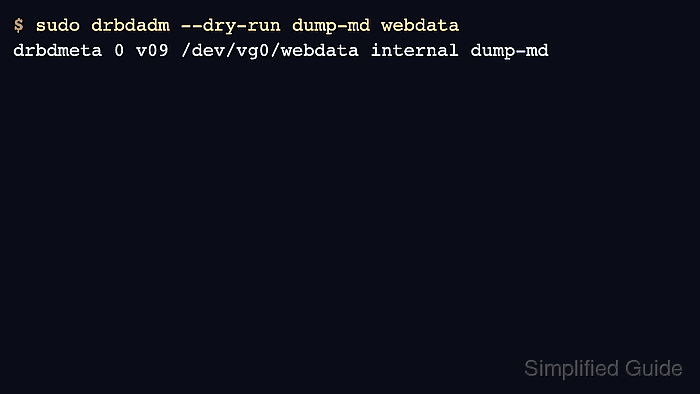
The restore path uses drbdadm --dry-run dump-md to reveal the exact drbdmeta target for the resource, then changes only the final action from dump-md to restore-md. Keep the workload stopped and the resource down before touching metadata, and bring the resource up only after the matching node-local file has passed checksum verification.
Steps to back up and restore DRBD metadata:
- Create a node-specific metadata backup directory.
$ sudo install -d -m 700 -o "$USER" /var/backups/drbd-metadata/webdata-node-a
Replace webdata with the DRBD resource name and node-a with the current node. Use a different directory on every node.
- Check the resource state before taking metadata offline.
$ sudo drbdadm status webdata
webdata role:Primary
  volume:0 disk:UpToDate
  node-b role:Secondary
    volume:0 peer-disk:UpToDate
Resolve unexpected Inconsistent, Outdated, Diskless, or disconnected peer states before relying on the metadata dump.
- Save the parsed resource configuration.
$ sudo drbdadm dump webdata > /var/backups/drbd-metadata/webdata-node-a/webdata.config
drbdadm dump records the normalized resource definition that drbdadm reads on this node.
- Save the lower-level metadata command for this node.
$ sudo drbdadm --dry-run dump-md webdata > /var/backups/drbd-metadata/webdata-node-a/webdata.dump-md-command
- Review the saved metadata command.
$ cat /var/backups/drbd-metadata/webdata-node-a/webdata.dump-md-command
drbdmeta 0 v09 /dev/vg0/webdata internal dump-md
The restore command must use the same minor, metadata version, metadata device, and metadata index shown here.
- Stop the workload that uses the DRBD device.
Mounted file systems, databases, cluster managers, and application services can keep the lower-level device in use or change data while metadata is being captured. Stop or fail over the workload before continuing.
- Take the DRBD resource down on the current node.
$ sudo drbdadm down webdata
drbdadm down removes the local DRBD device, lower-level device attachment, and peer connection for the resource. Run it only inside an approved maintenance or recovery window.
- Dump the metadata into the node-specific backup directory.
$ sudo drbdadm dump-md webdata > /var/backups/drbd-metadata/webdata-node-a/webdata.metadata
If dump-md reports unclean metadata, run sudo drbdadm apply-al webdata, then retry the dump.
Run dump-md separately on every configured node. A dump from one node cannot safely replace a peer node's metadata.
- Enter the metadata backup parent directory.
$ cd /var/backups/drbd-metadata
The checksum manifest uses relative paths so it can be verified again after the archive is extracted into a restore workspace.
- Write a checksum manifest for the saved files.
$ sha256sum \
  webdata-node-a/webdata.config \
  webdata-node-a/webdata.dump-md-command \
  webdata-node-a/webdata.metadata \
  > webdata-node-a/SHA256SUMS
- Verify the checksum manifest.
$ sha256sum --check webdata-node-a/SHA256SUMS
webdata-node-a/webdata.config: OK
webdata-node-a/webdata.dump-md-command: OK
webdata-node-a/webdata.metadata: OK
- Archive the node-local metadata backup.
$ tar -czf webdata-node-a.tar.gz webdata-node-a
- Copy the archive to backup storage outside the affected DRBD device.
$ sudo install -m 600 /var/backups/drbd-metadata/webdata-node-a.tar.gz /mnt/backup/drbd-metadata/
Use the backup transport approved for the environment. The backup is not complete while the only copy remains on the node or on storage involved in the planned change.
- Prepare a local restore workspace on the node being recovered.
$ sudo install -d -m 700 -o "$USER" /var/backups/drbd-restore
- Extract that node's own metadata archive.
$ tar -xzf /mnt/backup/drbd-metadata/webdata-node-a.tar.gz -C /var/backups/drbd-restore
Extract the archive made on the same node and for the same resource. Do not restore node-a metadata on node-b.
- Enter the restore workspace.
$ cd /var/backups/drbd-restore
- Verify the restored backup files before writing metadata.
$ sha256sum --check webdata-node-a/SHA256SUMS
webdata-node-a/webdata.config: OK
webdata-node-a/webdata.dump-md-command: OK
webdata-node-a/webdata.metadata: OK
- Confirm that the resource is still down.
$ sudo drbdsetup status webdata
webdata: resource not found
The exact wording can vary by drbd-utils version. The resource should not show live volumes, roles, connections, or disk state before drbdmeta restore-md writes metadata.
- Review the saved metadata command in the restore workspace.
$ cat /var/backups/drbd-restore/webdata-node-a/webdata.dump-md-command
drbdmeta 0 v09 /dev/vg0/webdata internal dump-md
- Restore the node-local metadata with the matching drbdmeta command.
$ sudo drbdmeta 0 v09 /dev/vg0/webdata internal restore-md /var/backups/drbd-restore/webdata-node-a/webdata.metadata
Valid meta-data in place, overwrite?
[need to type 'yes' to confirm] yes
reinitializing
Successfully restored meta data
Change only the final dump-md action to restore-md and append the node's own metadata file. If an internal metadata area was intentionally recreated first, complete that step from the maintenance plan before restoring.
Related: How to create DRBD metadata - Bring the DRBD resource back up on the restored node.
$ sudo drbdadm up webdata
- Check the resource after the peer reconnects.
$ sudo drbdadm status webdata
webdata role:Secondary
  volume:0 disk:UpToDate
  node-b role:Secondary
    volume:0 replication:Established peer-disk:UpToDate
UpToDate local and peer disk states confirm that DRBD accepted the metadata and reconnected without a forced full recovery state. Investigate Inconsistent, Outdated, or persistent disconnected status before promoting or mounting the resource.
Related: How to check DRBD resource status