How to configure DRBD auto-promote
DRBD auto-promote lets a resource become Primary when a filesystem mount, virtual machine, database, or another upper layer opens the DRBD device for writing. Setting the option explicitly keeps role changes tied to the resource configuration instead of relying on operators to run drbdadm primary before each controlled activation.
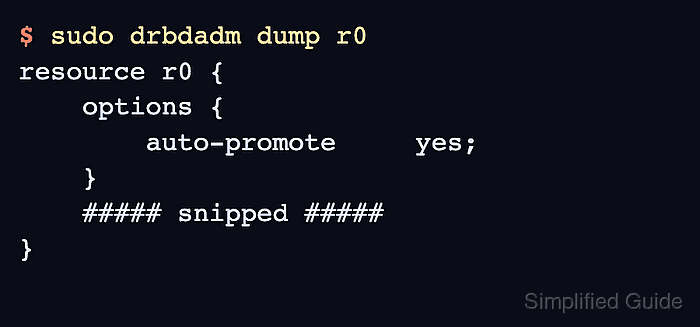
The resource option belongs in the resource-level options section of the .res file under /etc/drbd.d. DRBD 9 enables auto-promote by default, but writing the setting into the resource file makes the intended behavior visible and lets drbdadm adjust apply it consistently across nodes.
Automatic promotion still follows DRBD promotion rules. A mount or write open can promote only when an explicit drbdadm primary <resource> command would also succeed, so quorum, fencing, peer role, disk state, and cluster-manager ownership must already allow the selected node to become Primary.
Related: How to promote a DRBD resource to primary
Related: How to configure DRBD quorum
Related: How to validate DRBD configuration
Steps to configure DRBD auto-promote:
- Check the current resource role.
$ sudo drbdadm status r0
r0 role:Secondary
  disk:UpToDate
  node-b role:Secondary
    peer-disk:UpToDate
Replace r0 with the resource name from /etc/drbd.d/. In single-primary mode, auto-promote can make only one eligible node Primary.
- Open the DRBD resource configuration.
$ sudoedit /etc/drbd.d/r0.res
- Add the auto-promote option inside the resource block.
options {
    auto-promote yes;
}
Do not enable independent write-open promotion for a resource whose role is owned by Pacemaker or another cluster manager unless that cluster design explicitly uses DRBD auto-promote.
- Apply the same option on every node that defines the resource.
Mismatched resource files can leave different nodes with different promotion behavior after failover, reboot, or a later drbdadm adjust.
- Inspect the parsed resource configuration.
$ sudo drbdadm dump r0
resource r0 {
    options {
        auto-promote     yes;
    }
    ##### snipped #####
}
Related: How to validate DRBD configuration
- Preview the runtime adjustment.
$ sudo drbdadm --dry-run adjust r0
drbdsetup resource-options r0 --auto-promote=yes
A newly configured resource can print additional drbdsetup new-resource, new-minor, or connect lines. The resource-options line is the auto-promote setting.
- Apply the resource option.
$ sudo drbdadm adjust r0
- Mount the DRBD device from the node that should become Primary.
$ sudo mount /dev/drbd/by-res/r0/0 /srv/r0
The mount fails if a peer is already Primary, quorum blocks promotion, or the local data is not eligible for writes.
- Verify that the open device promoted the resource.
$ sudo drbdadm status r0 r0 role:Primary disk:UpToDate node-b role:Secondary peer-disk:UpToDate - Unmount the filesystem when the promotion test is complete.
$ sudo umount /srv/r0
Auto-promote demotes the resource after all users close it. A resource promoted explicitly with drbdadm primary still needs an explicit drbdadm secondary.
- Confirm the resource returned to Secondary after the last user closed it.
$ sudo drbdadm status r0
r0 role:Secondary
  disk:UpToDate
  node-b role:Secondary
    peer-disk:UpToDate