How to deploy a Docker Swarm service
A Swarm service describes the desired container tasks that managers should keep running across the swarm. Deploying a service is different from running a single container because the scheduler owns replicas, placement, published ports, updates, and task replacement.
docker service create must run on a Swarm manager. The command records the image, replica count, networks, secrets, mounts, resource limits, and port publishing that the scheduler should maintain.
Verify both the service object and at least one task. A service can exist while tasks are still pulling images, waiting for placement, restarting, or failing health checks.
Related: How to initialize Docker Swarm
Related: How to manage Docker Swarm secrets
Steps to deploy a Docker Swarm service:
- Confirm that the current Docker host is a Swarm manager.
$ docker info
##### snipped #####
Swarm: active
 Is Manager: true
##### snipped #####
Related: How to initialize Docker Swarm
- Create the replicated service with a published port.
$ docker service create --name web --replicas 1 --publish published=8080,target=80 nginx:alpine
x6b2q8q2eycg
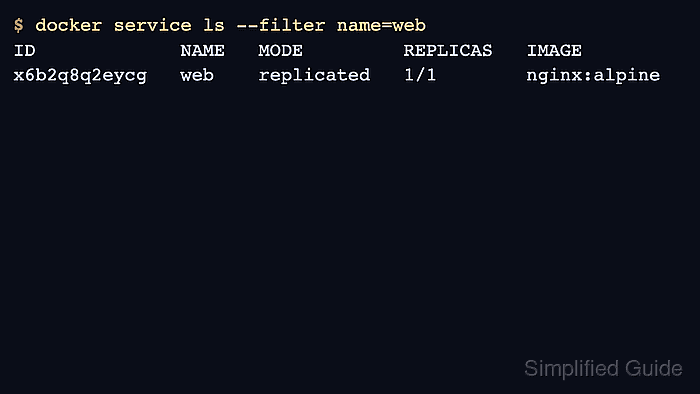
- Check the desired and running replica counts.
$ docker service ls --filter name=web
ID             NAME   MODE         REPLICAS   IMAGE
x6b2q8q2eycg   web    replicated   1/1        nginx:alpine
- Inspect the task state when replicas are not ready.
$ docker service ps web
ID             NAME      IMAGE          NODE       DESIRED STATE   CURRENT STATE
r4v8n1t9f6ab   web.1     nginx:alpine   docker-a   Running         Running 12 seconds ago
- Request the published port from a client that can reach the swarm node.
$ curl -I -sS http://docker-a.example.com:8080
HTTP/1.1 200 OK
Server: nginx
- Remove the service when it was only a deployment test.
$ docker service rm web
web
Removing a service stops its tasks. Confirm the service name and traffic path before deleting production workloads.