Initializing Docker Swarm turns one Docker Engine into a swarm manager that can schedule services and accept worker or manager nodes. The command changes the host's orchestration state, so the advertise address and recovery expectations should be clear before it runs.
docker swarm init creates the first manager and generates join tokens for additional nodes. The advertise address is the address other swarm nodes use to reach this manager.
Use a stable private address on a real host rather than a transient VPN, Wi-Fi, or localhost-only address. Keep join tokens out of public logs because possession of a valid token allows a host to join the swarm with that role.
Related: How to deploy a Docker Swarm service
Related: How to manage Docker Swarm secrets
Steps to initialize Docker Swarm:
- Choose the manager address that other nodes can reach.
$ ip addr show eth0 2: eth0: <BROADCAST,MULTICAST,UP,LOWER_UP> inet 10.20.30.10/24 brd 10.20.30.255 scope global eth0 - Initialize Swarm on the first manager.
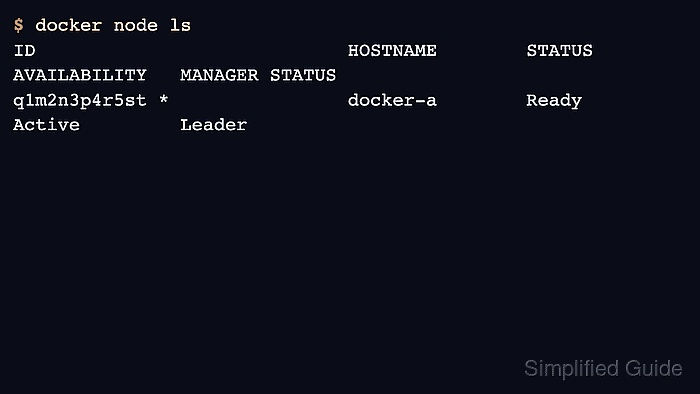
$ docker swarm init --advertise-addr 10.20.30.10 Swarm initialized: current node (q1m2n3p4r5st) is now a manager. To add a worker to this swarm, run the following command: docker swarm join --token SWMTKN-1-... 10.20.30.10:2377 - Confirm that the local node is the manager leader.
$ docker node ls
ID                            HOSTNAME        STATUS    AVAILABILITY   MANAGER STATUS
q1m2n3p4r5st *                docker-a        Ready     Active         Leader
- Store the worker join command in a protected runbook or secret store.
$ docker swarm join-token worker
To add a worker to this swarm, run the following command:
    docker swarm join --token SWMTKN-1-... 10.20.30.10:2377
Join tokens are credentials. Rotate them with docker swarm join-token –rotate if a token is exposed.
- Run a read-only swarm check before deploying services.
$ docker info
##### snipped #####
Swarm: active
 Is Manager: true
##### snipped #####

Mohd Shakir Zakaria is a cloud architect with deep roots in software development and open-source advocacy. Certified in AWS, Red Hat, VMware, ITIL, and Linux, he specializes in designing and managing robust cloud and on-premises infrastructures.


