Swarm secrets keep sensitive strings out of service environment variables and image layers. A secret is created on a manager, distributed through the encrypted Swarm control plane, and mounted into only the service tasks that have been granted access.
Secrets appear inside Linux service tasks under /run/secrets unless a custom target is specified. Docker does not allow removing a secret while a running service still uses it, so rotation normally means adding a new secret, updating consumers, and then removing the old secret.
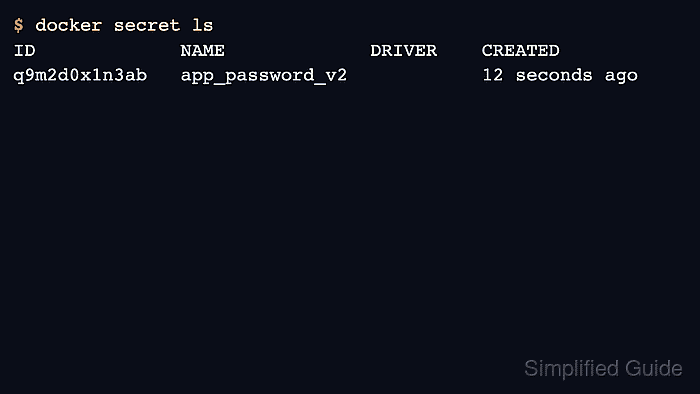
Use versioned secret names rather than overwriting meaning in place. A name such as app_password_v2 makes the active value clear during rollout, rollback, and evidence review without exposing the secret contents.
Related: How to initialize Docker Swarm
Related: How to deploy a Docker Swarm service
Tool: Secrets Rotation Planner
Steps to manage Docker Swarm secrets:
- Create the secret from standard input on a Swarm manager.
$ printf '%s' "$APP_PASSWORD" | docker secret create app_password_v1 -
q9m2d0x1n3ab
Do not echo real secret values into saved transcripts or shared terminal logs.
- List secrets without exposing their contents.
$ docker secret ls
ID             NAME              DRIVER    CREATED
q9m2d0x1n3ab   app_password_v1             5 seconds ago
- Grant the secret to a service.
$ docker service create --name app --secret source=app_password_v1,target=app_password registry.example.com/team/app:1.0
x6b2q8q2eycg
- Confirm that the service task is running.
$ docker service ps app
ID             NAME      IMAGE                                CURRENT STATE
r4v8n1t9f6ab   app.1     registry.example.com/team/app:1.0    Running 20 seconds ago
- Add a replacement secret during rotation.
$ printf '%s' "$APP_PASSWORD_V2" | docker secret create app_password_v2 -
p1n8m5x4a2cd
- Update the service to use the new secret and remove the old mount.
$ docker service update --secret-add source=app_password_v2,target=app_password --secret-rm app_password_v1 app
app
- Remove the old secret after all tasks have moved away from it.
$ docker secret rm app_password_v1
app_password_v1

Mohd Shakir Zakaria is a cloud architect with deep roots in software development and open-source advocacy. Certified in AWS, Red Hat, VMware, ITIL, and Linux, he specializes in designing and managing robust cloud and on-premises infrastructures.


