How to create a Docker context
Switching between Docker hosts by changing shell variables is easy to get wrong during maintenance. A Docker context stores the target endpoint under a name, so commands can be pointed at a local engine, remote SSH host, or Desktop endpoint without rewriting every command.
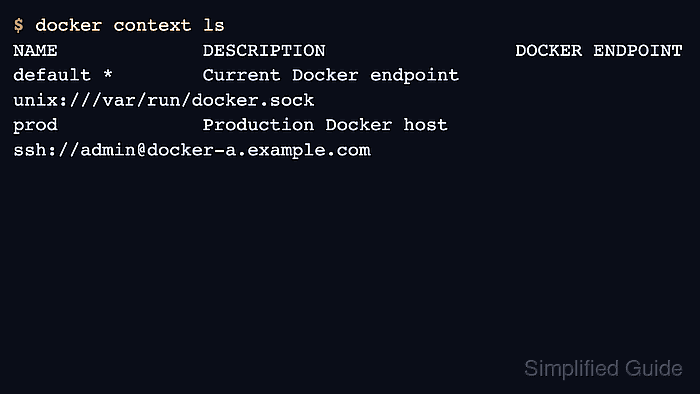
docker context create writes client-side metadata under the Docker CLI configuration directory. Using docker –context <name> for a command is safer than changing the global current context during a one-off check.
The context only defines where the CLI connects. It does not grant SSH access, TLS trust, registry credentials, or permission to operate the remote engine, so the first verification should be read-only.
Related: How to log in to a Docker registry
Related: How to run a Docker container
Steps to create a Docker context:
- Create a context for the remote Docker host.
$ docker context create prod --docker host=ssh://admin@docker-a.example.com --description "Production Docker host"
prod
Successfully created context "prod"
- List contexts and confirm the endpoint.
$ docker context ls
NAME        DESCRIPTION              DOCKER ENDPOINT
default *   Current Docker endpoint   unix:///var/run/docker.sock
prod        Production Docker host    ssh://admin@docker-a.example.com
- Inspect the stored endpoint before using it.
$ docker context inspect prod [ { "Name": "prod", "Endpoints": { "docker": { "Host": "ssh://admin@docker-a.example.com" } } } ] - Run a read-only command through the context.
$ docker --context prod version
Client: Docker Engine - Community
 Server: Docker Engine - Community
  Version: 29.5.2
Keep --context on the command when only one operation should use the remote endpoint.
- Switch the current shell to the context only when several commands should target it.
$ docker context use prod
prod
Current context is now "prod"
- Return to the local context after the remote work is complete.
$ docker context use default
default
Current context is now "default"