How to use an env file with Docker Compose
A separate env file keeps change-prone Docker Compose values such as image tags, published ports, project names, and container settings outside the main compose.yaml. That keeps the service model stable while allowing the same stack definition to be reused for local, staging, or production runs.
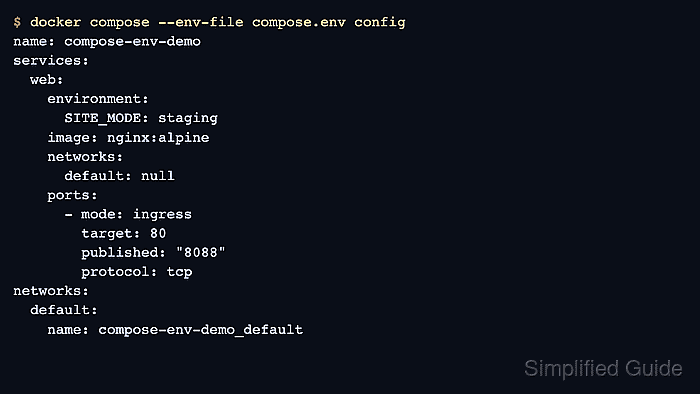
Docker Compose reads the selected env file before it resolves ${VARIABLE} placeholders in the Compose model. Running docker compose --env-file compose.env config shows the rendered configuration exactly as Compose will interpret it.
If no alternate file is supplied, Docker Compose looks for a default .env file in the project directory. An exported shell variable with the same name overrides the file value, and the service-level env_file: setting is different: it loads variables into a container rather than selecting the file used for Compose interpolation.
Steps to use an env file with Docker Compose:
- Open a terminal in the Docker Compose project directory.
$ cd compose-env-demo
- Create the env file with the values that should change between runs.
PROJECT_NAME=compose-env-demo
NGINX_TAG=alpine
HOST_PORT=8088
SITE_MODE=staging
Plain-text env files can expose real credentials if they are committed or copied carelessly, so keep production secrets out of repository-tracked env files unless a separate secret-management path already handles them.
Tool: .env File Generator
- Create or update the compose.yaml file so it references those variables.
name: ${PROJECT_NAME}

services:
  web:
    image: nginx:${NGINX_TAG}
    ports:
      - "${HOST_PORT}:80"
    environment:
      SITE_MODE: ${SITE_MODE}
The –env-file CLI option selects the file Docker Compose uses for ${...} interpolation, while the service-level env_file: key loads variables into the container environment after the model has already been rendered.
- Render the resolved Docker Compose model before starting the stack.
$ docker compose --env-file compose.env config
name: compose-env-demo
services:
  web:
    environment:
      SITE_MODE: staging
    image: nginx:alpine
    networks:
      default: null
    ports:
      - mode: ingress
        target: 80
        published: "8088"
        protocol: tcp
networks:
  default:
    name: compose-env-demo_default
If a variable already exists in the current shell, that shell value overrides the same name from compose.env.
- Start the stack with the same env file so the running project uses the rendered values.
$ docker compose --env-file compose.env up -d
Network compose-env-demo_default Creating
Network compose-env-demo_default Created
Container compose-env-demo-web-1 Creating
Container compose-env-demo-web-1 Created
Container compose-env-demo-web-1 Starting
Container compose-env-demo-web-1 Started
- Check the running service and published port through Docker Compose.
$ docker compose --env-file compose.env ps
NAME                     IMAGE          COMMAND                  SERVICE   CREATED         STATUS        PORTS
compose-env-demo-web-1   nginx:alpine   "/docker-entrypoint.…"   web       10 seconds ago  Up 9 seconds  0.0.0.0:8088->80/tcp, [::]:8088->80/tcp
- Read the container environment to confirm the interpolated value reached the service.
$ docker compose --env-file compose.env exec web printenv SITE_MODE
staging