Opening a shell inside a running Docker container gives direct access to the filesystem and process context when logs alone do not explain why an application is failing. It is useful for checking configuration files, mounted data, permissions, and application assets from the same environment the service is actually using.
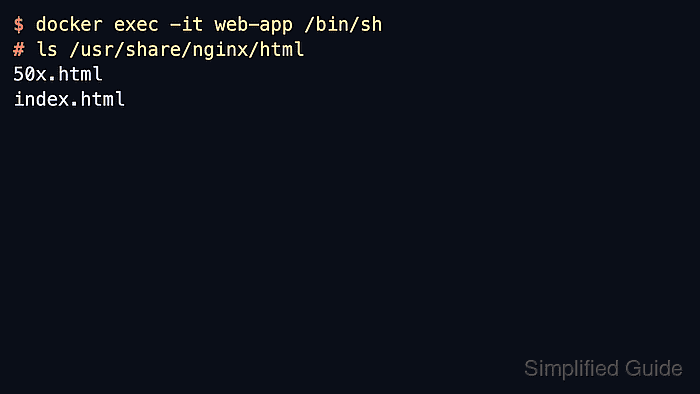
Docker runs docker exec -it as a new process inside an already running container. Using /bin/sh is the safest default on slim images because many of them do not include /bin/bash, and the shell opens in the container's default working directory unless another path is supplied with --workdir.
docker exec only works while the container's main process is running, and a paused container must be unpaused before the shell can start. If the image truly has no shell binary, current Docker releases also provide docker debug as a toolbox-based fallback, but docker exec -it <container> /bin/sh remains the shortest path when a normal shell exists.
Steps to open a debug shell in a Docker container:
- List the running containers so the shell opens in the correct target.
$ docker ps
CONTAINER ID   IMAGE          COMMAND                  CREATED         STATUS         PORTS     NAMES
8c2a1f4c6d8a   nginx:alpine   "/docker-entrypoint.…"   2 minutes ago   Up 2 minutes   80/tcp    web-app
Use the value from the NAMES column so the shell command keeps working even when a recreated container gets a different short ID.
- Open an interactive shell in that running container.
$ docker exec -it web-app /bin/sh
#
/bin/sh is more widely available than /bin/bash on slim images, and current Docker releases provide docker debug web-app as a fallback when the image has no shell at all.
docker exec does not start a stopped container. If the target is Exited or Paused, start or unpause it before retrying.
- Run a simple command inside the shell to confirm the session is in the expected container filesystem.
# pwd
/
# ls /usr/share/nginx/html
50x.html
index.html
docker exec starts in the container's default working directory unless --workdir overrides it for that exec process.
- Leave the shell when the inspection is complete.
# exit

Mohd Shakir Zakaria is a cloud architect with deep roots in software development and open-source advocacy. Certified in AWS, Red Hat, VMware, ITIL, and Linux, he specializes in designing and managing robust cloud and on-premises infrastructures.


