How to verify Debian security update sources
Verifying Debian security update sources confirms that APT can read the archive that carries security fixes for the installed release. This matters after image builds, mirror changes, source-file edits, or release upgrades because a normal package refresh can still miss security fixes when the security suite is absent or mismatched.
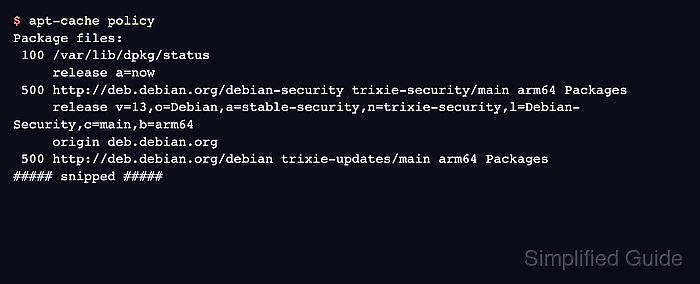
On Debian 13, the release codename is trixie, and the matching security suite is trixie-security. The source should point at the Debian security archive and the APT policy output should show the Debian-Security label for that codename.
Security-source verification does not install updates. It checks the active source stanza, refreshes package metadata, confirms the package-selection policy, and separates a host with no pending security-origin upgrades from one where security updates are waiting.
Steps to verify Debian security update sources:
- Check the installed Debian release codename.
$ cat /etc/os-release
PRETTY_NAME="Debian GNU/Linux 13 (trixie)"
NAME="Debian GNU/Linux"
VERSION_ID="13"
VERSION="13 (trixie)"
VERSION_CODENAME=trixie
DEBIAN_VERSION_FULL=13.5
##### snipped #####
Use VERSION_CODENAME when checking the security suite. For trixie, the matching suite is trixie-security.
- Inspect the active Debian source file.
$ cat /etc/apt/sources.list.d/debian.sources
Types: deb
URIs: http://deb.debian.org/debian
Suites: trixie trixie-updates
Components: main
Signed-By: /usr/share/keyrings/debian-archive-keyring.pgp

Types: deb
URIs: http://deb.debian.org/debian-security
Suites: trixie-security
Components: main
Signed-By: /usr/share/keyrings/debian-archive-keyring.pgp
Current Debian systems commonly use deb822 files under /etc/apt/sources.list.d/. If the host still uses /etc/apt/sources.list, verify the same codename pairing in the one-line deb entry.
- Refresh package metadata from the configured sources.
$ sudo apt update
Get:1 http://deb.debian.org/debian trixie InRelease [140 kB]
Get:2 http://deb.debian.org/debian trixie-updates InRelease [47.3 kB]
Get:3 http://deb.debian.org/debian-security trixie-security InRelease [43.4 kB]
##### snipped #####
Reading package lists...
Building dependency tree...
Reading state information...
All packages are up to date.
Fix the source file before trusting upgrade checks if apt update cannot fetch the matching -security suite or reports a release mismatch.
- Confirm that APT policy includes the Debian security archive.
$ apt-cache policy
Package files:
 100 /var/lib/dpkg/status
     release a=now
 500 http://deb.debian.org/debian-security trixie-security/main arm64 Packages
     release v=13,o=Debian,a=stable-security,n=trixie-security,l=Debian-Security,c=main,b=arm64
     origin deb.debian.org
##### snipped #####
The security source is active when the policy output shows the matching codename, such as n=trixie-security, and the Debian-Security label.
- List pending security-origin upgrades for the installed codename.
$ apt list '?upgradable ?codename(trixie-security)'
Listing...
No package lines after Listing… means no package is currently upgradable from trixie-security. When package lines appear, review them through the approved package-upgrade process before installing.
Related: How to upgrade packages on Debian with apt - Compare the security-origin result with the full upgradable list.
$ apt list --upgradable
Listing...
An empty security-origin list does not prove the whole system has no upgrades. The full list shows whether non-security upgrades are waiting from the main, updates, or backports archives.