How to change the user agent string in cURL
Automated HTTP checks can get a different response when a site routes, blocks, caches, or logs requests by User-Agent. Changing the User-Agent string in curl lets a test request present the exact client label an application or upstream policy expects.
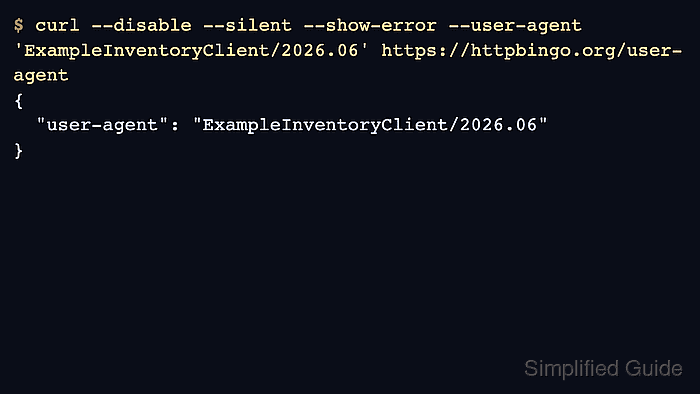
By default, curl sends curl/<version> as the request header value. The --user-agent option, or its short form -A, replaces that value for one transfer, while a user-agent entry in ~/.curlrc changes the default for later commands from the same account.
Save a default only when repeated requests should share the same identity, because ~/.curlrc affects normal HTTP requests until it is changed, bypassed, or overridden on the command line. Treat User-Agent as a client-supplied label rather than proof of browser, bot, or user identity.
Related: How to set a custom referrer in cURL
Related: How to view HTTP request headers with cURL
Tool: User-Agent Parser
Steps to change the cURL User-Agent string:
- Check the built-in User-Agent value first.
$ curl --disable --silent --show-error https://httpbingo.org/user-agent
{
  "user-agent": "curl/8.18.0"
}
--disable ignores the default startup file for that run, so the response shows the built-in header instead of a saved override from ~/.curlrc.
- Override the header for one request with --user-agent.
$ curl --disable --silent --show-error --user-agent 'ExampleInventoryClient/2026.06' https://httpbingo.org/user-agent
{
  "user-agent": "ExampleInventoryClient/2026.06"
}
Use -A or --user-agent instead of building a raw User-Agent: header manually when that is the only header being changed. An empty value, such as --user-agent "", removes the header completely.
- Add a default user-agent entry to ~/.curlrc when later curl commands from that account should use the same value.
~/.curlrc
user-agent = "ExampleInventoryClient/2026.06"
If ~/.curlrc already contains a user-agent line, replace that entry instead of adding a second default.
- Run a normal request without --disable to confirm that the saved default is active.
$ curl --silent --show-error https://httpbingo.org/user-agent
{
  "user-agent": "ExampleInventoryClient/2026.06"
}
Put --disable first when a command must ignore ~/.curlrc, or pass a different --user-agent value when only one request should override the saved default.