How to handle timeouts in cURL
Timeouts become a control boundary when cURL runs inside scripts, CI probes, health checks, or terminal handoffs. Without explicit limits, a route black hole or slow upstream can stall the shell long enough to look like a hung job instead of a network timeout.
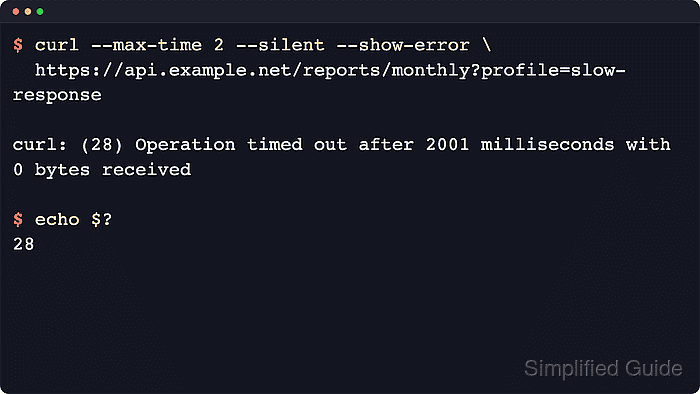
Use --connect-timeout for the connection phase, including name resolution plus the TCP and TLS or QUIC handshake. Use --max-time for the whole transfer after the command starts, including slow response headers or a body that never arrives.
A timeout exits with status 28, and --write-out fields such as {exitcode}, {http_code}, and {time_total} let automation record the result without scraping the response body. Keep retry windows separate with --retry-max-time when retries are added because --max-time is applied per transfer attempt.
Steps to handle timeouts in cURL:
- Set a connection budget so an unreachable host fails before the operating system's longer network timeout.
$ curl --connect-timeout 1 --max-time 3 --silent --show-error --write-out "exit_code=%{exitcode}\n" http://192.0.2.40/
curl: (28) Failed to connect to 192.0.2.40 port 80 after 1006 ms: Timeout was reached
exit_code=28
The address 192.0.2.40 belongs to the documentation-only 192.0.2.0/24 range. Replace it with the real host or service name in production checks.
- Start a disposable slow local endpoint in a second terminal for transfer-timeout testing.
$ python3 - <<'PY'
from http.server import BaseHTTPRequestHandler, HTTPServer
import time

class Handler(BaseHTTPRequestHandler):
    def do_GET(self):
        if self.path == "/slow":
            time.sleep(5)
            body = b"status=ok delayed=true\n"
        elif self.path == "/health":
            body = b"status=ok\n"
        else:
            self.send_response(404)
            self.end_headers()
            return

        self.send_response(200)
        self.send_header("Content-Type", "text/plain; charset=utf-8")
        self.send_header("Content-Length", str(len(body)))
        self.end_headers()
        try:
            self.wfile.write(body)
        except BrokenPipeError:
            pass

    def log_message(self, format, *args):
        return

HTTPServer(("127.0.0.1", 18128), Handler).serve_forever()
PY
Leave this process running while the next checks run, then stop it with Ctrl+C when the timeout test is finished.
- Cap the whole transfer so a connected but slow endpoint exits with a timeout status.
$ curl --connect-timeout 1 --max-time 2 --silent --show-error --output /dev/null --write-out "http_code=%{http_code}\nexit_code=%{exitcode}\ntime_total=%{time_total}\n" http://127.0.0.1:18128/slow
curl: (28) Operation timed out after 2005 milliseconds with 0 bytes received
http_code=000
exit_code=28
time_total=2.005150
Set --max-time above the endpoint's normal response time, or a working service will be reported as a timeout failure.
- Verify that the same timeout profile still allows a fast endpoint to complete normally.
$ curl --connect-timeout 1 --max-time 2 --silent --show-error --output /dev/null --write-out "http_code=%{http_code}\nexit_code=%{exitcode}\ntime_total=%{time_total}\n" http://127.0.0.1:18128/health
http_code=200
exit_code=0
time_total=0.000678
A normal response should finish with exit code 0 and enough margin below the configured --max-time ceiling for ordinary variation.
- Stop the disposable Python endpoint with Ctrl+C.