How to skip SSL certificate verification in cURL
HTTPS requests can fail before the first byte of application data arrives when the server certificate is expired, signed by an unknown certificate authority, or issued for a different host name. Temporarily skipping that check can confirm whether the endpoint itself is reachable or whether the failure is limited to TLS identity validation.
For HTTPS transfers, cURL normally verifies both the certificate chain and the hostname in the URL before it accepts the connection. --insecure, or -k, tells cURL to continue without those checks, while HTTPS proxies keep a separate verification path that uses --proxy-insecure instead.
That bypass keeps encryption in place but removes proof that the remote endpoint is really the intended server, so credentials, tokens, cookies, and response data can be intercepted or spoofed. Current curl documentation also warns that an insecure session can store and later reuse HSTS or Alt-Svc information from a malicious server, so keep the flag temporary and return to normal verification as soon as testing is finished.
Steps to skip SSL certificate verification in cURL:
- Reproduce the certificate-verification failure against the exact HTTPS URL before adding any bypass.
$ curl --silent --show-error https://api.example.net/health -o /dev/null
curl: (60) SSL: no alternative certificate subject name matches target hostname 'api.example.net'
More details here: https://curl.se/docs/sslcerts.html

curl failed to verify the legitimacy of the server and therefore could not
establish a secure connection to it. To learn more about this situation and
how to fix it, please visit the webpage mentioned above.
curl: (60) is the common certificate-validation failure exit code; the text after it varies by TLS backend and by the exact certificate problem.
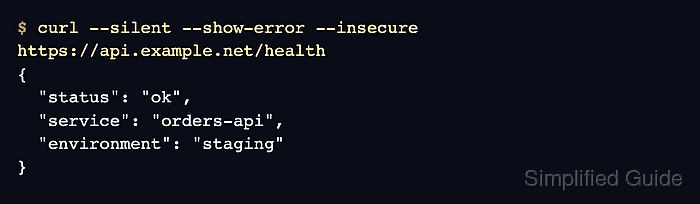
- Repeat the same request with --insecure or -k only when the goal is to prove that the server can answer once certificate checks are skipped.
$ curl --silent --show-error --insecure https://api.example.net/health
{
  "status": "ok",
  "service": "orders-api",
  "environment": "staging"
}
A successful response here proves reachability, not server identity.
- Capture the strict failure as an exit code when the result needs to feed a script or CI log.
$ curl --silent --show-error https://api.example.net/health -o /dev/null || printf 'verify-failed=%s\n' "$?"
curl: (60) SSL: no alternative certificate subject name matches target hostname 'api.example.net'
More details here: https://curl.se/docs/sslcerts.html

curl failed to verify the legitimacy of the server and therefore could not
establish a secure connection to it. To learn more about this situation and
how to fix it, please visit the webpage mentioned above.
verify-failed=60
Exit code 60 shows that cURL rejected the server during certificate verification before it accepted any HTTP response.
- Check the same URL with --insecure and print the HTTP status to confirm that the application can answer once verification is bypassed.
$ curl --silent --show-error --insecure https://api.example.net/health -o /dev/null --write-out 'response_code=%{response_code}\n'
response_code=200
Use --proxy-insecure separately when the certificate problem is on an HTTPS proxy connection instead of on the destination server.