How to check SSL certificate expiration with cURL
Certificate renewals can look complete in a control panel while one HTTPS listener still presents the old certificate. Checking the certificate served for the exact host catches that gap before browsers, API clients, and monitoring jobs fail at the TLS handshake.
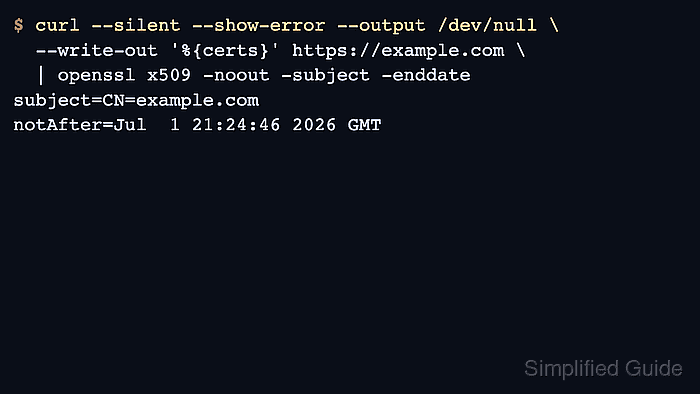
cURL can expose the server certificate chain through {certs} in --write-out. Sending that output to OpenSSL lets openssl x509 read the first PEM certificate, print the subject, and show the notAfter expiration timestamp without depending on verbose handshake text.
The {certs} variable requires curl 7.88.0 or newer, and curl lists support for the OpenSSL, GnuTLS, Schannel, and Rustls backends. Keep normal checks strict so hostname, trust, and expiry failures stop the request. Use --insecure only as a short diagnostic fallback when the strict path cannot produce a parseable certificate, and keep it out of recurring scripts.
Steps to check SSL certificate expiration with cURL:
- Print the presented certificate subject and expiration date for the exact HTTPS host name.
$ curl --silent --show-error --output /dev/null \
  --write-out '%{certs}' https://example.com \
  | openssl x509 -noout -subject -enddate
subject=CN=example.com
notAfter=Aug 29 21:41:26 2026 GMT
The first PEM certificate in {certs} is the leaf certificate that hostname validation uses for the requested host. If cURL reports unknown –write-out variable: 'certs', upgrade to curl 7.88.0 or newer before using this workflow.
- Test whether the same certificate stays valid for at least 30 more days.
$ curl --silent --show-error --output /dev/null \
  --write-out '%{certs}' https://example.com \
  | openssl x509 -noout -checkend 2592000
Certificate will not expire
-checkend 2592000 tests the next 30 days. A zero exit status means the certificate stays valid for that whole window, which makes the command suitable for monitoring and scheduled checks.
- Read the expiry date on an expired or otherwise broken endpoint with --insecure only when the strict check fails before OpenSSL can parse the certificate.
$ curl --silent --show-error --insecure --output /dev/null \
  --write-out '%{certs}' https://expired.badssl.com \
  | openssl x509 -noout -subject -enddate
subject=OU=Domain Control Validated, OU=PositiveSSL Wildcard, CN=*.badssl.com
notAfter=Apr 12 23:59:59 2015 GMT
--insecure disables hostname and certificate validation. Use it only long enough to inspect the presented certificate, then return to the strict form or fix the trust problem.