How to fail on HTTP errors with cURL
By default, curl treats an HTTP reply as a successful transfer as long as it connected, sent the request, and received a response. That means a missing file, broken API route, or expired token can still leave shell automation with exit code 0 unless you explicitly tell curl to fail on HTTP status errors.
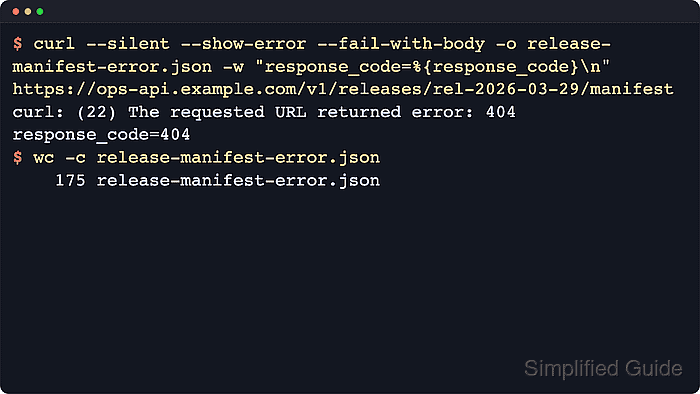
Use --fail when any HTTP 4xx or 5xx response should stop the command immediately, and use --fail-with-body when the same failure should still write the response body for debugging or parsing. The upstream curl docs note that --fail is not completely fail-safe around some authentication flows, especially 401 and 407, so keep the HTTP status in the log when authentication behavior matters.
The two fail options are mutually exclusive, and --fail-with-body requires curl 7.76.0 or newer. The examples below pair the failure option with --write-out fields such as {response_code} and {exitcode} so the HTTP status and curl result stay visible without a second shell command.
Steps to fail on HTTP errors with cURL:
- Start a disposable local HTTP server so the next commands can hit a path that deliberately returns 404.
$ python3 -m http.server 18081 --bind 127.0.0.1
Serving HTTP on 127.0.0.1 port 18081 (http://127.0.0.1:18081/) ...
Leave this process running in its own terminal while you test the next commands. Press Ctrl+C when you are finished.
- Request a missing path without a fail option to confirm the default behavior. The server returns 404, but curl still exits successfully because the transfer itself worked.
$ curl --silent --output /dev/null --write-out "response_code=%{response_code}\nexit_code=%{exitcode}\n" http://127.0.0.1:18081/missing-release.json
response_code=404
exit_code=0
HTTP status is application-level information. Without --fail or --fail-with-body, curl only reports transport failure.
- Add --fail when an HTTP error should stop the command and return error 22.
$ curl --silent --show-error --fail --output /dev/null --write-out "response_code=%{response_code}\nexit_code=%{exitcode}\n" http://127.0.0.1:18081/missing-release.json
curl: (22) The requested URL returned error: 404
response_code=404
exit_code=22
Use --fail when you only need a clean success or failure signal and there is no reason to keep the error response body.
- Switch to --fail-with-body when the server's error payload still needs to be saved locally.
$ curl --silent --show-error --fail-with-body --output missing-release.html --write-out "response_code=%{response_code}\nexit_code=%{exitcode}\nsaved_to=%{filename_effective}\nsize_download=%{size_download}\n" http://127.0.0.1:18081/missing-release.json
curl: (22) The requested URL returned error: 404
response_code=404
exit_code=22
saved_to=missing-release.html
size_download=460
--fail-with-body still returns error 22 for HTTP failures, but it preserves the response body instead of discarding it. The exact byte count depends on the server's error page.
- Reuse the same fail option on a known-good path to confirm that successful HTTP responses still exit cleanly.
$ curl --silent --show-error --fail --output /dev/null --write-out "response_code=%{response_code}\nexit_code=%{exitcode}\n" http://127.0.0.1:18081/
response_code=200
exit_code=0
If a script needs to branch on HTTP failures, treat any non-zero curl exit as failure. Do not rely on parsing the response body alone.
- Remove the saved test body and stop the disposable local HTTP server.
$ rm -f missing-release.html
Return to the terminal running python3 -m http.server and press Ctrl+C when the test server is no longer needed.