How to limit bandwidth in cURL
Limiting transfer bandwidth in cURL keeps large downloads or uploads from consuming an entire WAN link, VPN tunnel, or metered connection. A fixed ceiling is useful when background jobs need to stay predictable while interactive traffic still gets through.
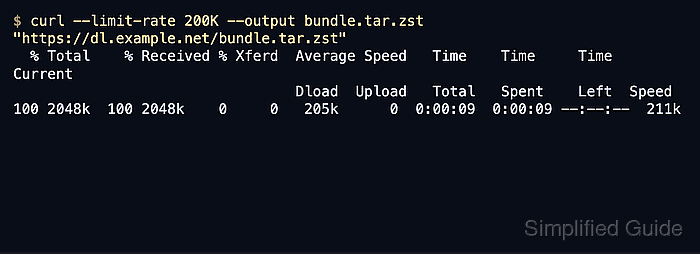
The throttle is set with --limit-rate, which caps the average transfer speed for the active operation. The value can be given in bytes per second or with K, M, G, T, or P suffixes, and the same option applies to both downloads and uploads.
cURL enforces the cap as an average over several seconds rather than a hard per-packet limit, so short bursts above the target are normal before the rate settles. Current upstream documentation also allows fractional values such as 2.5M starting in curl 8.19.0, while older builds require whole-number values such as 2500K.
Steps to limit bandwidth in cURL:
- Run the transfer with --limit-rate and save the response body to a file so the progress meter stays visible.
$ curl --limit-rate 200K --output bundle.tar.zst "https://dl.example.net/bundle.tar.zst"
  % Total    % Received % Xferd  Average Speed   Time    Time     Time  Current
                                 Dload  Upload   Total   Spent    Left  Speed
100 2048k  100 2048k    0     0   205k      0  0:00:09  0:00:09 --:--:--  211k
The progress meter should settle near the configured ceiling once the transfer is underway.
- Use a raw byte value when the ceiling must match an exact link budget or script input.
$ curl --limit-rate 524288 --output backup.tar.zst "https://backup.example.net/backup.tar.zst"
524288 equals 512K. Use K, M, or G when readability matters, and use fractional values such as 2.5M only on curl 8.19.0 or newer.
- Verify the achieved download rate with --write-out when the cap needs to be checked in scripts or repeat tests.
$ curl --silent --show-error --limit-rate 200K --output /dev/null --write-out "speed_download=%{speed_download}\ntime_total=%{time_total}\nsize_download=%{size_download}\n" "https://downloads.example.net/bundle.tar.zst"
speed_download=209539
time_total=10.008362
size_download=2097152
speed_download is the average speed for the full transfer, so values slightly above or below the nominal cap are expected.
- Apply the same flag to uploads with --upload-file when the remote endpoint accepts the upload method being used.
$ curl --limit-rate 120K --upload-file ./ops-report.tar.gz "https://uploads.example.net/ops-report.tar.gz"
The cap is enforced on the client side only. Authentication, server-side quotas, and support for the chosen upload URL still need to be handled separately.
- Use --rate only when the job needs to slow how often new transfers start instead of how fast an active transfer moves data.
$ curl --rate 3/m --remote-name "https://dl.example.net/amd64.tar.zst" "https://dl.example.net/arm64.tar.zst"
--rate controls serial transfer start frequency and has no effect when --parallel is used.