How to migrate a Codex custom prompt to a skill
A reusable Codex custom prompt under ~/.codex/prompts can trap a working procedure as a local slash command. Custom prompts are deprecated, while skills can live in a repository, describe when they should trigger, and be invoked by name or selected implicitly when the request matches.
A migration keeps the old prompt available until the replacement skill has a valid SKILL.md file. The prompt front matter becomes skill metadata, and the reusable body becomes direct instructions that Codex can load through progressive disclosure.
Argument hints such as $FILES and $PR_TITLE do not move over as custom-prompt placeholders. Spell out expected inputs in the description or instruction body, restart Codex if the skill list does not update, and rename the old Markdown prompt only after a test request follows the new skill.
Related: How to create a Codex skill
Related: How to start a Codex interactive session
Related: How to run Codex exec with a prompt
Steps to migrate a Codex custom prompt to a skill:
- Choose the repository that should own the new skill.
$ git -C /home/user/work/example-repo rev-parse --show-toplevel
/home/user/work/example-repo
Use a repository-scoped skill when the workflow should travel with project instructions and code. Use $HOME/.agents/skills instead when the skill should remain personal across repositories.
- Back up the existing custom prompt before changing its status.
$ cp ~/.codex/prompts/draftpr.md ~/.codex/prompts/draftpr.md.bak
Custom prompts live directly under ~/.codex/prompts and are loaded as slash commands such as /prompts:draftpr after Codex starts.
- Create the repository skill directory.
$ mkdir -p .agents/skills/draft-pr-helper
- Create SKILL.md with a skill name, trigger description, and migrated instructions.
---
name: draft-pr-helper
description: Use when preparing a branch, commit, and draft pull request from current repository changes.
---

# Draft PR helper

Follow this workflow only after the user asks to prepare a draft pull request.

1. Inspect the current branch and working tree.
2. If the user provides `FILES=...`, stage only those paths.
3. Create a branch named `dev/<short-task-name>` when the current branch is not already task-specific.
4. Commit staged changes with a concise message.
5. Open a draft pull request with the supplied title or a short title derived from the diff.
6. Report the branch name, commit hash, and draft PR URL.
The old custom prompt's description field becomes the skill description. Move argument-hint and placeholder behavior into instruction text because skills are triggered from normal prompts instead of custom prompt expansion.
- List the new skill file from the repository root.
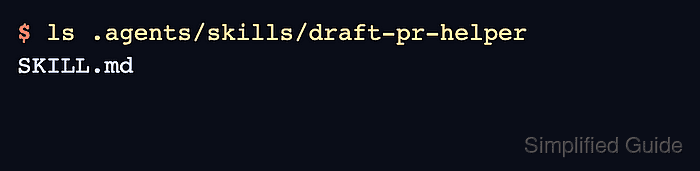
$ ls .agents/skills/draft-pr-helper
SKILL.md
- Start a new Codex session from the same repository root.
$ codex -C /home/user/work/example-repo
Codex detects skill changes automatically in many sessions. Restart the CLI session or reload the IDE extension if the skill does not appear in /skills or through a $draft-pr-helper mention.
- Send a test request that explicitly mentions the skill and supplies the old prompt inputs as normal text.
Use $draft-pr-helper with FILES="src/pages/index.astro src/lib/api.ts" and PR_TITLE="Add hero animation".
The response should follow the migrated SKILL.md sequence instead of expanding $FILES or $PR_TITLE as custom-prompt placeholders.
- Rename the old custom prompt after the skill test follows the new instructions.
$ mv ~/.codex/prompts/draftpr.md ~/.codex/prompts/draftpr.md.disabled
Do not remove the backup until existing documentation, shell aliases, or team notes no longer refer to /prompts:draftpr.
- Check that only the backup and disabled prompt remain in the custom prompt directory.
$ find ~/.codex/prompts -maxdepth 1 -type f -print
~/.codex/prompts/draftpr.md.bak
~/.codex/prompts/draftpr.md.disabled
Codex scans top-level Markdown files in ~/.codex/prompts, so draftpr.md.disabled is no longer an active custom prompt.