How to create a Checkmk local check
A Checkmk local check lets a monitored host report a custom service without writing a full Checkmk check plug-in. It fits small host-specific conditions, such as a local maintenance flag, application marker file, or quick shell test, where the host can decide the service state itself.
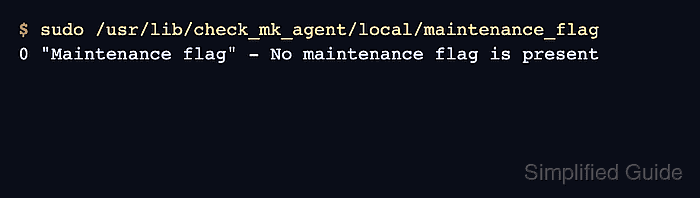
Local checks run through the Checkmk agent on the target host. Each output line becomes one service when it contains a numeric state, quoted service name, metric data or a hyphen, and summary text.
The Linux path for packaged agents is /usr/lib/check_mk_agent/local/. Keep the service name unique on the host, and use simple letters, numbers, spaces, underscores, or hyphens so service discovery behaves the same across Checkmk cores.
Related: How to install the Checkmk agent on Linux
Related: How to run Checkmk service discovery
Related: How to activate Checkmk pending changes
Steps to create a Checkmk local check on Linux:
- Create the local-check directory on the monitored host.
$ sudo install -d -m 0755 /usr/lib/check_mk_agent/local
Packaged Linux agents read executable local checks from /usr/lib/check_mk_agent/local/. If an Agent Bakery rule changes the agent layout, use the path from the generated agent package instead.
- Create the local check script.
$ sudoedit /usr/lib/check_mk_agent/local/maintenance_flag
#!/bin/bash
if test -f /var/tmp/maintenance.flag; then
    echo '1 "Maintenance flag" - /var/tmp/maintenance.flag is present'
else
    echo '0 "Maintenance flag" - No maintenance flag is present'
fi
The first field is the service state, where 0 is OK, 1 is WARN, 2 is CRIT, and 3 is UNKNOWN. The hyphen after the service name means the check publishes no metrics.
- Make the local check executable.
$ sudo chmod +x /usr/lib/check_mk_agent/local/maintenance_flag
- Run the local check directly on the monitored host.
$ sudo /usr/lib/check_mk_agent/local/maintenance_flag
0 "Maintenance flag" - No maintenance flag is present
Fix script errors, permissions, missing commands, and unexpected output before running service discovery. Checkmk parses the printed line, not the script code.
- Confirm the Checkmk agent includes the local section.
$ sudo cmk-agent-ctl dump
##### snipped #####
<<<local:sep(0)>>>
0 "Maintenance flag" - No maintenance flag is present
##### snipped #####
If cmk-agent-ctl dump is not available on an older agent, run the installed agent command for that host and inspect the same <<<local:sep(0)>>> section.
- Run service discovery for the host from the Checkmk site user.
OMD[mysite]:~$ cmk -IIv --detect-plugins=local web01
Discovering services and host labels on: web01
web01:
+ FETCHING DATA
+ EXECUTING DISCOVERY PLUGINS (1)
  1 local
SUCCESS - Found 1 services, no host labels
Replace web01 with the Checkmk host name. Use the web interface instead when the site normally controls discovery through Setup → Hosts.
Related: How to run Checkmk service discovery - Load the changed monitoring configuration.
OMD[mysite]:~$ cmk -O
Generating configuration for core...
Reloading monitoring core...OK
- Run the local service check from the Checkmk site.
OMD[mysite]:~$ cmk -nv --detect-plugins=local web01
+ FETCHING DATA
Maintenance flag        No maintenance flag is present
[agent] Success, [piggyback] Success (but no data found for this host), execution time 1.2 sec
The local service is ready when the check output shows the service name and summary text without a parse error. Create /var/tmp/maintenance.flag only when intentionally testing the WARN state, then remove it before leaving the host in monitoring.