How to create an HTTP active check in Checkmk
Creating an HTTP active check in Checkmk adds a monitored service for a website, health endpoint, or web API that the Checkmk server can reach over HTTP or HTTPS. It is useful when the target has no Checkmk agent, when the endpoint belongs to a third-party service, or when page availability matters separately from the host running the site.
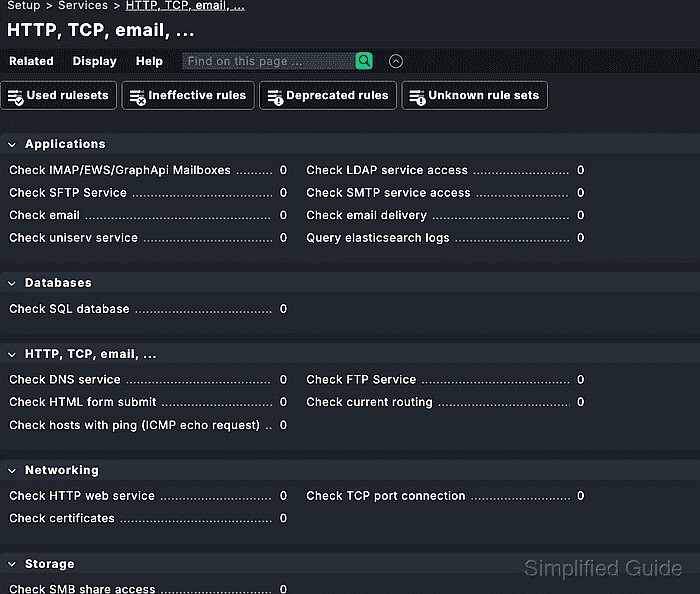
Checkmk uses the Check HTTP web service rule set under Setup → Services → HTTP, TCP, Email for HTTP active checks. The rule is a host rule that creates active services automatically for matching hosts, so the host assignment and the endpoint service name become part of the monitored result.
Start with a host object for the website and a URL that responds from the monitoring server. The saved rule does not affect monitoring until pending changes are activated, and active-check services are generated by the rule rather than accepted through normal service discovery.
Related: How to add a host in Checkmk
Related: How to create a Checkmk rule for selected hosts
Related: How to activate Checkmk pending changes
Steps to create a Checkmk HTTP active check:
- Create or open the host object that should own the HTTP service.
For an external website with no Checkmk agent, set Monitoring agents → Checkmk agent / API integrations to No API integrations, no Checkmk agent on that host.
Related: How to add a host in Checkmk
- Test the endpoint from the Checkmk server.
$ curl --include --silent --show-error https://example.com/
HTTP/2 200
content-type: text/html
allow: GET, HEAD
accept-ranges: bytes
##### snipped #####
Use the same scheme, host, and path that Checkmk will request. For public endpoints, an external HTTP header check can compare the visible status and redirect path from outside your network.
Tool: Hypertext Transfer Protocol (HTTP) Header Checker - Open Setup → Services → HTTP, TCP, Email.
- Open the Check HTTP web service rule set in the Networking box.
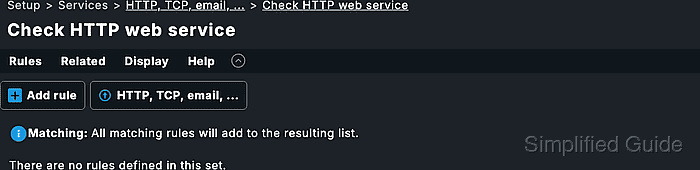
Use Check HTTP web service instead of the older Check HTTP service entry when both are visible.
- Add a new rule for the HTTP check.
- Add one endpoint in the Value box.
Define the service name, protocol, server name, port when needed, and URI path for the endpoint. A separate service is created for each endpoint in the rule.
- Set the expected response behavior for the endpoint.
Common checks include response code, response time, certificate validity, and a required string or regular expression in the delivered page.
- Limit the rule to the intended host under Conditions.
Explicit hosts is the narrowest condition for a single website host. Use folders, host tags, or labels only when the same HTTP check belongs on every matching host.
- Save the rule.
- Activate the pending changes.
- Open the host's services in Monitor and confirm the new HTTP service appears with the expected state.
Active-check services are generated by the rule after activation. If the service is missing, review the rule condition, endpoint service name, and pending changes. Service discovery does not create this active-check service.