How to revoke a Certbot certificate
A compromised TLS private key, wrong issuance, or retired service may require certificate revocation before normal expiry. Certbot sends the revocation request to the ACME certificate authority, and the action cannot be undone after the authority accepts it. Confirm the exact lineage, any running service references, and the local cleanup choice before revoking the certificate.
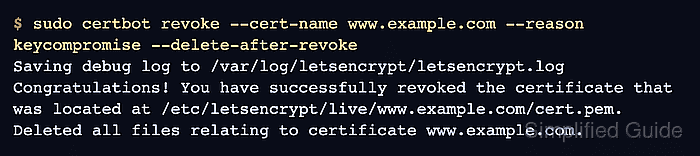
Certbot can revoke a managed certificate by certificate name or by certificate file path. The certificate-name form uses Certbot's local lineage record and is the safer default when the host still has the original account. The certificate-path form is for cases where the account key cannot revoke the certificate but the certificate file and matching private key are still available.
Revocation does not automatically make local web server, mail server, or load balancer configuration safe. Replace or remove active references before deleting the lineage, because a service can keep serving a revoked certificate until reload and can fail later if the configured files disappear. If the certificate came from staging or another non-default ACME directory, use the same server choice on the revoke command.
Related: List Certbot certificates
Related: Delete a Certbot certificate lineage
Related: Test Certbot certificate renewal
Steps to revoke a Certbot certificate:
- List the managed certificate lineages.
$ sudo certbot certificates
Saving debug log to /var/log/letsencrypt/letsencrypt.log

- - - - - - - - - - - - - - - - - - - - - - - - - - - - - - - - - - - - - - - -
Found the following certs:
  Certificate Name: www.example.com
    Serial Number: 534c1976e5fcb1e3f8d7c8edd03fd1daddb2bb76
    Key Type: RSA
    Domains: www.example.com example.com
    Expiry Date: 2026-09-02 20:26:24+00:00 (VALID: 82 days)
    Certificate Path: /etc/letsencrypt/live/www.example.com/fullchain.pem
    Private Key Path: /etc/letsencrypt/live/www.example.com/privkey.pem
- - - - - - - - - - - - - - - - - - - - - - - - - - - - - - - - - - - - - - - -
Use the value after Certificate Name with --cert-name. A domain alias from the Domains line is not always the lineage name.
- Search the service configuration for the lineage path.
$ sudo grep -R "/etc/letsencrypt/live/www.example.com" /etc/nginx
/etc/nginx/sites-enabled/www.example.com.conf:    ssl_certificate /etc/letsencrypt/live/www.example.com/fullchain.pem;
/etc/nginx/sites-enabled/www.example.com.conf:    ssl_certificate_key /etc/letsencrypt/live/www.example.com/privkey.pem;
Search the configuration tree for the service that owns TLS on the host, such as Nginx, Apache, Postfix, HAProxy, or an application directory. If there are no matches, skip the service replacement, test, and reload steps.
- Replace active service references with the replacement certificate path.
ssl_certificate     /etc/letsencrypt/live/replacement.example.com/fullchain.pem;
ssl_certificate_key /etc/letsencrypt/live/replacement.example.com/privkey.pem;
Do not leave a running service pointed at a certificate that will be revoked or deleted. Reloads can fail after the local files are removed, and existing workers may continue serving the old certificate until they reload.
- Test the changed service configuration.
$ sudo nginx -t
nginx: the configuration file /etc/nginx/nginx.conf syntax is ok
nginx: configuration file /etc/nginx/nginx.conf test is successful
Use the equivalent validation command for the service you changed, such as sudo apachectl configtest for Apache.
- Reload the service that owned the certificate path.
$ sudo systemctl reload nginx
Use the equivalent reload command for the service you changed, such as sudo systemctl reload apache2 for Apache.
- Choose the revocation reason.
Use --reason keycompromise when the private key may be exposed, --reason superseded when a replacement certificate should be trusted instead, --reason affiliationchanged when the subscriber relationship changed, and --reason cessationofoperation when the service or domain is being retired.
- Choose the local cleanup behavior.
Use --delete-after-revoke when the local lineage should stop renewing and be removed. Use --no-delete-after-revoke only when the local files must remain temporarily, then delete the lineage before the next scheduled renewal.
- Revoke the certificate by lineage name.
$ sudo certbot revoke --cert-name www.example.com --reason keycompromise --delete-after-revoke
Saving debug log to /var/log/letsencrypt/letsencrypt.log
Congratulations! You have successfully revoked the certificate that was located at /etc/letsencrypt/live/www.example.com/cert.pem.
Deleted all files relating to certificate www.example.com.
If the certificate was issued from the staging service, add --staging. If it was issued from another ACME directory URL, add the same --server value that was used when the certificate was created.
Tool: SSL OCSP Checker - Use the certificate path form only when the account key is unavailable.
$ sudo certbot revoke --cert-path /etc/letsencrypt/live/www.example.com/cert.pem --key-path /etc/letsencrypt/live/www.example.com/privkey.pem --reason keycompromise --delete-after-revoke
Saving debug log to /var/log/letsencrypt/letsencrypt.log
Congratulations! You have successfully revoked the certificate that was located at /etc/letsencrypt/live/www.example.com/cert.pem.
Deleted all files relating to certificate www.example.com.
--key-path signs the revocation request with the matching certificate private key when the original ACME account cannot be used.
- Confirm that Certbot no longer lists the deleted lineage.
$ sudo certbot certificates --cert-name www.example.com
Saving debug log to /var/log/letsencrypt/letsencrypt.log

- - - - - - - - - - - - - - - - - - - - - - - - - - - - - - - - - - - - - - - -
No certificates found.
- - - - - - - - - - - - - - - - - - - - - - - - - - - - - - - - - - - - - - - -
This confirms local Certbot cleanup. The successful certbot revoke output confirms that the certificate authority accepted the revocation request.
- Confirm that the old lineage path is no longer referenced.
$ sudo grep -R "/etc/letsencrypt/live/www.example.com" /etc/nginx
No output means the searched Nginx configuration no longer references that lineage. Search the actual TLS service configuration tree for the host before closing the maintenance change.