How to reload Apache after Certbot renewal
Renewed Certbot certificate files under /etc/letsencrypt/live/ do not change the certificate already loaded by a long-running Apache worker. A deploy hook ties each successful renewal to an Apache configuration test and graceful reload, so the public listener can start serving the renewed certificate without waiting for a manual service change.
Certbot deploy hooks run after a certificate has been obtained or renewed successfully. That phase is narrower than a post hook, which can run after renewal attempts that did not change certificate material, and it avoids wrapper logic that guesses from a certbot renew exit status.
The examples assume the Debian and Ubuntu Apache layout with /usr/sbin/apache2ctl and the apache2 service name. Test the Apache configuration inside the hook before reloading; a renewed certificate path is not useful if an unrelated virtual host error would make the reload fail.
Related: Test Certbot certificate renewal
Related: Configure a Certbot deploy hook
Related: Manage the Apache service
Steps to reload Apache after Certbot renewal:
- Confirm that the Apache service is running before wiring the renewal hook.
$ systemctl is-active apache2
active
If Apache is not active, fix the service state first. A renewal hook should reload an already-running web server after certificate files change, not hide a stopped or failed service.
Related: Manage the Apache service
- Test the current Apache configuration.
$ sudo apache2ctl configtest
Syntax OK
A fresh Debian or Ubuntu host can print the AH00558 fully qualified domain name warning before Syntax OK. The final Syntax OK line is the parser result; fix real syntax errors before adding the hook.
Related: Test Apache configuration
- Create the Certbot deploy-hook directory if it does not already exist.
$ sudo install -d -m 755 /etc/letsencrypt/renewal-hooks/deploy
Executable files in /etc/letsencrypt/renewal-hooks/deploy/ run after successful renewals. Use /etc/letsencrypt/renewal-hooks/post/ only for work that should run after a renewal attempt finishes, including failed attempts.
- Create the Apache reload hook file.
$ sudoedit /etc/letsencrypt/renewal-hooks/deploy/reload-apache.sh
- reload-apache.sh
#!/bin/sh
set -eu

/usr/sbin/apache2ctl configtest
/usr/sbin/apache2ctl graceful
apache2ctl graceful asks Apache to re-read its configuration without dropping current connections. If local policy requires all service actions through systemd, replace the last line with /bin/systemctl reload apache2 after confirming it works from unattended renewal runs.
- Make the hook executable.
$ sudo chmod 755 /etc/letsencrypt/renewal-hooks/deploy/reload-apache.sh
- Run the hook manually before waiting for a real renewal.
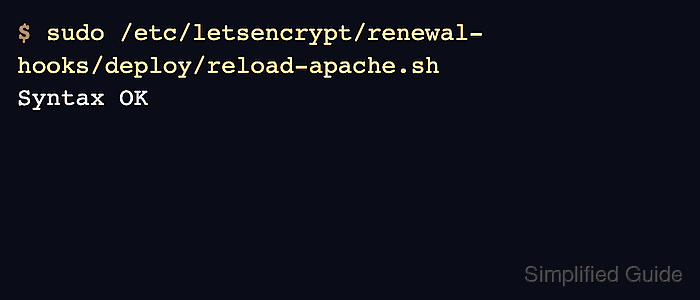
$ sudo /etc/letsencrypt/renewal-hooks/deploy/reload-apache.sh
Syntax OK
apache2ctl graceful normally returns no output when it succeeds, so the visible success line is the Apache syntax test that ran before the graceful reload.
- Confirm that Apache stayed active after the manual hook test.
$ systemctl is-active apache2
active
If the service is not active after the hook runs, inspect the Apache journal before relying on scheduled renewals.
Related: Manage the Apache service
- Test the renewal path with deploy hooks enabled for the dry run.
$ sudo certbot renew --cert-name www.example.com --dry-run --run-deploy-hooks
Saving debug log to /var/log/letsencrypt/letsencrypt.log

Processing /etc/letsencrypt/renewal/www.example.com.conf

Simulating renewal of an existing certificate for www.example.com and example.com

Congratulations, all simulated renewals succeeded:
  /etc/letsencrypt/live/www.example.com/fullchain.pem (success)
Certbot dry runs do not run deploy hooks by default. The --run-deploy-hooks option makes a successful dry run execute applicable deploy hooks using the current active certificate files, not the temporary staging certificate.
Related: Test Certbot certificate renewal
- Confirm that the public site presents the renewed certificate after a real renewal.
$ openssl s_client -servername www.example.com \
  -connect www.example.com:443 </dev/null 2>/dev/null | \
  openssl x509 -noout -subject -dates
subject=CN=www.example.com
notBefore=Jun 12 00:00:00 2026 GMT
notAfter=Sep 10 23:59:59 2026 GMT
Check the hostname and listener that users actually reach. CDNs, load balancers, IPv6 records, shared listeners, and stale edge nodes can serve a different certificate than the local Apache process.
Tool: SSL Expiry Checker