How to use parameter expansion in Bash
Parameter expansion keeps small string changes inside a Bash script when the script already has the value in a variable. It fits default arguments, path pieces, case-normalized names, replacement strings, and length checks before the next command runs.
The common form is ${name...}, where braces separate the variable name from the operation applied to its value. In default-value forms, the colon in :- makes Bash use the fallback for both unset and empty values, while the form without the colon checks only whether the variable is unset.
Pattern-removal and substitution forms use Bash patterns rather than regular expressions. Quote the whole expansion when the result becomes a command argument, and anchor replacements such as ${path/%.log/.1.log} when only a suffix should change. Running the script with the default input and with an explicit input confirms which expansions depend on the variable value and which depend on the fixed path.
Related: How to use variables in Bash scripts
Related: How to use command substitution in Bash
Steps to use parameter expansion in Bash:
- Create a script with several parameter-expansion forms.
- expansion-demo.sh
#!/usr/bin/env bash
set -euo pipefail

path="/var/log/app/server.log"
name=${1:-backup}
empty=""

printf "default=%s\n" "${empty:-fallback}"
printf "name=%s\n" "${name^^}"
printf "file=%s\n" "${path##*/}"
printf "dir=%s\n" "${path%/*}"
printf "rotated=%s\n" "${path/%.log/.1.log}"
printf "length=%s\n" "${#name}"
${empty:-fallback} uses the fallback because empty is set to an empty string. ${path##*/} removes the longest matching prefix through the last slash, ${path%/*} removes the shortest matching suffix from the last slash onward, and ${path/%.log/.1.log} changes only a trailing .log suffix.
- Check the script syntax.
$ bash -n expansion-demo.sh
No output means Bash did not find a parse error.
- Run the script with the default name.
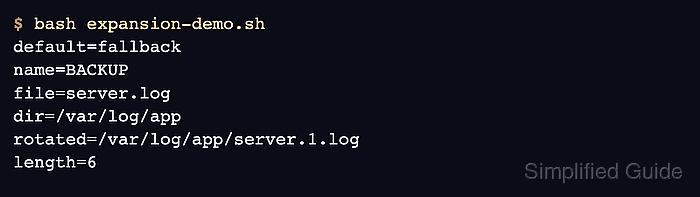
$ bash expansion-demo.sh
default=fallback
name=BACKUP
file=server.log
dir=/var/log/app
rotated=/var/log/app/server.1.log
length=6
- Run the script with an explicit name to verify that the expansion follows the new value.
$ bash expansion-demo.sh audit
default=fallback
name=AUDIT
file=server.log
dir=/var/log/app
rotated=/var/log/app/server.1.log
length=5
- Keep complex expansion forms near a verification step or comment when the script will be maintained by several people.
Parameter expansion is fast because it stays inside the shell, but dense forms can become hard to review when several operations are combined in one line.