Command substitution lets a Bash script treat command output as a value. It fits places where a script needs a filename, count, directory name, generated path, or other command-derived result before the next command runs.
The standard form is $(command). Bash runs the command in a subshell, captures standard output, removes trailing newline characters, and replaces the substitution with that text. A command such as wc -l < "$report" can feed a plain count into a variable without also capturing the filename.
Quote substitutions when the captured value becomes another command's argument. Quoting keeps spaces and glob characters inside the value instead of letting word splitting or filename expansion change the next command line.
Related: How to loop over files in Bash
Related: How to use variables in Bash scripts
Steps to use command substitution in Bash:
- Create and enter a small workspace for the command-substitution example.
$ mkdir -p use-command-substitution/reports
$ cd use-command-substitution
$ printf 'alpha\nbeta\ngamma\n' > reports/input.txt
- Create the script that captures command output.
- capture-output.sh
#!/usr/bin/env bash
set -euo pipefail

report=${1:-reports/input.txt}
line_count=$(wc -l < "$report")
report_name=$(basename "$report")
run_dir=$(basename "$(pwd)")

printf "report=%s\n" "$report_name"
printf "lines=%s\n" "$line_count"
printf "directory=%s\n" "$run_dir"
The redirection in wc -l < "$report" keeps the filename out of the captured output, leaving only the count.
- Check the script syntax.
$ bash -n capture-output.sh
No output means Bash did not find a parse error.
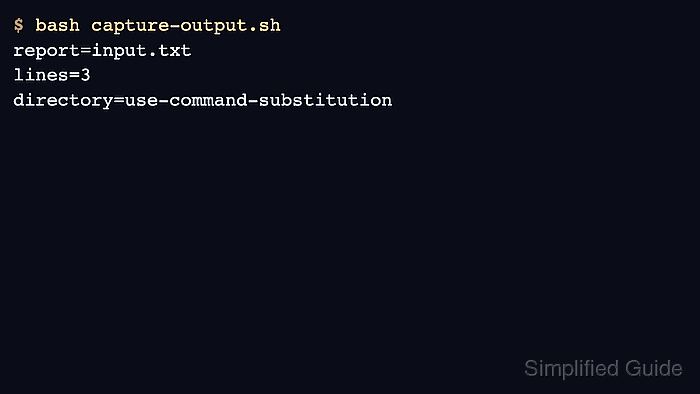
- Run the script and verify the captured values.
$ bash capture-output.sh
report=input.txt
lines=3
directory=use-command-substitution
- Use command substitution inside a quoted argument when another command needs the captured value.
$ report_path="reports/input.txt"
$ printf 'archive/%s\n' "$(basename "$report_path")"
archive/input.txt
The inner quotes protect $report_path while basename runs. The outer quotes protect the substituted result before printf receives it.
- Keep the $(...) form when substitutions need to be nested.
run_dir=$(basename "$(pwd)")
Unquoted command substitution output can split on spaces and expand glob characters before the next command receives it.
- Remove the sample workspace when the check is finished.
$ cd ..
$ rm -rf use-command-substitution

Mohd Shakir Zakaria is a cloud architect with deep roots in software development and open-source advocacy. Certified in AWS, Red Hat, VMware, ITIL, and Linux, he specializes in designing and managing robust cloud and on-premises infrastructures.


