How to use here-documents in Bash
Here-documents let a Bash script pass a readable block of text to a command's standard input without keeping that text in a separate input file. They fit short generated messages, configuration fragments, SQL batches, and templates that belong next to the script logic.
The «WORD redirection starts the block, and a later line containing only WORD ends it. Bash does not expand the delimiter word itself; quoting any part of that word turns off expansion inside the here-document body.
Use an unquoted delimiter when the body should expand variables, command substitutions, or arithmetic expressions. Use a quoted delimiter when the body is a literal template, and keep the closing delimiter alone on its line with no indentation or trailing blanks unless «- is deliberately using tab indentation.
Related: script setup with How to create and run a Bash script
variable expansion with How to use variables in Bash scripts
command substitution inside unquoted here-documents with How to use command substitution in Bash
Steps to use Bash here-documents:
- Create a script that sends one expanded block and one literal block to cat.
- message.sh
#!/usr/bin/env bash
set -euo pipefail

recipient=${1:-operations}

cat <<MESSAGE
To: $recipient
Status: ready
MESSAGE

cat <<'LITERAL'
Literal example: $recipient
LITERAL
The delimiter names MESSAGE and LITERAL are only markers. Choose words that do not appear by themselves inside the block.
- Check the script syntax.
$ bash -n message.sh
No output means Bash parsed the here-document delimiters and the rest of the script without a syntax error.
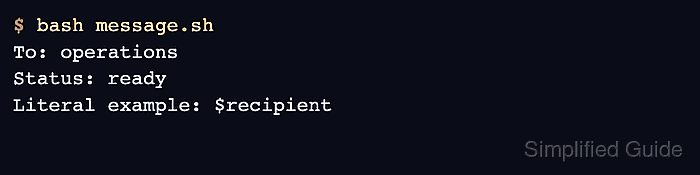
- Run the script and inspect the expanded and literal output.
$ bash message.sh
To: operations
Status: ready
Literal example: $recipient
- Use an unquoted delimiter only when variables or command substitutions should expand inside the block.
cat <<MESSAGE
To: $recipient
Status: ready
MESSAGE
- Quote the delimiter when the text contains shell syntax that must stay unchanged.
cat <<'LITERAL'
Literal example: $recipient
LITERAL
- Use «- only when the here-document body and closing delimiter are indented with tab characters.
Bash strips leading tabs with «-, but it does not strip spaces. Use plain « when the indentation might be spaces.