How to allow public access to private AWS S3 bucket objects
AWS S3 buckets are set to private by default. This ensures that objects within the bucket are inaccessible to unauthorized users. However, in some cases, you might need to make certain objects or entire buckets publicly accessible.
Related: How to create public AWS S3 bucket
To allow public access, you can either enable public access for the entire bucket or for specific objects. Granting public access at the bucket level involves configuring the appropriate public access policy. If you prefer a more controlled approach, public access can be granted to individual objects.
Making objects public in an S3 bucket involves adjusting the bucket's permissions and modifying access control settings. This process should be performed with caution to avoid exposing sensitive data unintentionally. After enabling public access, verify the accessibility of the objects to ensure the configuration is correct.
Steps to allow public access to private AWS S3 bucket objects:
- Create a private S3 bucket if you don't already have one.
Related: How to create private AWS S3 bucket
- Go to S3 section in your AWS Console.
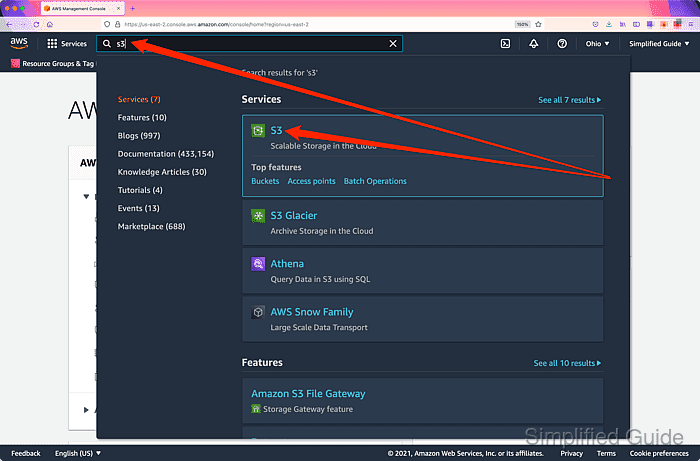
Related: AWS S3 Management Console
- Click on the private S3 bucket with the object that you want to make public.
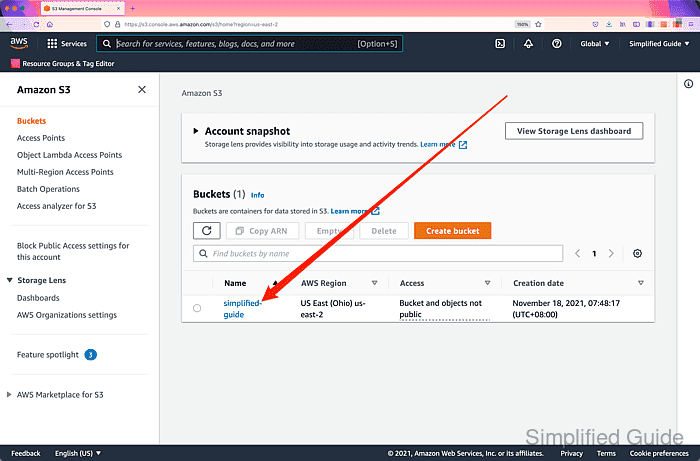
- Click on the Permissions tab.
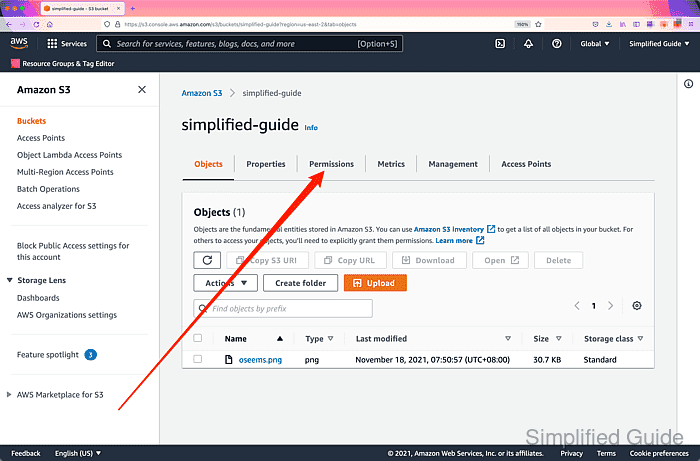
- Click Edit on the Block public access section.
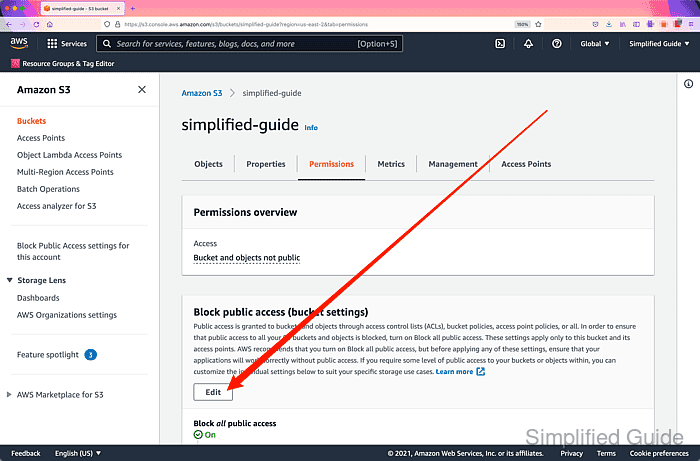
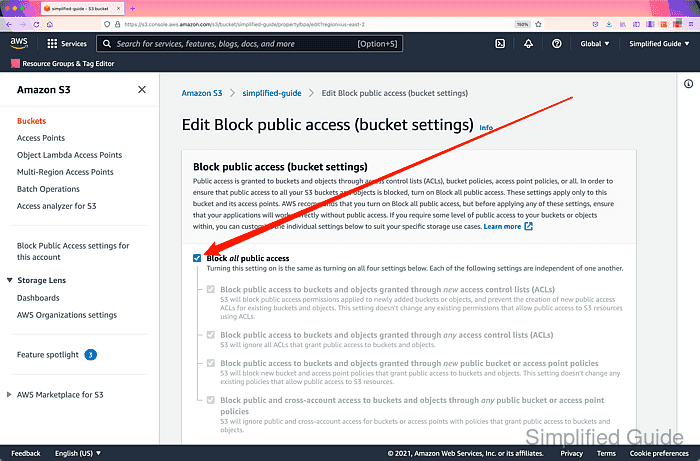
- Click on the Block all public access to uncheck and disable the options.
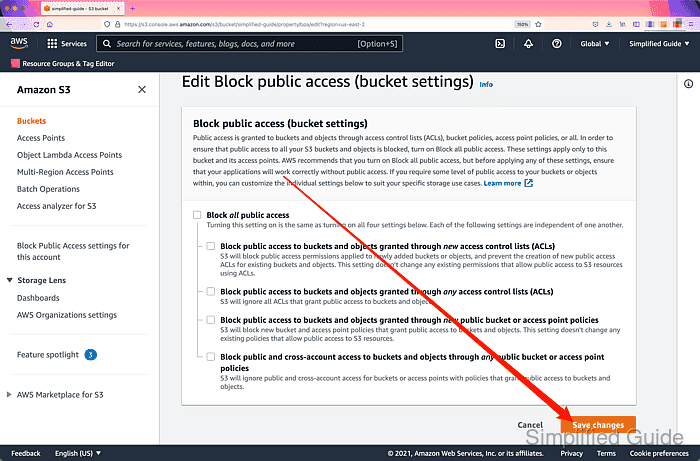
- Click on the Save changes button.
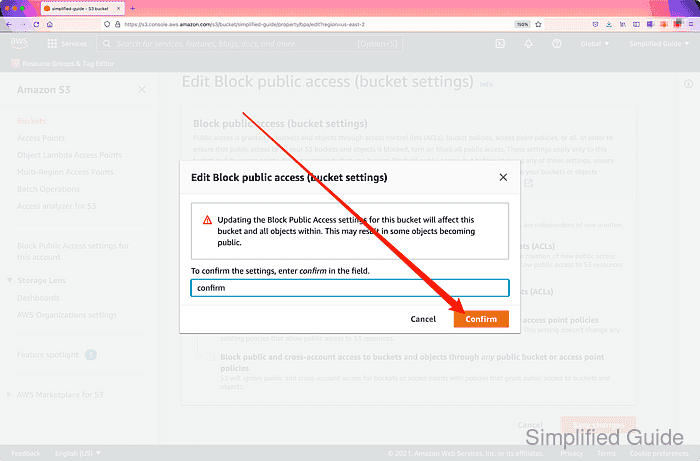
- Type confirm in the textbox to confirm.
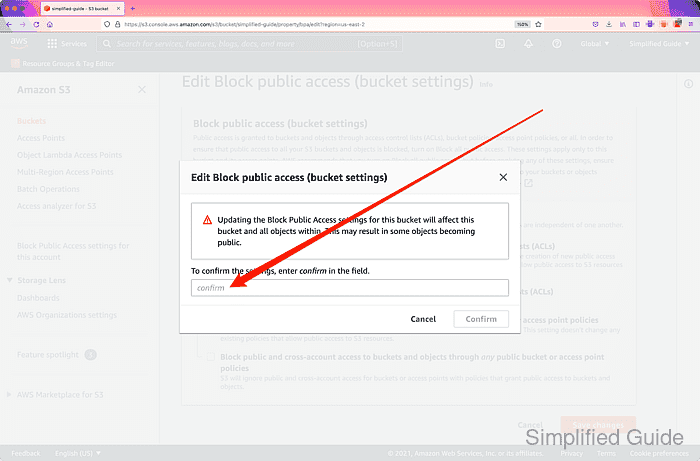
- Click on the Confirm button.
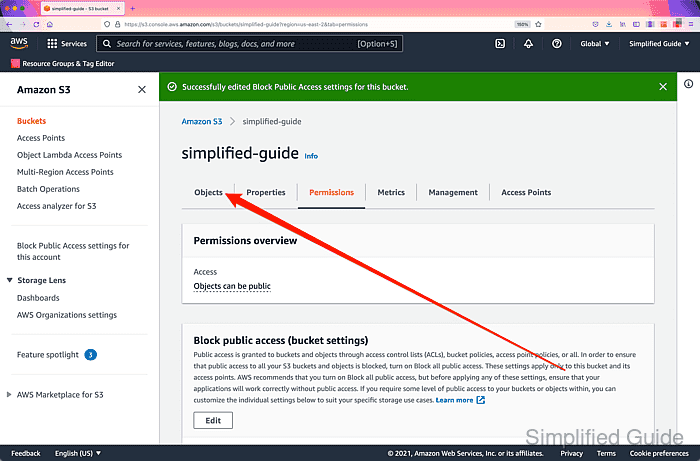
- Click on the Objects tab.
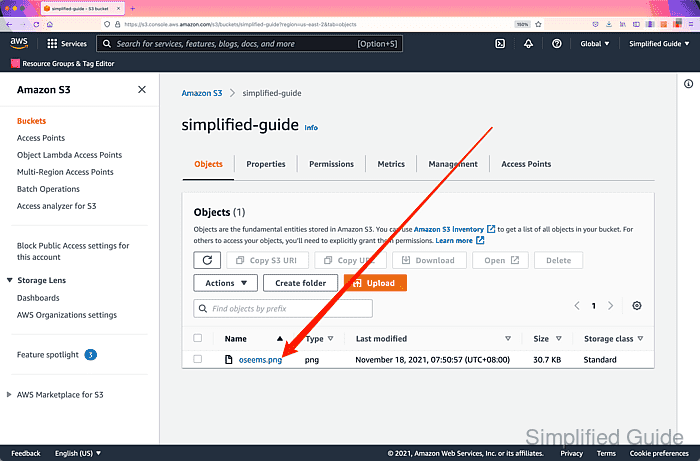
- Click on the object that you want to make public.
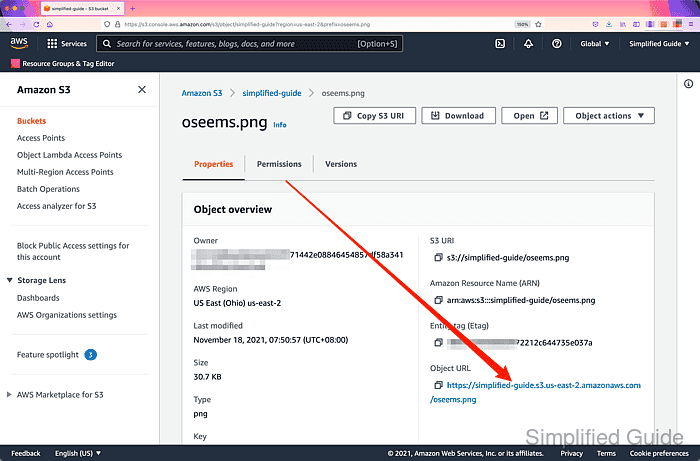
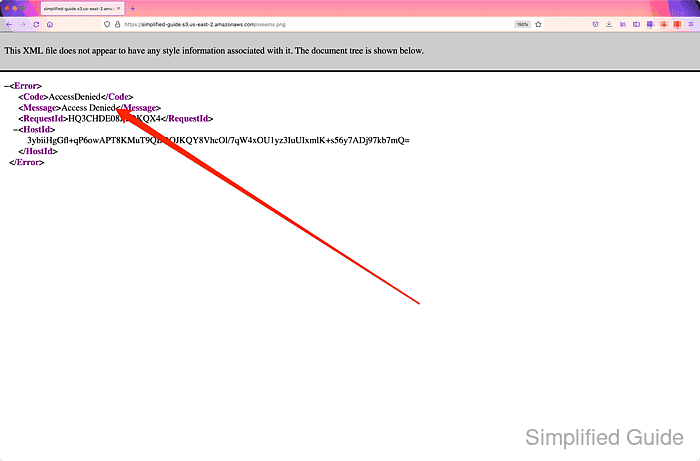
- Click on the Object URL link to test current object access.
- Confirm current object access is still private and go back to object's properties page.
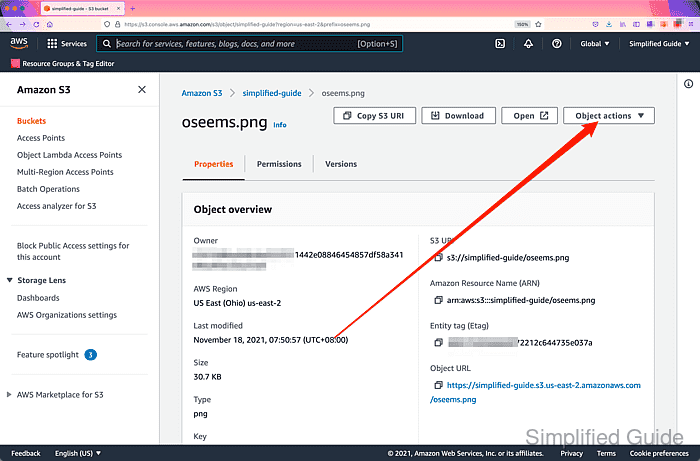
- Click on the Object actions dropdown menu.
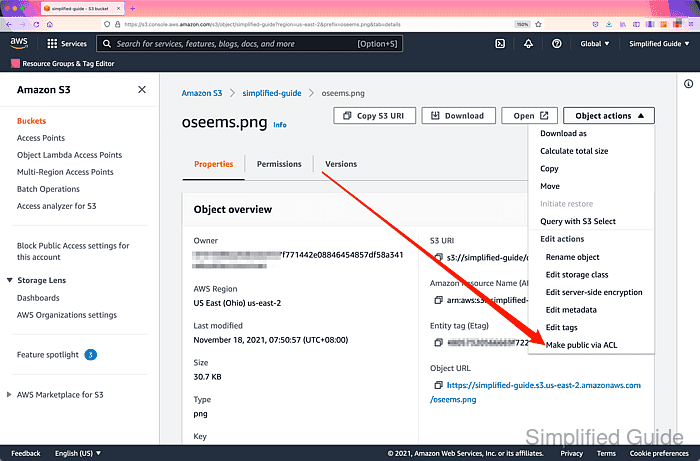
- Click on Make public via ACL.
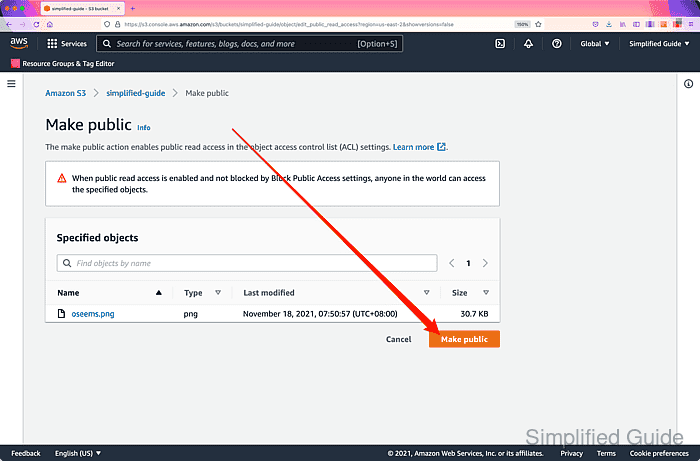
- Click on the Make public button.
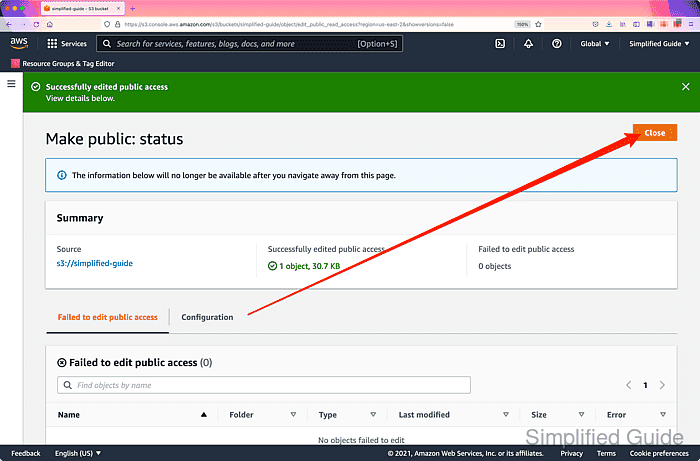
- Click on the Close button.
- Click on the link in the Object URL again to test.
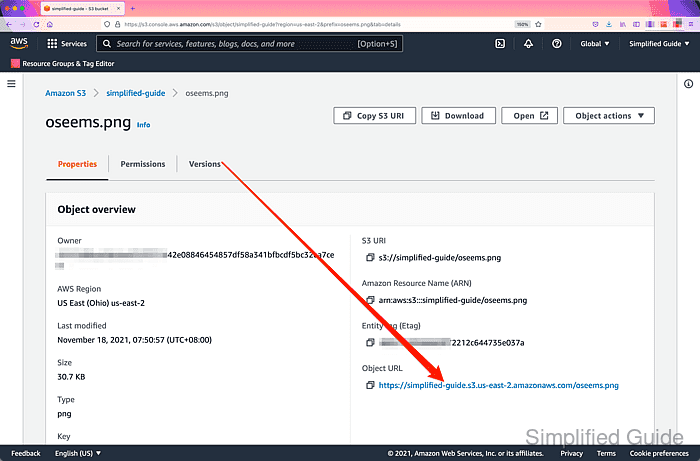
- Confirm current object access is now public.