How to set the default Region in AWS CLI
Saved AWS CLI Regions keep routine service commands pointed at the intended AWS endpoints when no --region option is present. Setting the default profile's Region gives ordinary commands a predictable endpoint while still allowing one-command or session-level overrides when a job needs another Region.
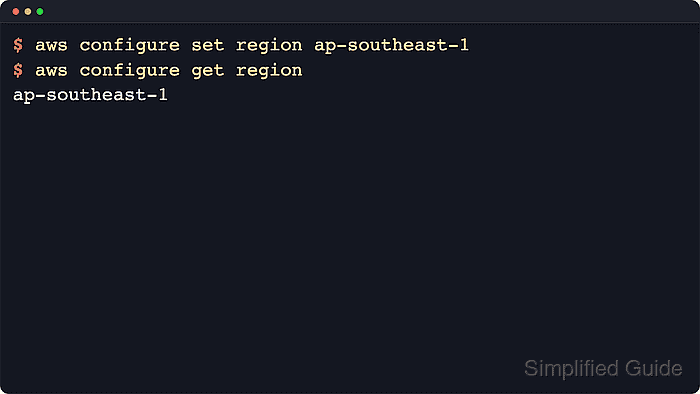
The AWS CLI stores the profile-backed region value in the shared config file, usually ~/.aws/config on Linux and macOS or %USERPROFILE%\.aws\config on Windows. Running aws configure set region REGION_CODE without --profile writes the value under [default]. Adding --profile writes the value under a named profile section such as [profile audit], and the command creates the config file if it does not already exist.
The saved profile value is not always the Region used by the current shell. AWS_REGION overrides AWS_DEFAULT_REGION and the saved profile region in AWS CLI v2, and a service command with --region overrides both environment variables and the saved profile for that one command. Use aws configure list after saving the Region because it shows the effective value and where that value came from without making an AWS API request.
Steps to set the default Region in AWS CLI:
- List the current AWS CLI configuration sources.
$ aws configure list
NAME       : VALUE                    : TYPE             : LOCATION
profile    : <not set>                : None             : None
access_key : <not set>                : None             : None
secret_key : <not set>                : None             : None
region     : <not set>                : None             : None
The region row shows the active value and source. Existing credentials or a saved Region may already appear on a configured workstation.
- Save the default profile Region.
$ aws configure set region ap-southeast-1
Without --profile, the command writes region = ap-southeast-1 under [default] in ~/.aws/config unless AWS_CONFIG_FILE points to another config file.
- Read the stored default profile Region.
$ aws configure get region
ap-southeast-1
aws configure get reads the saved profile value directly, so it confirms the file-backed default before environment overrides are considered.
- Confirm the current shell is using the saved Region.
$ aws configure list
NAME       : VALUE                    : TYPE             : LOCATION
profile    : <not set>                : None             : None
access_key : <not set>                : None             : None
secret_key : <not set>                : None             : None
region     : ap-southeast-1           : config-file      : ~/.aws/config
The TYPE column should show config-file when the saved default profile Region is active. If it shows env, the current shell is using AWS_REGION or AWS_DEFAULT_REGION instead.
Related: How to use AWS CLI environment variables - Clear session Region overrides when the saved default should take over.
$ unset AWS_REGION AWS_DEFAULT_REGION
Skip this step when aws configure list already shows config-file for the region row. Unsetting these variables affects only the current shell and child processes.
- Save a Region for a named profile when that profile needs a different default.
$ aws configure set region us-west-2 --profile audit
This writes the setting under [profile audit] in the shared config file and leaves [default] unchanged.
Related: How to configure multiple AWS CLI profiles - Read the named profile Region.
$ aws configure get region --profile audit
us-west-2
The --profile selector changes which config section is read or written, so this check confirms the named profile without changing the shell's default profile.