How to set AWS CLI default output format
An AWS CLI profile that prints one format interactively and another format in scripts can make command output hard to compare or parse. Saving the profile's default output setting keeps repeated commands predictable without adding --output to every command line.
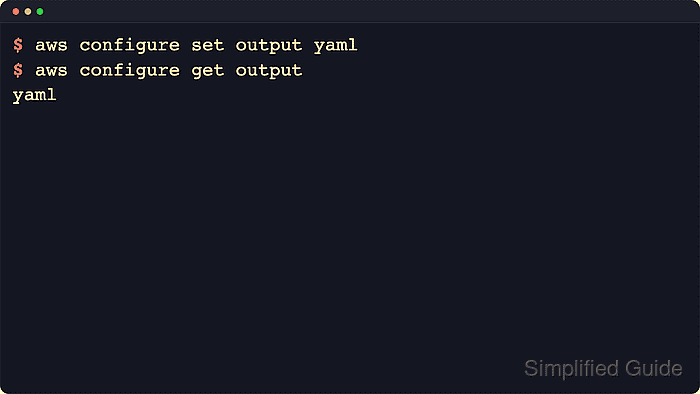
The saved setting belongs in the shared AWS CLI config file, normally ~/.aws/config on Linux and macOS or %UserProfile%\.aws\config on Windows. Current AWS CLI v2 documentation supports json, yaml, yaml-stream, text, table, and off as output formats, with json as the normal default when no saved or overridden value is active.
Config-file defaults are not the only output layer. AWS_DEFAULT_OUTPUT overrides the saved profile value for the current shell, and --output overrides both for one command. aws configure get output confirms the saved setting, while a normal aws command without --output confirms what the profile will print by default.
Related: How to configure multiple AWS CLI profiles
Related: How to use AWS CLI environment variables
Related: How to save AWS CLI output to a file
Related: How to use JMESPath queries in AWS CLI
Steps to set AWS CLI default output format:
- Choose the output format for the profile.
Format Use json Default structured output for scripts, API responses, and later parsing. yaml Readable structured output for interactive review. yaml-stream Streamed YAML output for large responses. text Tab-delimited output after a --query expression already returns the exact fields needed. table Human-readable terminal output for quick inspection. off No stdout output when automation only checks the exit status. Keep json, yaml, or yaml-stream while building --query expressions. text applies pagination before the query filter, so it can repeat matches across pages unless the query is already narrow.
Related: How to use JMESPath queries in AWS CLI - Save the preferred format for the default profile.
$ aws configure set output yaml
This writes output = yaml under the [default] section in the shared config file.
- Save a different format for a named profile when another workflow needs its own default.
$ aws configure set output table --profile work
This writes output = table under [profile work] instead of changing the unnamed default profile.
Related: How to configure multiple AWS CLI profiles - Read the saved default profile value.
$ aws configure get output
yaml
aws configure get reads the saved config entry. It does not prove that the current shell lacks an AWS_DEFAULT_OUTPUT override.
- Read the saved named profile value.
$ aws configure get output --profile work
table
- Inspect the shared config file when the profile section matters.
$ cat ~/.aws/config
[default]
output = yaml
[profile work]
output = table
On Windows, inspect %UserProfile%\.aws\config instead.
Related: How to find the AWS CLI config file location - Run an AWS CLI command without --output to confirm the default formatter.
$ aws s3api list-buckets --generate-cli-skeleton output
Buckets:
- BucketArn: BucketArn
  BucketRegion: BucketRegion
  CreationDate: 1970-01-01 00:00:00
  Name: Name
ContinuationToken: ContinuationToken
Owner:
  DisplayName: DisplayName
  ID: ID
Prefix: Prefix
--generate-cli-skeleton output returns local sample output without credentials or an AWS API call. AWS notes that generated skeleton output is not stable across CLI versions, so use it as a local formatting check rather than a saved fixture contract.
Tool: YAML Validator