How to install AWS CLI on Ubuntu
Installing AWS CLI on Ubuntu gives administrators and automation jobs the aws command before profiles, regions, and service calls can be configured. The current AWS CLI version 2 installer keeps the client independent of older distro or Python packages when scripts need the current major release and a predictable install path.
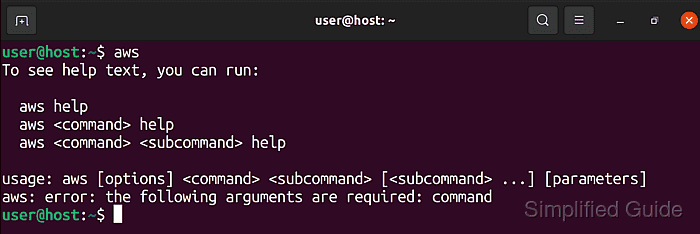
AWS supports a command line installer for recent 64-bit Linux distributions, including Ubuntu, and provides separate archives for x86_64 and aarch64 systems. The installer places the CLI under /usr/local/aws-cli by default and creates the /usr/local/bin/aws symlink, so checking the active path matters when older APT, pip, or snap copies are already on PATH.
The official snap package is also supported and auto-refreshes, but it does not let teams pin a minor AWS CLI version. The vendor ZIP installer fits repeatable server setup because updates happen only when a new installer is downloaded and run with --update.
Related: How to check AWS CLI version
Related: How to configure AWS CLI on Linux and macOS
Related: Install AWS CLI version 1 using pip
Steps to install AWS CLI on Ubuntu:
- Open a terminal with sudo privileges.
- Refresh the local package index.
$ sudo apt update
- Install the download and extraction tools.
$ sudo apt install curl unzip ca-certificates
curl downloads the vendor archive, unzip extracts it, and ca-certificates lets curl validate the AWS HTTPS endpoint on minimal Ubuntu systems.
- Check the CPU architecture.
$ uname -m
x86_64
Use the x86_64 AWS CLI archive when this command returns x86_64. Use the aarch64 archive when it returns aarch64.
- Download the AWS CLI v2 archive for x86_64 Ubuntu.
$ curl "https://awscli.amazonaws.com/awscli-exe-linux-x86_64.zip" -o "awscliv2.zip"
On aarch64 Ubuntu, use https://awscli.amazonaws.com/awscli-exe-linux-aarch64.zip instead.
- Extract the installer directory.
$ unzip awscliv2.zip
- Run the bundled installer.
$ sudo ./aws/install
You can now run: /usr/local/bin/aws --version
The default install directory is /usr/local/aws-cli, and the default symlink path is /usr/local/bin/aws. For an existing manual AWS CLI v2 install, rerun the new installer with sudo ./aws/install --update.
- Confirm that the shell resolves the vendor-installed command.
$ command -v aws
/usr/local/bin/aws
If the result is /usr/bin/aws, /snap/bin/aws, or ~/.local/bin/aws, an older install is still earlier on PATH.
- Confirm that the active command reports AWS CLI v2.
$ aws --version
aws-cli/2.35.3 Python/3.14.5 Linux/6.8.0 exe/x86_64.ubuntu.26
The exact version, Python runtime, kernel string, and platform suffix change over time. Look for an aws-cli/2.x version line from the intended path.
Related: How to check AWS CLI version - Run a CLI smoke test before configuring new credentials.
$ aws configure list
NAME       : VALUE                    : TYPE             : LOCATION
profile    : <not set>                : None             : None
access_key : <not set>                : None             : None
secret_key : <not set>                : None             : None
region     : <not set>                : None             : None
The command should print the configuration table without an error. Existing profiles may show masked access keys or a saved region instead of <not set>. Configure credentials separately before making signed AWS service calls.
Related: How to configure AWS CLI on Linux and macOS
Related: How to check the current caller identity in AWS CLI - Remove the downloaded installer files.
$ rm -r aws awscliv2.zip
This cleanup removes only the working directory and archive. It does not remove the installed CLI under /usr/local/aws-cli.