How to set AWS CLI binary input format
AWS CLI v2 treats blob parameters as Base64 text by default, which can break older scripts that pass JSON or byte strings directly into a binary parameter. Setting the binary input format on the right profile keeps those commands from changing payload handling during a version 1 to version 2 migration or a handoff to commands such as Lambda invoke.
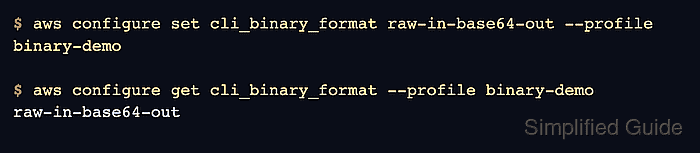
The saved config key is cli_binary_format. Use base64 when the parameter value is already Base64 text, and use raw-in-base64-out when the command should accept the literal bytes or JSON string passed by the shell. A command-line --cli-binary-format option can override the saved profile value for one request.
File-backed parameters need a separate decision. fileb:// always reads the file as binary and ignores cli_binary_format, while file:// reads text that must already match the active binary format mode. That distinction matters when the same script mixes inline payloads, JSON files, certificates, archives, or Lambda invocation bodies.
Steps to set AWS CLI binary input format:
- Choose the profile and binary mode that should own the setting.
Profile: binary-demo
Mode: raw-in-base64-out
Use raw-in-base64-out when migrated AWS CLI v1 commands pass literal blob values. Keep base64 when the command already passes Base64-encoded blob values.
- Confirm the target profile before changing its saved defaults.
$ aws sts get-caller-identity --profile binary-demo --query Account --output text
123456789012
The account number should match the workload that will run the binary-parameter command.
Related: How to check the current caller identity in AWS CLI - Set the binary input format on the selected profile.
$ aws configure set cli_binary_format raw-in-base64-out --profile binary-demo
This writes the setting to the shared AWS CLI config file for binary-demo.
Related: How to find the AWS CLI config file location - Read the profile value back from AWS CLI.
$ aws configure get cli_binary_format --profile binary-demo
raw-in-base64-out
- Run the blob command that needs literal input.
$ aws lambda invoke \
  --function-name process-event \
  --payload '{ "name": "Bob" }' \
  response.json \
  --profile binary-demo
{
    "StatusCode": 200,
    "ExecutedVersion": "$LATEST"
}
Lambda invocation runs function code. Use a test function or another low-risk blob command when validating the mode before a production script uses it.
- Override one command when a single request still needs Base64 mode.
$ aws lambda invoke \
  --function-name process-event \
  --payload eyAibmFtZSI6ICJCb2IiIH0= \
  response.json \
  --profile binary-demo \
  --cli-binary-format base64
{
    "StatusCode": 200,
    "ExecutedVersion": "$LATEST"
}
The --cli-binary-format option applies only to this command and does not change the saved profile.
Tool: Base64 Encoder and Decoder - Use fileb:// when the payload should come from file bytes instead of inline text.
$ aws lambda invoke \
  --function-name process-event \
  --payload fileb://payload.json \
  response.json \
  --profile binary-demo \
  --cli-binary-format base64
{
    "StatusCode": 200,
    "ExecutedVersion": "$LATEST"
}
fileb:// reads the file contents as binary even when the saved profile or command override is base64. Use file:// only when the file text is already formatted for the active mode.
Related: How to load AWS CLI parameters from files