How to run an Appium session on an Android emulator
An Android emulator session proves that Appium can reach the virtual device, hand commands to the UiAutomator2 driver, and open an Android app before the test grows into a larger suite. When the first session fails, the problem is usually device visibility, server routing, or capabilities rather than element locator code.
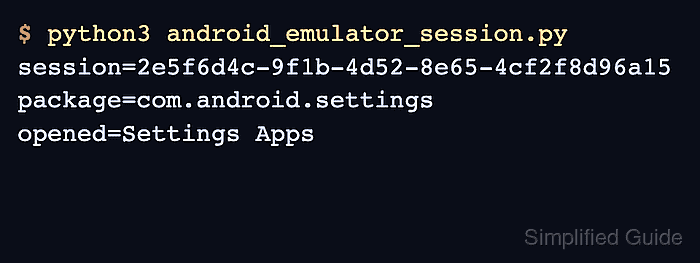
A running emulator and the built-in Android Settings app keep the smoke test independent of a project APK. The Python client sends W3C capabilities to the local Appium server, and UiAutomator2 launches com.android.settings on the emulator reported by adb.
Keep one emulator selected for the first run. If other Android devices are attached, pass the emulator serial as udid so Appium does not choose the wrong target; after the session ID prints and the app opens, quit the driver to release the emulator for the next test.
Related: How to start the Appium server
Related: How to install the Appium Android driver
Related: How to configure Appium capabilities
Steps to run an Appium session on an Android emulator:
- Confirm that adb can see the emulator.
$ adb devices
List of devices attached
emulator-5554	device
Use the serial from this output in the session capabilities when more than one Android target is connected.
- Check that the Appium server is ready.
$ curl --silent http://127.0.0.1:4723/status
{"value":{"ready":true,"message":"Appium is ready"}}
Start the server first if the status endpoint does not respond.
Related: How to start the Appium server - Create a Python smoke test for the emulator session.
$ cat > android_emulator_session.py <<'PY'
from appium import webdriver
from appium.options.android import UiAutomator2Options
from appium.webdriver.common.appiumby import AppiumBy

capabilities = {
    "platformName": "Android",
    "appium:automationName": "UiAutomator2",
    "appium:deviceName": "Android Emulator",
    "appium:udid": "emulator-5554",
    "appium:appPackage": "com.android.settings",
    "appium:appActivity": ".Settings",
    "appium:language": "en",
    "appium:locale": "US",
}

driver = webdriver.Remote(
    "http://localhost:4723",
    options=UiAutomator2Options().load_capabilities(capabilities),
)

try:
    print(f"session={driver.session_id}")
    print(f"package={driver.current_package}")
    driver.find_element(by=AppiumBy.XPATH, value='//*[@text="Apps"]').click()
    print("opened=Settings Apps")
finally:
    driver.quit()
PY
Replace emulator-5554 with the serial shown by adb devices. Use appium:app instead of appium:appPackage and appium:appActivity when the session should install and launch an APK.
Related: How to install an app for an Appium session - Run the smoke test.
$ python3 android_emulator_session.py
session=2e5f6d4c-9f1b-4d52-8e65-4cf2f8d96a15
package=com.android.settings
opened=Settings Apps
The session ID confirms that Appium accepted the capabilities, and the package line confirms the emulator opened the Android Settings app.
- Remove the one-off smoke test when the session check is complete.
$ rm android_emulator_session.py