How to limit connection bandwidth in Apache
Large downloads can consume most of an Apache server's outbound capacity, which leaves ordinary page requests competing with archive, backup, or media transfers for the same link. Limiting the transfer rate on selected responses keeps bandwidth usage predictable and reduces the chance that one download path will slow the rest of the site.
Apache provides this control through mod_ratelimit. The module adds an output filter named RATE_LIMIT, then reads the rate-limit environment variable to throttle each HTTP response in KiB/s while Apache sends the body to the client. An optional rate-initial-burst value allows the first part of the response to leave at full speed before the cap takes over.
Commands below use the current Debian and Ubuntu layout with /etc/apache2, a2enmod, and the apache2 service. The throttle applies to each HTTP response rather than to a client IP as a whole, so parallel downloads can still multiply total bandwidth usage. Apache upstream also notes that rate-initial-burst requires httpd 2.4.24 or later, and httpd 2.4.33 and earlier do not throttle proxied content correctly.
Related: How to enable or disable Apache modules
Related: How to test Apache configuration
Related: How to manage the Apache web server service
Steps to limit Apache response bandwidth with mod_ratelimit:
- Open a terminal with sudo privileges.
- Enable the mod_ratelimit module.
$ sudo a2enmod ratelimit
Considering dependency env for ratelimit:
Module env already enabled
Enabling module ratelimit.
To activate the new configuration, you need to run:
  service apache2 restart
mod_ratelimit uses SetEnv from mod_env, and current Debian packages enable that dependency automatically when a2enmod ratelimit runs.
Red Hat family systems usually load the module through the httpd module configuration under /etc/httpd/conf.modules.d/ instead of using a2enmod.
- Open the Apache virtual host file that serves the large downloads.
$ sudo vi /etc/apache2/sites-available/example.com.conf
Use the matching TLS virtual host file when the download URL is served over HTTPS. On many Debian and Ubuntu hosts, that file lives under /etc/apache2/sites-available/ as well.
- Add a Location block that applies the RATE_LIMIT filter only to the download path.
<Location "/downloads">
        SetOutputFilter RATE_LIMIT
        SetEnv rate-limit 256
</Location>
rate-limit is measured in KiB/s, so the example limits each matching response to about 256 KiB/s. Add SetEnv rate-initial-burst 512 inside the same block when the first 512 KiB should leave at full speed before throttling starts.
Placing the filter at VirtualHost scope throttles every response for that site, including HTML, CSS, JavaScript, and images. Keep the filter inside a narrow Location or Directory block unless the whole site really needs the cap.
Documentation: Official documentation for mod_ratelimit
- Save the configuration file.
- Test the Apache configuration for syntax errors.
$ sudo apache2ctl configtest
Syntax OK
Related: How to test Apache configuration
- Restart the apache2 service to load the module and updated virtual host configuration.
$ sudo systemctl restart apache2
a2enmod still suggests service apache2 restart on current Debian packages, but systemctl restart apache2 reaches the same service manager action on modern systemd hosts.
- Confirm that the rate-limit module is loaded.
$ sudo apache2ctl -M
Loaded Modules:
 core_module (static)
 so_module (static)
 watchdog_module (static)
 http_module (static)
 log_config_module (static)
##### snipped #####
 env_module (shared)
 filter_module (shared)
 mime_module (shared)
 mpm_event_module (shared)
 negotiation_module (shared)
 ratelimit_module (shared)
 reqtimeout_module (shared)
 setenvif_module (shared)
 status_module (shared)
If the restart fails or the service does not answer after the change, inspect sudo journalctl --unit=apache2 --no-pager --lines=20 before retrying.
- Download a file from the limited path and inspect the average transfer rate.
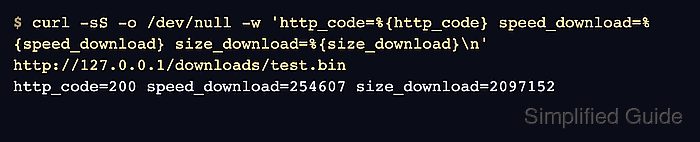
$ curl -sS -o /dev/null -w 'http_code=%{http_code} speed_download=%{speed_download} size_download=%{size_download}\n' http://127.0.0.1/downloads/test.bin
http_code=200 speed_download=254607 size_download=2097152
speed_download is reported in bytes per second. A 256 KiB/s limit is 262144 bytes per second, so a result close to that value confirms that mod_ratelimit is active.
Use -H 'Host: example.com' when testing a name-based virtual host through 127.0.0.1, and use a file larger than any configured rate-initial-burst value so the sustained cap is visible.