How to install Apache modules
Installing an Apache module adds a feature that the running server cannot use until the matching shared object and LoadModule configuration are present. On Debian and Ubuntu, install the distribution package that owns the module, confirm whether the package enabled it, test the configuration, then restart Apache so the running process loads the new module.
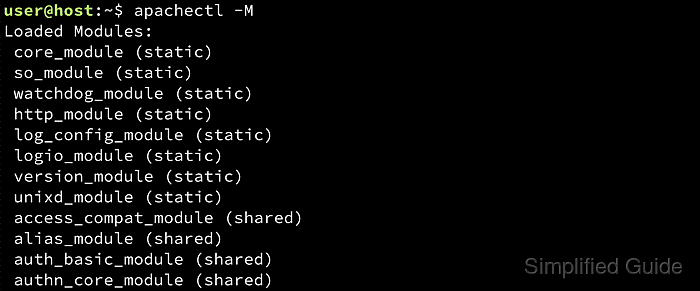
Apache modules can be compiled into the server binary or loaded at startup from shared object files. Debian-family packages keep module declarations in .load files under /etc/apache2/mods-available, activate them with links under /etc/apache2/mods-enabled, and use a2query or apache2ctl -M to show what the package layout has enabled and what Apache can load from the active configuration.
The example installs ModSecurity through libapache2-mod-security2 because it is a packaged third-party module with a real .load file and default configuration. Modules already shipped by apache2, such as rewrite or headers, normally need enabling rather than a new package, and custom-built modules may require vendor-specific LoadModule instructions instead of the apt package path.
Steps to install Apache modules:
- Refresh the package index before searching or installing.
$ sudo apt update
- Find the package that provides the module you need.
$ apt-cache search libapache2-mod-security2
libapache2-mod-security2 - Tighten web applications security for Apache
Packaged module names on Debian and Ubuntu often start with libapache2-mod-. If the feature already ships with apache2 and no separate package exists, enable the module instead of installing a new package.
- Install the module package.
$ sudo apt install libapache2-mod-security2
Reading package lists...
Building dependency tree...
Reading state information...
The following NEW packages will be installed:
  libapache2-mod-security2 modsecurity-crs
##### snipped #####
Setting up libapache2-mod-security2 ...
apache2_invoke: Enable module security2
The package can install supporting libraries and configuration packages. For ModSecurity, the important install signal is apache2_invoke: Enable module security2, which means the maintainer script enabled the module for Apache.
- Confirm whether the package enabled the module.
$ sudo a2query -m security2
security2 (enabled by maintainer script)
a2query uses the short module name, such as security2, rather than the loaded symbol name security2_module.
- Enable the module manually only if the query reports that it is disabled.
$ sudo a2enmod security2
Enabling module security2.
To activate the new configuration, you need to run:
  service apache2 restart
Many Debian-family module packages enable their module automatically during installation. Use a2enmod only when the package installed the .load file but left the module inactive.
- Test the Apache configuration before restarting the service.
$ sudo apache2ctl configtest
AH00558: apache2: Could not reliably determine the server's fully qualified domain name, using 192.0.2.10. Set the 'ServerName' directive globally to suppress this message
Syntax OK
The AH00558 hostname warning can appear before Syntax OK when a global ServerName is unset. It does not stop the module from loading, but a syntax error does.
Fix any failed syntax test before restarting Apache. A module package can add directives that fail when another required module, file, or setting is missing.
- Restart Apache so the running process loads the new module.
$ sudo systemctl restart apache2
The helper output may mention service apache2 restart. On current systemd hosts, systemctl restart apache2 performs the same service restart.
- Verify that Apache can load the module from the active configuration.
$ sudo apache2ctl -M
AH00558: apache2: Could not reliably determine the server's fully qualified domain name, using 192.0.2.10. Set the 'ServerName' directive globally to suppress this message
Loaded Modules:
 core_module (static)
 so_module (static)
##### snipped #####
 security2_module (shared)
 unique_id_module (shared)
apache2ctl -M shows the loaded symbol name ending in _module. The security2_module (shared) line confirms the installed shared module is present in the parsed Apache configuration.