How to prevent hotlinking in Apache
Hotlinked image requests arrive from pages that visitors never loaded from your site, so they can burn bandwidth while the referring site gets the page view. Apache can reject those asset requests before the file is served when the request carries a foreign Referer header.
Apache can handle simple hotlink denial with access-control directives instead of a rewrite rule. SetEnvIfNoCase marks allowed referrers, and Require env authorizes only matching image requests.
The Referer header is optional and can be suppressed or spoofed, so this protects bandwidth and casual embedding rather than enforcing private-file access. Allowing an empty Referer keeps direct image requests working, while a path boundary in each allowed-host regex blocks look-alike hostnames. Put the rules in the active virtual host or included server configuration when you have that access.
Steps to prevent hotlinking in Apache:
- Open the Apache virtual host file or include file that serves the protected assets.
$ sudo vi /etc/apache2/sites-available/host.example.net.conf
- Add the hotlink access rules inside the active virtual host.
SetEnvIfNoCase Referer "^$" local_referer
SetEnvIfNoCase Referer "^https?://(www\.)?host\.example\.net(/|$)" local_referer
SetEnvIfNoCase Referer "^https?://(www\.)?files\.example\.net(/|$)" local_referer

<FilesMatch "\.(?:avif|gif|jpe?g|png|webp)$">
    Require env local_referer
</FilesMatch>
The first line allows direct requests that send no Referer header. Remove it only when blank-referer image requests should be denied too.
Keep the allowed-domain regex strict. Escaped dots and the (/|$) boundary stop look-alike hosts such as host.example.net.evil.tld from matching as approved referrers.
- Save the configuration file.
- Validate the Apache configuration syntax.
$ sudo apache2ctl configtest
Syntax OK
Related: How to test Apache configuration
- Reload the Apache service so the new rules take effect without dropping active connections.
$ sudo systemctl reload apache2
When systemd is not managing the service, use sudo apachectl -k graceful or sudo httpd -k graceful instead. On RHEL-family systems, the unit name is commonly httpd.
- Send a test request with an approved Referer header and confirm the file still returns 200 OK.
$ curl -I -sS --referer https://host.example.net/ http://host.example.net/images/example.jpg
HTTP/1.1 200 OK
##### snipped #####
Content-Type: image/jpeg
Replace /images/example.jpg with a real file path that exists on the server.
- Send a direct request without a Referer header and confirm it still returns 200 OK.
$ curl -I -sS http://host.example.net/images/example.jpg
HTTP/1.1 200 OK
##### snipped #####
Content-Type: image/jpeg
If the blank-referer rule was removed, this request should return 403 Forbidden instead.
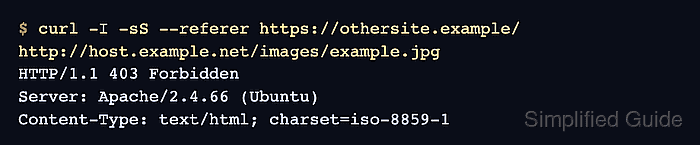
- Send the same request with an unapproved Referer header and confirm Apache returns 403 Forbidden.
$ curl -I -sS --referer https://othersite.example/ http://host.example.net/images/example.jpg
HTTP/1.1 403 Forbidden
##### snipped #####
Content-Type: text/html; charset=iso-8859-1
Browser tests can be misleading due to cache and referrer policy; a curl request with --referer shows the server-side decision clearly.
Tool: HTTP Header Checker can send a custom Referer request header for a public asset URL.