How to add a custom response header in Apache
Custom response headers let you attach routing metadata, caching hints, or integration flags to a response without changing application code. That makes them useful when you need to prove which tier served a request, expose a narrowly scoped diagnostic value, or send a site-wide policy from the web server itself.
Apache adds or changes response headers through mod_headers and the Header directive. The directive can live in the main server config, a specific VirtualHost, a Directory block, or .htaccess when FileInfo overrides are allowed, and the action keyword decides whether Apache replaces, appends, merges, or removes the header before the response is sent.
The clearest place to start is the target site's VirtualHost so the rule stays scoped and easy to review. The steps below use the Debian and Ubuntu layout (/etc/apache2/ and the apache2 service name). If the same header is already coming from the application, a reverse proxy, or a CDN, remove or consolidate the duplicate source first, and use Header always set when the header must remain present on locally generated redirects and error responses as well as normal 200 OK responses.
Related: How to enable or disable Apache modules
Related: How to test Apache configuration
Related: How to manage the Apache web server service
Steps to add a custom response header in Apache:
- Open a terminal session with an account that can use sudo.
- Enable mod_headers on Debian or Ubuntu.
$ sudo a2enmod headers
Enabling module headers.
To activate the new configuration, you need to run:
  service apache2 restart
a2enmod enables the module by linking its files into /etc/apache2/mods-enabled. If the command says the module is already enabled, continue with the next step.
- Open the Apache site configuration file for the host that should send the custom header.
$ sudoedit /etc/apache2/sites-available/example.com.conf
Use the active VirtualHost file for the site rather than the global config when the header should apply only to one hostname or application.
- Locate the VirtualHost block that serves the target site.
<VirtualHost *:80>
    ServerName example.com
    DocumentRoot /var/www/html

    ErrorLog ${APACHE_LOG_DIR}/error.log
    CustomLog ${APACHE_LOG_DIR}/access.log combined
</VirtualHost>
- Add the custom header inside that scope.
<VirtualHost *:80>
    ServerName example.com
    DocumentRoot /var/www/html

    Header always set Example-Header "custom-value"

    ErrorLog ${APACHE_LOG_DIR}/error.log
    CustomLog ${APACHE_LOG_DIR}/access.log combined
</VirtualHost>
- Replace Example-Header and custom-value with the real header name and value you need to send.
- Header always set keeps the header on locally generated non-success responses such as redirects and 404 pages. If you want the header only on normal success responses, use Header set instead.
- Use append or merge only when the header is meant to carry multiple values. For one final value, set is the cleaner default.
If the same header is already generated by the application or an upstream proxy, do not blindly add a second copy. Consolidate the source or deliberately unset and replace the header in one layer.
- Save the configuration file.
- Test the Apache configuration before reloading it.
$ sudo apache2ctl configtest
Syntax OK
sudo apache2ctl -t performs the same syntax check. If Apache is managed without systemd, sudo apache2ctl graceful can apply the change after the test passes.
Related: How to test Apache configuration
- Reload Apache so the new worker processes pick up the header rule.
$ sudo systemctl reload apache2
Use sudo systemctl reload httpd on systems that name the service httpd.
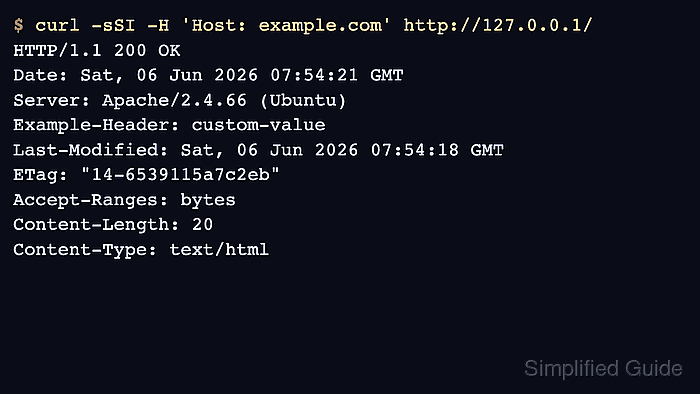
- Verify that the header appears on a normal response from the target site.
$ curl -sSI -H 'Host: example.com' http://127.0.0.1/
HTTP/1.1 200 OK
Date: Sat, 06 Jun 2026 07:54:21 GMT
Server: Apache/2.4.66 (Ubuntu)
Example-Header: custom-value
Last-Modified: Sat, 06 Jun 2026 07:54:18 GMT
ETag: "14-6539115a7c2eb"
Accept-Ranges: bytes
Content-Length: 20
Content-Type: text/html
Use the real site URL instead of 127.0.0.1 when a reverse proxy or CDN sits in front of Apache, so you confirm the final response seen by clients.
- Verify that the header is still present on a locally generated non-success response when you used Header always set.
$ curl -sSI -H 'Host: example.com' http://127.0.0.1/no-such-page
HTTP/1.1 404 Not Found
Date: Sat, 06 Jun 2026 07:54:21 GMT
Server: Apache/2.4.66 (Ubuntu)
Example-Header: custom-value
Content-Type: text/html; charset=iso-8859-1
If the header appears on the 200 OK response but not on the 404 response, the rule is probably using Header set instead of Header always set.