How to enable TLS session caching in Apache
TLS session caching lets repeat HTTPS clients resume earlier security state instead of paying for a full handshake on every new connection. On busy Apache sites with many short-lived requests, that lowers handshake overhead and reduces latency without changing how the application itself serves content.
In Apache HTTP Server, the SSLSessionCache directive controls the global or inter-process cache used by mod_ssl, and the shmcb backend keeps that cache in shared memory so different worker processes on the same host can reuse it. SSLSessionCacheTimeout defines how long cached session state remains resumable before Apache or the client falls back to a full handshake.
These steps use the Debian and Ubuntu apache2 packaging layout with /etc/apache2/conf-available, a2enconf, and apache2ctl. Current Debian-family packages also make socache_shmcb a dependency of ssl, so enabling ssl usually loads both modules together, and syntax validation is still required before a reload because a bad cache backend or path can stop Apache from starting. TLS session tickets remain a separate setting and stay enabled by default unless the TLS policy changes them explicitly.
Related: How to test Apache configuration
Related: How to enable or disable Apache modules
Tool: TLS Handshake Load Calculator
Steps to enable TLS session caching in Apache:
- Confirm that ssl and socache_shmcb are loaded before adding the cache directives.
$ sudo apache2ctl -M
Loaded Modules:
 core_module (static)
 so_module (static)
 watchdog_module (static)
 http_module (static)
 log_config_module (static)
 logio_module (static)
 version_module (static)
 unixd_module (static)
 systemd_module (static)
##### snipped #####
 socache_shmcb_module (shared)
 ssl_module (shared)
 status_module (shared)
On Debian or Ubuntu, sudo a2enmod ssl also enables socache_shmcb because it is an ssl dependency. If ssl is already enabled but socache_shmcb is missing, enable socache_shmcb explicitly and re-check the loaded module list.
- Create a dedicated global config fragment for the cache directives.
<IfModule ssl_module>
    SSLSessionCache shmcb:${APACHE_RUN_DIR}/ssl_scache(512000)
    SSLSessionCacheTimeout 300
</IfModule>
Apache documents shmcb as the high-performance shared-memory cache provider, and 512000 gives the cache a 500 KB allocation. Increase the size on very high-churn sites if resumable sessions are being evicted too quickly.
SSLSessionCache is a server-level setting. Keep it in a global configuration file such as /etc/apache2/conf-available/ or the main server config, not inside a <Directory> block or .htaccess.
An unwritable cache path or an unsupported backend can prevent apache2 from starting.
- Enable the configuration fragment so Apache loads it on startup.
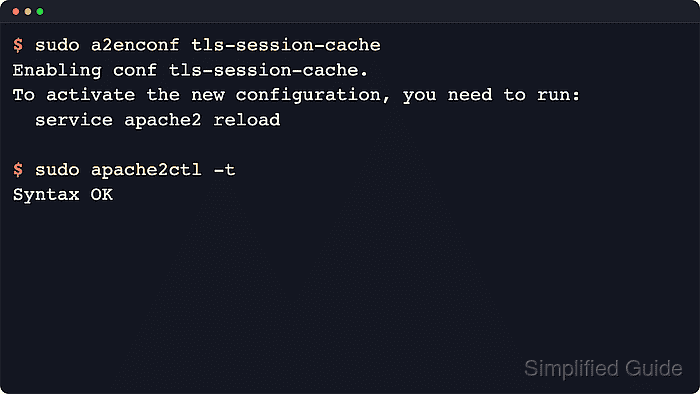
$ sudo a2enconf tls-session-cache
Enabling conf tls-session-cache.
To activate the new configuration, you need to run:
  service apache2 reload
a2enconf enables configuration files by creating symlinks under /etc/apache2/conf-enabled/. It does not resolve module dependencies automatically, which is why the module check comes first.
- Test the full Apache configuration before reloading the service.
$ sudo apache2ctl -t
Syntax OK
The AH00558 message about a missing global ServerName is a warning, not a syntax failure. Fix it separately if it appears, but do not confuse it with a broken cache configuration.
Related: How to test Apache configuration
- Reload Apache so the cache directives take effect without dropping current connections.
$ sudo systemctl reload apache2
When systemd is not managing the service, use sudo apache2ctl graceful or the platform-equivalent reload command instead.
- Confirm that the service stayed active after the reload.
$ sudo systemctl is-active apache2
active
If the result is not active, inspect the journal or error log immediately. A broken mod_ssl setting can block Apache from accepting HTTPS traffic.
- Confirm that the target site still answers over HTTPS after the reload.
$ curl -k -sI https://host.example.net/
HTTP/1.1 200 OK
Date: Thu, 09 Apr 2026 06:31:45 GMT
Server: Apache/2.4.58 (Ubuntu)
Content-Type: text/html
Use -k only for a self-signed or staging certificate. A clean HTTPS response confirms that the cache change did not break the active TLS virtual host.
- Confirm that the enabled configuration is included in the active configuration tree.
$ sudo apache2ctl -t -D DUMP_INCLUDES
Included configuration files:
  (*) /etc/apache2/apache2.conf
##### snipped #####
    (222) /etc/apache2/conf-enabled/tls-session-cache.conf
##### snipped #####
SSLSessionCacheTimeout also applies to TLS session resumption driven by RFC 5077 session tickets in current Apache 2.4 builds. If multiple load-balanced nodes must share ticket-based resumption, manage ticket keys separately instead of assuming the local shmcb cache is shared across hosts.