How to deny access to sensitive files in Apache
Blocking direct web access to sensitive files in Apache prevents publishing mistakes such as leaving .env files, backup copies, database dumps, or repository metadata under the web root. A single downloadable secret or backup can expose credentials, source history, or internal data that makes the next stage of an attack much easier.
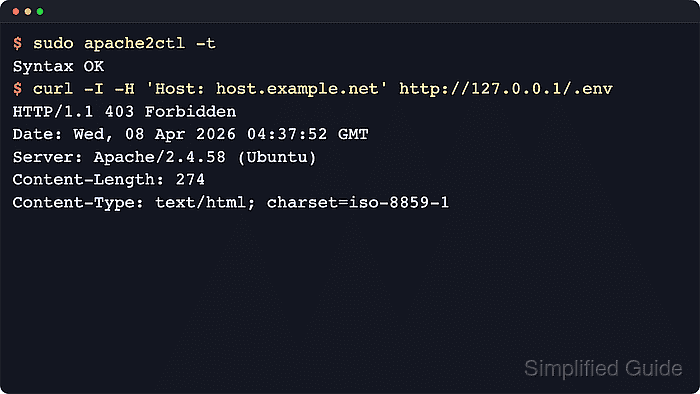
Sensitive-file protection in Apache 2.4 belongs in filesystem-aware containers. FilesMatch applies rules to matching filenames, while DirectoryMatch applies rules to filesystem directories and the files inside matching directories. Location and LocationMatch operate on URL space instead, so they are the wrong primary tool for protecting on-disk content such as .git directories or misplaced backups.
The Debian and Ubuntu flow uses a server-wide include under /etc/apache2/conf-available/ and enables it with a2enconf. Keep deny patterns tight on sites that intentionally serve archives or database exports, test syntax before reloading, and confirm that /.well-known/acme-challenge/ still works when Let's Encrypt HTTP-01 validation depends on that path.
Steps to deny access to sensitive files in Apache:
- Identify the active Apache layout and default document root.
$ sudo apache2ctl -S
VirtualHost configuration:
*:80                   host.example.net (/etc/apache2/sites-enabled/000-default.conf:1)
ServerRoot: "/etc/apache2"
Main DocumentRoot: "/var/www/html"
Main ErrorLog: "/var/log/apache2/error.log"
Mutex default: dir="/run/apache2/" mechanism=default
PidFile: "/run/apache2/apache2.pid"
Define: DUMP_VHOSTS
Define: DUMP_RUN_CFG
User: name="www-data" id=33
Group: name="www-data" id=33
##### snipped #####
On RHEL-family systems, the equivalent tree is usually /etc/httpd/ and the service name is httpd.
- Create a dedicated include file for the deny rules.
$ sudo vi /etc/apache2/conf-available/deny-sensitive-files.conf
A separate include keeps the security policy easy to audit and reuse instead of burying it inside unrelated virtual host changes.
- Add rules for hidden files, backup-style files, and version-control metadata directories.
# Block hidden files such as .env, .htaccess, and .user.ini.
<FilesMatch "^\.">
    Require all denied
</FilesMatch>

# Block common backup and dump files that should not be downloadable.
<FilesMatch "(?i)(\.(bak|old|orig|save|swp|tmp|sql|sqlite|sqlite3|db)$|~$)">
    Require all denied
</FilesMatch>

# Block VCS metadata directories anywhere below the document root.
<DirectoryMatch "(^|/)\.(git|svn|hg|bzr)(/|$)">
    Require all denied
</DirectoryMatch>
FilesMatch covers matching filenames anywhere under the served tree, while DirectoryMatch blocks repository directories and everything inside them without relying on URL-only LocationMatch rules.
Remove extensions from the second rule if the site intentionally serves those file types as downloads. Moving such files outside the web root is safer than weakening the deny rule globally.
On RHEL-style systems, place the same block in /etc/httpd/conf.d/deny-sensitive-files.conf/ and skip the a2enconf step.
- Enable the include on Debian or Ubuntu.
$ sudo a2enconf deny-sensitive-files
Enabling conf deny-sensitive-files.
To activate the new configuration, you need to run:
  service apache2 reload
Files under /etc/httpd/conf.d/ are loaded automatically on RHEL-family systems, so there is no a2enconf step there.
- Test the Apache configuration syntax before reloading the service.
$ sudo apache2ctl -t
Syntax OK
Use sudo apachectl -t or sudo httpd -t on platforms that ship those control names instead of apache2ctl.
Related: How to test Apache configuration
- Reload Apache so the deny rules take effect.
$ sudo systemctl reload apache2
Use sudo apache2ctl graceful on hosts where systemd does not manage Apache. The RHEL-family unit name is usually httpd.
- Request known-sensitive paths and confirm that Apache returns 403 Forbidden.
$ curl -I -sS -H 'Host: host.example.net' http://127.0.0.1/.env
HTTP/1.1 403 Forbidden
Date: Sat, 06 Jun 2026 04:04:10 GMT
Server: Apache/2.4.66 (Ubuntu)
Content-Type: text/html; charset=iso-8859-1

$ curl -I -sS -H 'Host: host.example.net' http://127.0.0.1/.git/config
HTTP/1.1 403 Forbidden
Date: Sat, 06 Jun 2026 04:04:10 GMT
Server: Apache/2.4.66 (Ubuntu)
Content-Type: text/html; charset=iso-8859-1

$ curl -I -sS -H 'Host: host.example.net' http://127.0.0.1/app.sql
HTTP/1.1 403 Forbidden
Date: Sat, 06 Jun 2026 04:04:10 GMT
Server: Apache/2.4.66 (Ubuntu)
Content-Type: text/html; charset=iso-8859-1
For name-based virtual hosts, keep the Host header pointed at the real site name so the request hits the intended vhost instead of the server default.
- If the site uses Let's Encrypt HTTP-01 validation, confirm that an ACME challenge file under /.well-known/acme-challenge/ is still reachable.
$ curl -I -sS -H 'Host: host.example.net' http://127.0.0.1/.well-known/acme-challenge/test-token
HTTP/1.1 200 OK
Date: Sat, 06 Jun 2026 04:04:10 GMT
Server: Apache/2.4.66 (Ubuntu)
Last-Modified: Sat, 06 Jun 2026 04:04:10 GMT
ETag: W/"9-redacted"
Accept-Ranges: bytes
Content-Length: 9
The example rules do not block ACME token files because the hidden-directory rule is limited to version-control directories and the final token filename does not start with a dot. This check matters when the host uses HTTP-01 validation or when another policy blocks all dot-directories.
- Review the access log for denied requests so future scans are easy to spot.
$ sudo cat /var/log/apache2/access.log
127.0.0.1 - - [06/Jun/2026:04:04:10 +0000] "HEAD /.env HTTP/1.1" 403 140 "-" "curl/8.18.0"
127.0.0.1 - - [06/Jun/2026:04:04:10 +0000] "HEAD /.git/config HTTP/1.1" 403 140 "-" "curl/8.18.0"
127.0.0.1 - - [06/Jun/2026:04:04:10 +0000] "HEAD /app.sql HTTP/1.1" 403 140 "-" "curl/8.18.0"
127.0.0.1 - - [06/Jun/2026:04:04:10 +0000] "HEAD /.well-known/acme-challenge/test-token HTTP/1.1" 200 202 "-" "curl/8.18.0"
If the site already uses a vhost-specific access log, review that file instead of the global /var/log/apache2/access.log path.