How to configure log rotation for Apache
Apache log rotation has to move old access and error logs without leaving the running server writing into archived files. A safe policy rotates the file, creates a replacement with the ownership Apache packaging expects, and reloads or gracefully restarts Apache so its workers reopen the current log paths.
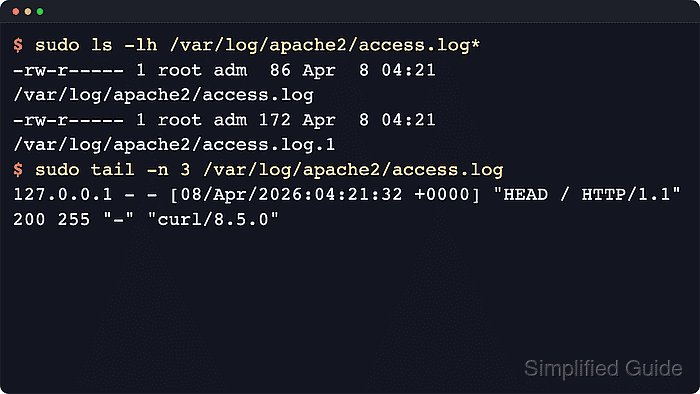
On Debian and Ubuntu, the packaged policy in /etc/logrotate.d/apache2 rotates /var/log/apache2/*.log daily, keeps fourteen rotations, compresses older copies, and creates new files as 0640 root adm. That default covers logs written through the normal APACHE_LOG_DIR path, but it does not cover virtual host logs stored in separate application directories.
Use file-based logrotate only for ErrorLog and CustomLog directives that write to ordinary files. If a log directive starts with a pipe and uses rotatelogs, Apache already hands rotation to that piped logging program. Test the policy with logrotate debug output first, force one rotation only during a safe window, then confirm that new requests land in the current log file after Apache reopens the files.
Steps to configure log rotation for Apache:
- Open a terminal session with an account that can use sudo.
- Check where Apache writes its error and access logs.
$ sudo grep --recursive --line-number 'Log' /etc/apache2/apache2.conf /etc/apache2/sites-enabled /etc/apache2/conf-enabled
/etc/apache2/apache2.conf:134:ErrorLog ${APACHE_LOG_DIR}/error.log
/etc/apache2/conf-enabled/other-vhosts-access-log.conf:2:CustomLog ${APACHE_LOG_DIR}/other_vhosts_access.log vhost_combined
##### snipped #####
If a CustomLog or ErrorLog value begins with |, do not add the resulting file name to logrotate. Piped logs such as |/usr/bin/rotatelogs ... are rotated by the piped process instead of by renaming a file under /var/log.
- Review the packaged Apache logrotate policy.
$ sudo cat /etc/logrotate.d/apache2
/var/log/apache2/*.log {
	daily
	missingok
	rotate 14
	compress
	delaycompress
	notifempty
	create 640 root adm
	sharedscripts
	prerotate
		if [ -d /etc/logrotate.d/httpd-prerotate ]; then
			run-parts /etc/logrotate.d/httpd-prerotate
		fi
	endscript
	postrotate
		if pgrep -f ^/usr/sbin/apache2 > /dev/null; then
			invoke-rc.d apache2 reload 2>&1 | logger -t apache2.logrotate
		fi
	endscript
}
The postrotate block is required for file-based Apache logs because Apache keeps old file handles open until it reloads or receives a graceful restart.
- Back up the packaged policy before changing retention or adding paths.
$ sudo cp /etc/logrotate.d/apache2 /etc/logrotate.d/apache2.bak
- Edit the packaged policy when the default path is correct but retention, compression, or size-triggered rotation needs adjustment.
$ sudo vi /etc/logrotate.d/apache2
- Keep the ownership, shared script behavior, and reload action while adjusting only the policy values that need to change.
/var/log/apache2/*.log {
    daily
    maxsize 100M
    missingok
    rotate 30
    compress
    delaycompress
    notifempty
    create 640 root adm
    sharedscripts
    prerotate
        if [ -d /etc/logrotate.d/httpd-prerotate ]; then
            run-parts /etc/logrotate.d/httpd-prerotate
        fi
    endscript
    postrotate
        if pgrep -f ^/usr/sbin/apache2 > /dev/null; then
            invoke-rc.d apache2 reload 2>&1 | logger -t apache2.logrotate
        fi
    endscript
}
Use rotate 30 for a longer history, lower it for tighter retention, or remove maxsize 100M when daily rotation is enough for the server's request volume.
- Add a separate stanza for Apache logs that live outside /var/log/apache2.
$ sudo vi /etc/logrotate.d/apache2-www-example-net
- Match only the intended virtual host logs in the custom stanza.
/srv/www/www.example.net/logs/*.log {
    daily
    rotate 14
    compress
    delaycompress
    missingok
    notifempty
    create 640 root adm
    sharedscripts
    postrotate
        /usr/sbin/apache2ctl graceful >/dev/null 2>&1 || true
    endscript
}
Use the narrowest path that matches the Apache logs for that site. A broad wildcard can rotate application logs that Apache does not own.
If logrotate skips a custom log directory because it is writable by a non-root group, add a su <user> <group> directive that matches the owner expected for that directory and the newly created files.
- Run a debug pass to validate the policy without changing files.
$ sudo logrotate --debug /etc/logrotate.d/apache2
warning: logrotate in debug mode does nothing except printing debug messages!  Consider using verbose mode (-v) instead if this is not what you want.

reading config file /etc/logrotate.d/apache2
##### snipped #####
rotating pattern: /var/log/apache2/*.log after 1 days empty log files are not rotated, (14 rotations), old logs are removed
considering log /var/log/apache2/access.log
Use the custom file path instead when validating a separate virtual host stanza.
- Force one verbose rotation during a maintenance window.
$ sudo logrotate --force --verbose /etc/logrotate.d/apache2
reading config file /etc/logrotate.d/apache2
##### snipped #####
renaming /var/log/apache2/access.log to /var/log/apache2/access.log.1
creating new /var/log/apache2/access.log mode = 0640 uid = 0 gid = 4
renaming /var/log/apache2/error.log to /var/log/apache2/error.log.1
creating new /var/log/apache2/error.log mode = 0640 uid = 0 gid = 4
running postrotate script
Forced rotation renames the files immediately. Avoid this during active incident review unless the team expects the log file names to change.
- Reopen Apache logs manually only when the verbose output did not run a reload or the custom stanza does not have a postrotate action.
$ sudo apache2ctl graceful
On systemd hosts, sudo systemctl reload apache2 is also appropriate. In minimal containers without systemd, apache2ctl graceful is the safer verification command.
- Confirm that the current files and first rotated copies exist.
$ sudo ls -lh /var/log/apache2/access.log /var/log/apache2/access.log.1 /var/log/apache2/error.log /var/log/apache2/error.log.1
-rw-r----- 1 root adm  87 Jun  6 03:50 /var/log/apache2/access.log
-rw-r----- 1 root adm  87 Jun  6 03:50 /var/log/apache2/access.log.1
-rw-r----- 1 root adm 257 Jun  6 03:50 /var/log/apache2/error.log
-rw-r----- 1 root adm 553 Jun  6 03:50 /var/log/apache2/error.log.1
With delaycompress enabled, the newest *.1 files stay uncompressed until the next rotation cycle.
- Send a request that should write a fresh line to the current access log.
$ curl -I -sS http://127.0.0.1/
HTTP/1.1 200 OK
Date: Sat, 06 Jun 2026 03:50:07 GMT
Server: Apache/2.4.66 (Ubuntu)
Last-Modified: Sat, 06 Jun 2026 03:50:04 GMT
ETag: "29b0-6538dac32062a"
Accept-Ranges: bytes
Content-Length: 10672
Vary: Accept-Encoding
Content-Type: text/html
Use the public hostname or a matching Host header when /127.0.0.1/ does not reach the virtual host being tested.
- Confirm that the fresh request appears in the current access log after the rotation.
$ sudo cat /var/log/apache2/access.log
127.0.0.1 - - [06/Jun/2026:03:50:07 +0000] "HEAD / HTTP/1.1" 200 255 "-" "curl/8.18.0"
If new lines keep appearing in access.log.1 instead of access.log, Apache did not reopen the files. Fix the postrotate command, run a graceful reload, and test again.