Table of Contents
How to locate Apache configuration files
Finding the active Apache configuration files before you edit anything keeps routine changes from landing in the wrong place. That matters when you need to change a virtual host, disable a module, or debug a directive that looks correct on disk but is still ignored by the running server.
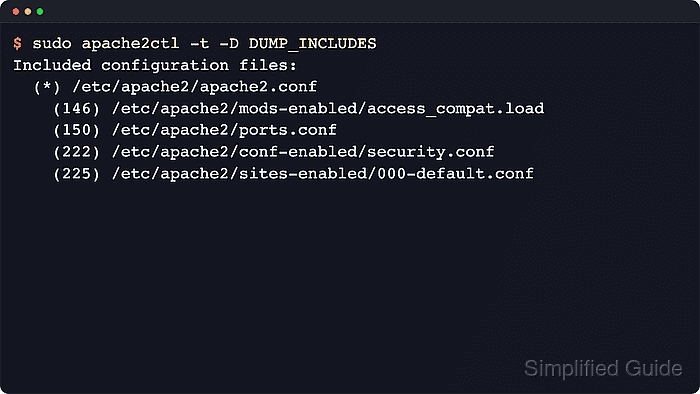
Apache reads one main configuration file, then loads more files through Include and IncludeOptional directives. The fastest way to find the real paths is to ask the installed server which ServerRoot and main configuration file it was built with, then dump the include chain and virtual host map from that same installation.
The steps below use the Debian and Ubuntu package layout where apache2ctl reports settings under /etc/apache2. RHEL-style packages use the httpd binary and the /etc/httpd tree instead, and openSUSE or SLES split defaults across files under /etc/apache2. Some commands also need sudo so Apache can read every included file and print the full run-time configuration.
Steps to locate Apache configuration files:
- Print the compiled Apache paths from the platform wrapper.
$ apache2ctl -V
Server version: Apache/2.4.66 (Ubuntu)
Server built:   2026-06-03T15:25:00
##### snipped #####
 -D HTTPD_ROOT="/etc/apache2"
 -D SERVER_CONFIG_FILE="apache2.conf"
On RHEL, Rocky Linux, AlmaLinux, CentOS Stream, and Fedora, use httpd -V or apachectl -V and expect HTTPD_ROOT to resolve under /etc/httpd.
- Combine HTTPD_ROOT and SERVER_CONFIG_FILE when SERVER_CONFIG_FILE is relative.
The Ubuntu and Debian pair above resolves to /etc/apache2/apache2.conf. Current RHEL-style packages commonly resolve to /etc/httpd/conf/httpd.conf.
- Dump the full include chain so you can see which module, site, and drop-in files are actually loaded.
$ sudo apache2ctl -t -D DUMP_INCLUDES
Included configuration files:
  (*) /etc/apache2/apache2.conf
    (146) /etc/apache2/mods-enabled/access_compat.load
    (146) /etc/apache2/mods-enabled/alias.load
    (150) /etc/apache2/ports.conf
    (222) /etc/apache2/conf-enabled/security.conf
    (225) /etc/apache2/sites-enabled/000-default.conf
##### snipped #####
IncludeOptional entries appear only when the wildcard matches one or more files. If AH00558 appears above or below the include list, fix the global ServerName warning separately; the include dump is still the path evidence for this task.
- Dump the run-time configuration to confirm the active ServerRoot, main DocumentRoot, log path, and worker account.
$ sudo apache2ctl -t -D DUMP_RUN_CFG
ServerRoot: "/etc/apache2"
Main DocumentRoot: "/var/www/html"
Main ErrorLog: "/var/log/apache2/error.log"
PidFile: "/var/run/apache2/apache2.pid"
User: name="www-data" id=33
Group: name="www-data" id=33
Use this output to distinguish packaged defaults from values later overridden in a site file or drop-in.
- Dump the active virtual host map to identify which file defines each site.
$ sudo apache2ctl -S
VirtualHost configuration:
*:80                   host.example.net (/etc/apache2/sites-enabled/000-default.conf:1)
##### snipped #####
ServerRoot: "/etc/apache2"
The file and line number next to each host is usually the fastest path to the right VirtualHost block.
- Inspect the enabled configuration directories when you need the source file behind a split package layout.
$ ls -l /etc/apache2/*-enabled
/etc/apache2/conf-enabled:
total 0
lrwxrwxrwx 1 root root 30 Mar 21 10:15 security.conf -> ../conf-available/security.conf

/etc/apache2/sites-enabled:
total 0
lrwxrwxrwx 1 root root 35 Mar 21 10:15 000-default.conf -> ../sites-available/000-default.conf
##### snipped #####
On Debian and Ubuntu, edit the matching file in /etc/apache2/*-available/ rather than the symlink under /etc/apache2/*-enabled/.
- Search inside the loaded tree when you know the directive name but not the file that sets it.
$ sudo grep -RIn 'DocumentRoot' /etc/apache2
/etc/apache2/sites-available/000-default.conf:12:	DocumentRoot /var/www/html
Search the tree reported by HTTPD_ROOT so the result stays aligned with the running build instead of a guessed path.
- Test the configuration after editing the file you identified.
$ sudo apache2ctl configtest
Syntax OK
Use sudo httpd -t or sudo apachectl -t on systems that do not ship the apache2ctl wrapper. If an AH00558 warning appears with Syntax OK, the configuration still parses, but the global ServerName should be set before production reloads are treated as clean.
Default Apache configuration location
The running server is always the final source of truth, but these layouts are the common starting points when you need to inspect the filesystem before you can query the active process directly.
- Debian and Ubuntu packages use /etc/apache2 as ServerRoot and /etc/apache2/apache2.conf as the main file. Common loaded locations are /etc/apache2/mods-enabled, /etc/apache2/conf-enabled, /etc/apache2/ports.conf, and /etc/apache2/sites-enabled.
- RHEL-style packages use /etc/httpd as ServerRoot and /etc/httpd/conf/httpd.conf as the main file. Common loaded locations are /etc/httpd/conf.modules.d and /etc/httpd/conf.d.
- openSUSE and SLES packages commonly use /srv/www as ServerRoot and /etc/apache2/httpd.conf as the main file. Common loaded locations include /etc/apache2/loadmodule.conf, /etc/apache2/conf.d, /etc/apache2/default-server.conf, and /etc/apache2/vhosts.d.
- Homebrew httpd on Apple Silicon commonly uses /opt/homebrew/opt/httpd as ServerRoot and /opt/homebrew/etc/httpd/httpd.conf as the main file. Common loaded locations include /opt/homebrew/etc/httpd/extra and /opt/homebrew/etc/httpd/other.
- An upstream source build defaults to /usr/local/apache2 as the installed prefix and /usr/local/apache2/conf/httpd.conf as the main file unless configured with another prefix. Extra files are loaded only when added through Include or IncludeOptional.
On Intel macOS systems, the common Homebrew prefix is /usr/local/ instead of /opt/homebrew/. Use brew --prefix httpd or httpd -V on the host to confirm the real prefix before editing files.
Default Apache configuration value
Run apache2ctl -t -D DUMP_RUN_CFG, httpd -t -D DUMP_RUN_CFG, or the equivalent platform wrapper to confirm the actual run-time values on your host. These are the common packaged defaults that help interpret the output.
- Debian and Ubuntu packages use apache2ctl, the apache2 server binary, and the apache2.service unit. The common DocumentRoot is /var/www/html, and the worker user and group are www-data.
- RHEL-style packages use apachectl or httpd with the httpd.service unit. The common DocumentRoot is /var/www/html, and the worker user and group are apache.
- Homebrew httpd on Apple Silicon uses apachectl or httpd and is commonly managed with brew services. The common DocumentRoot is /opt/homebrew/var/www, and the worker user and group are _www.
- An upstream source build uses apachectl and httpd under the installed prefix. The default DocumentRoot is /usr/local/apache2/htdocs unless changed in httpd.conf or by local packaging.
openSUSE and SLES split several defaults across /etc/apache2/uid.conf, /etc/apache2/default-server.conf, and /etc/apache2/vhosts.d/, so checking the live run-time dump is more reliable than assuming one file contains every default.