How to change the DocumentRoot in Apache
Changing an Apache DocumentRoot switches the directory a virtual host serves for incoming requests. Use it when a site has moved into a release directory, a domain needs its own content path, or static files are being relocated to another filesystem without changing the public hostname.
On Ubuntu and Debian, each enabled site is defined by a VirtualHost file under /etc/apache2/sites-available and loaded through a symlink in /etc/apache2/sites-enabled. The DocumentRoot directive points at the content directory, while filesystem access is controlled separately by <Directory> sections and Unix permissions. A path outside /var/www can pass syntax validation and still return 403 Forbidden until those access rules allow it.
Examples use the packaged apache2 layout on Ubuntu and Debian. Paths inside /var/www usually inherit the default access rule from /etc/apache2/apache2.conf, while paths such as /srv/www or a home directory need an explicit <Directory> block and readable parent directories. Write the DocumentRoot path without a trailing slash, and update the matching :443 VirtualHost too when the same site serves HTTPS.
Steps to change Apache DocumentRoot:
- List the enabled VirtualHost entries to identify the site file that serves the target hostname.
$ sudo apache2ctl -S
VirtualHost configuration:
*:80                   host.example.net (/etc/apache2/sites-enabled/example.conf:1)
ServerRoot: "/etc/apache2"
Main DocumentRoot: "/var/www/html"
##### snipped #####
The output points at the enabled file. Edit the matching file in /etc/apache2/sites-available when it exists.
- Back up the virtual host file before changing the live site path.
$ sudo cp --archive /etc/apache2/sites-available/example.conf /etc/apache2/sites-available/example.conf.bak
Keep the backup until the final request test returns content from the new directory.
- Open the virtual host configuration file for the site.
$ sudoedit /etc/apache2/sites-available/example.conf
- Create the new web root directory.
$ sudo install --directory --mode=0755 /srv/www/example
A path under /srv/www keeps web content out of private home directories and makes permission checks easier.
- Copy the current site content into the new web root.
$ sudo cp --archive /var/www/html/. /srv/www/example/
Replace /var/www/html/ with the site's current DocumentRoot when it already serves another path.
- Write a temporary marker file into the new web root for the final request test.
$ echo 'Changed DocumentRoot works' | sudo tee /srv/www/example/documentroot-check.html >/dev/null
Remove the marker file after the final check when the site does not need it.
- Replace the existing DocumentRoot value inside the matching VirtualHost block.
<VirtualHost *:80>
    ServerName host.example.net
    DocumentRoot /srv/www/example
    ErrorLog ${APACHE_LOG_DIR}/error.log
    CustomLog ${APACHE_LOG_DIR}/access.log combined
</VirtualHost>
Update the corresponding :443 VirtualHost too when the same site serves HTTPS.
- Add a matching <Directory> block when the new path sits outside /var/www.
<VirtualHost *:80>
    ServerName host.example.net
    DocumentRoot /srv/www/example

    <Directory /srv/www/example>
        AllowOverride None
        Require all granted
    </Directory>

    ErrorLog ${APACHE_LOG_DIR}/error.log
    CustomLog ${APACHE_LOG_DIR}/access.log combined
</VirtualHost>
On Ubuntu and Debian, paths under /var/www already match the default <Directory /var/www/> rule in /etc/apache2/apache2.conf, so a second access block is often unnecessary there.
Set AllowOverride All only when the site actually depends on .htaccess rules.
- Give Apache read access to the new web root.
$ sudo chgrp --recursive www-data /srv/www/example
$ sudo chmod --recursive u=rwX,g=rX,o= /srv/www/example
www-data needs read permission on files and execute permission on directories. Keep write access limited to upload, cache, or runtime paths.
Apache must be able to traverse every parent directory in the path. A private parent such as /home/example with mode 0700 still causes 403 Forbidden even when the web root itself looks readable.
- Test the Apache configuration before reloading it.
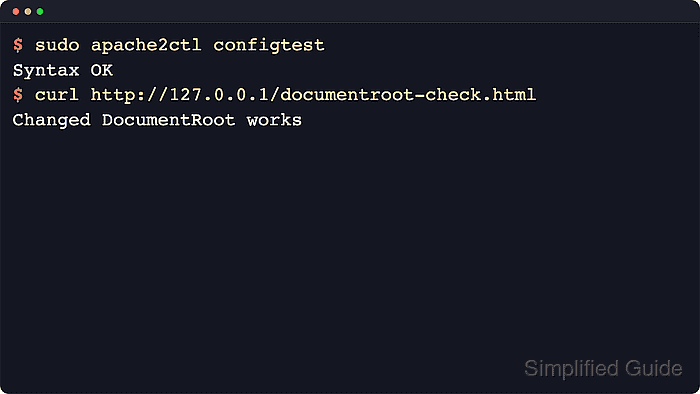
$ sudo apache2ctl configtest
Syntax OK
A warning such as AH00558 about ServerName is separate from the DocumentRoot change and does not usually block the syntax test.
Related: How to test Apache configuration
- Reload Apache to apply the new web root.
$ sudo systemctl reload apache2
Use a restart only when a reload is unavailable or the site change requires a full process restart.
- Request the marker file through the target virtual host to confirm Apache now serves content from the new directory.
$ curl --header 'Host: host.example.net' http://127.0.0.1/documentroot-check.html
Changed DocumentRoot works
A 403 Forbidden response after the reload usually means the new path still needs a matching <Directory> rule or more permissive parent-directory traversal bits.