How to enable response caching in Apache
Apache response caching is useful when the same public asset or upstream response is requested repeatedly and the origin does not need to generate it every time. A working cache turns repeat requests into an X-Cache HIT from Apache instead of sending every request through the full content path again.
Apache HTTP caching uses mod_cache plus a storage backend. On Debian and Ubuntu, mod_cache_socache with the shmcb provider keeps small cache entries in shared memory, while larger responses usually belong in mod_cache_disk or an upstream cache layer.
The safe boundary is the URL pattern and the response's cache headers. Cache only public content, keep CacheQuickHandler off when authentication or authorization must still run, and attach the CACHE output filter in normal-handler mode so Apache stores the response after the normal request phases.
Related: How to enable or disable Apache modules
Related: How to test Apache configuration
Related: How to manage the Apache web server service
Steps to enable response caching in Apache:
- Enable the Apache modules for HTTP caching, shared-object storage, freshness headers, and response-header inspection.
$ sudo a2enmod cache cache_socache socache_shmcb expires headers
Enabling module cache.
Considering dependency cache for cache_socache:
Module cache already enabled
Enabling module cache_socache.
Enabling module socache_shmcb.
Enabling module expires.
Enabling module headers.
To activate the new configuration, you need to run:
  service apache2 restart
These helper commands are part of the apache2 package layout on Debian and Ubuntu.
- Create a cache lock directory that the Apache worker account can write to.
$ sudo install -d -o www-data -g www-data -m 755 /var/cache/apache2/mod_cache_lock
On Debian and Ubuntu, the default Apache worker account is www-data. Use the account shown by sudo apache2ctl -t -D DUMP_RUN_CFG if your host uses a custom User or Group.
- Create a dedicated cache configuration file so the caching rules stay separate from the main server configuration.
$ sudo vi /etc/apache2/conf-available/cache-socache.conf
Use a virtual host file instead when only one site should be cached.
Related: Location for Apache configuration
- Add the caching directives for the public asset paths that should be reused.
CacheQuickHandler off
CacheLock on
CacheLockPath "/var/cache/apache2/mod_cache_lock"
CacheLockMaxAge 5
CacheHeader on
CacheDetailHeader on

CacheSocache shmcb:/var/cache/apache2/mod_cache_socache(20971520)
CacheSocacheMaxSize 512000
CacheSocacheMaxTime 86400

AddOutputFilterByType CACHE text/css text/javascript application/javascript image/png image/jpeg image/gif image/svg+xml image/webp image/x-icon font/woff font/woff2

<LocationMatch "\.(css|js|mjs|png|jpe?g|gif|svg|webp|ico|woff2?)$">
    CacheEnable socache
</LocationMatch>

<IfModule mod_expires.c>
    <FilesMatch "\.(css|js|mjs|png|jpe?g|gif|svg|webp|ico|woff2?)$">
        ExpiresActive On
        ExpiresDefault "access plus 1 month"
    </FilesMatch>
</IfModule>
Keep CacheEnable rules limited to public content. Cached personalized pages, authenticated responses, or one-time downloads can be reused for the wrong client.
CacheHeader and CacheDetailHeader expose cache decisions during validation. Turn them off later if cache internals should not be visible to clients.
Directive Use CacheQuickHandler off Keeps Apache in the normal request path before serving cached content, which is safer when authorization rules still matter. CacheLock Reduces duplicate backend work while a cache entry is first created or refreshed. CacheHeader Adds X-Cache so cache hits and misses are visible during validation. CacheDetailHeader Adds the reason behind the cache decision while testing the rule. CacheSocache Selects the shared-object cache backend and its storage size. CacheSocacheMaxSize Sets the largest combined headers-and-body entry that socache will store. AddOutputFilterByType CACHE Places the CACHE filter in the normal-handler output chain for the listed MIME types. CacheEnable Tells Apache which URL patterns should be cached with the socache backend. - Enable the new configuration snippet.
$ sudo a2enconf cache-socache
Enabling conf cache-socache.
To activate the new configuration, you need to run:
  service apache2 reload
The command creates a symlink under /etc/apache2/conf-enabled/ so Apache loads the file on the next restart or reload.
- Test the configuration before restarting Apache.
$ sudo apache2ctl configtest
Syntax OK
A warning about an unset global ServerName does not block the cache configuration from loading.
Related: How to test Apache configuration
- Restart Apache so the newly enabled modules and configuration take effect.
$ sudo systemctl restart apache2
Module changes require a restart. Later cache-rule-only changes can usually use sudo systemctl reload apache2 after a clean config test.
- Request a cacheable public asset once to populate the cache.
$ curl -sS -o /dev/null -D - http://www.example.net/assets/site.css
HTTP/1.1 200 OK
Date: Sat, 06 Jun 2026 03:38:38 GMT
Server: Apache/2.4.66 (Ubuntu)
Last-Modified: Sat, 06 Jun 2026 03:38:37 GMT
ETag: "19-6538d833dbc4b"
Accept-Ranges: bytes
Content-Length: 25
Cache-Control: max-age=2592000
Expires: Mon, 06 Jul 2026 03:38:38 GMT
X-Cache: MISS from host.example.net
X-Cache-Detail: "cache miss: attempting entity save" from host.example.net
Content-Type: text/css
Use a public CSS, JavaScript, font, or image URL that matches the LocationMatch pattern. The first request is normally a MISS because the cache starts empty.
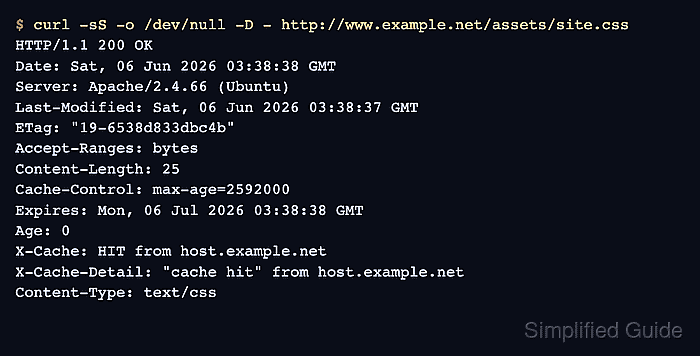
- Request the same asset again and confirm that Apache serves it from cache.
$ curl -sS -o /dev/null -D - http://www.example.net/assets/site.css
HTTP/1.1 200 OK
Date: Sat, 06 Jun 2026 03:38:38 GMT
Server: Apache/2.4.66 (Ubuntu)
Last-Modified: Sat, 06 Jun 2026 03:38:37 GMT
ETag: "19-6538d833dbc4b"
Accept-Ranges: bytes
Content-Length: 25
Cache-Control: max-age=2592000
Expires: Mon, 06 Jul 2026 03:38:38 GMT
Age: 0
X-Cache: HIT from host.example.net
X-Cache-Detail: "cache hit" from host.example.net
Content-Type: text/css
If X-Cache stays at MISS, confirm that the response is not marked private or no-store, that the object fits within CacheSocacheMaxSize, and that the MIME type matches AddOutputFilterByType.
Tool: HTTP Header Checker