How to submit an Apache Spark job
Submitted Apache Spark applications turn a script or packaged program into a repeatable driver and executor run. The spark-submit launcher applies runtime options, starts the driver, and hands the application to local mode or a cluster manager, which makes it the normal boundary between development code and scheduled batch work.
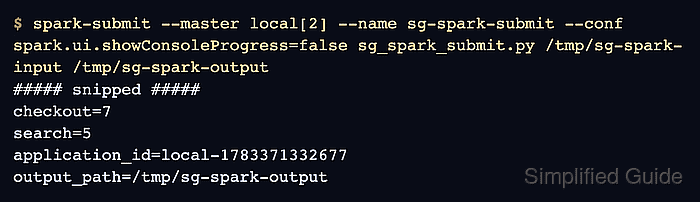
The local submit path uses PySpark with local[2] so the complete launch, run, and output check can happen on one machine before the same application shape moves to a cluster. The --master value chooses where Spark runs, --name labels the application, and arguments after the Python file are passed into the job.
A local submit check stays focused on creating a runnable application, choosing a master, passing input and output paths, and verifying produced data. Cluster-specific settings such as YARN queues, Kubernetes images, service accounts, Hadoop configuration, and remote dependency distribution need separate workflows because they change the prerequisites and failure surface.
Related: How to submit a Spark job to YARN
Related: How to submit a Spark job to Kubernetes
Related: How to add packages to a Spark job
Steps to submit an Apache Spark job with spark-submit:
- Choose the local submit target and test paths.
Master: local[2]
Deploy mode: client (default)
Application name: sg-spark-submit
Input path: /tmp/sg-spark-input
Output path: /tmp/sg-spark-output
local[2] runs Spark locally with two worker threads. For a real cluster, the application file and data paths must be reachable from the driver and executors.
- Create the input directory.
$ mkdir -p /tmp/sg-spark-input
- Create a small CSV input file.
$ cat > /tmp/sg-spark-input/events.csv <<'EOF'
checkout,4
checkout,3
search,5
EOF
- Save the PySpark job as sg_spark_submit.py.
- sg_spark_submit.py
import sys

from pyspark.sql import SparkSession
from pyspark.sql import functions as F


if len(sys.argv) != 3:
    raise SystemExit("Usage: sg_spark_submit.py <input-path> <output-path>")

input_path = sys.argv[1]
output_path = sys.argv[2]

spark = SparkSession.builder.appName("sg-spark-submit").getOrCreate()
spark.sparkContext.setLogLevel("ERROR")

events = spark.read.csv(
    input_path,
    schema="event STRING, count INT",
)

summary = events.groupBy("event").agg(F.sum("count").alias("total")).orderBy("event")
summary.coalesce(1).write.mode("overwrite").json(output_path)

for row in summary.collect():
    print(f"{row['event']}={row['total']}")

print(f"application_id={spark.sparkContext.applicationId}")
print(f"output_path={output_path}")

spark.stop()
The script accepts paths from spark-submit so the same file can run against different local or cluster-visible storage locations.
- Submit the job with spark-submit.
$ spark-submit \
  --master local[2] \
  --name sg-spark-submit \
  --conf spark.ui.showConsoleProgress=false \
  sg_spark_submit.py \
  /tmp/sg-spark-input \
  /tmp/sg-spark-output
##### snipped #####
checkout=7
search=5
application_id=local-1783371332677
output_path=/tmp/sg-spark-output
Spark prints startup logs before the application output. The grouped totals, application_id, and output_path lines show that the driver started, ran a Spark action, and wrote the result.
- Check the JSON result written by the job.
$ cat /tmp/sg-spark-output/*.json
{"event":"checkout","total":7}
{"event":"search","total":5}
The local[2] master can read and write /tmp directly because the driver and executor run on the same machine. Use a shared path such as HDFS or S3 when the driver and executors run on different hosts.
- Remove the sample files.
$ rm -r /tmp/sg-spark-input /tmp/sg-spark-output sg_spark_submit.py