How to select and filter a Spark DataFrame
Spark DataFrame jobs often need to keep only the columns and rows that a downstream step expects. Selecting columns and applying row predicates early makes exploratory checks, joins, and writes easier to reason about before a larger dataset reaches the cluster.
In PySpark, DataFrame.select() returns a new DataFrame from column names or Column expressions. DataFrame.filter() returns rows that satisfy a boolean Column condition or a SQL expression string, and DataFrame.where() is the same row-filtering operation.
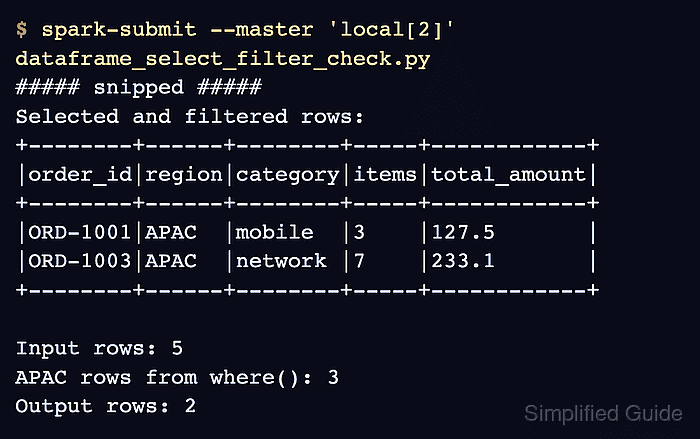
A small local job can prove both changes at once. The projected schema should contain only the chosen fields, the SQL-style where() count should show how many rows match the region predicate, and the final output should keep only the projected APAC orders with at least three items.
Related: How to run PySpark locally
Related: How to create a Spark DataFrame
Related: How to explain a Spark DataFrame query plan
Steps to select and filter a Spark DataFrame in PySpark:
- Create a PySpark script for the DataFrame shape check.
$ vi dataframe_select_filter_check.py
- Import the Spark session and SQL functions.
from pyspark.sql import SparkSession
from pyspark.sql import functions as F
- Build the Spark session.
spark = (
    SparkSession.builder
    .appName("sg-dataframe-select-filter")
    .config("spark.ui.showConsoleProgress", "false")
    .getOrCreate()
)
spark.sparkContext.setLogLevel("ERROR")
spark.ui.showConsoleProgress is disabled only to keep the terminal output focused on the DataFrame proof.
- Create the source DataFrame.
orders = spark.createDataFrame(
    [
        ("ORD-1001", "APAC", "mobile", 3, 127.50, True),
        ("ORD-1002", "EMEA", "desktop", 1, 19.99, False),
        ("ORD-1003", "APAC", "network", 7, 233.10, True),
        ("ORD-1004", "AMER", "mobile", 2, 80.00, False),
        ("ORD-1005", "APAC", "desktop", 1, 12.00, False),
    ],
    ["order_id", "region", "category", "item_count", "order_total", "priority"],
)
- Select the output columns and aliases.
selected_orders = orders.select(
    "order_id",
    "region",
    "category",
    F.col("item_count").alias("items"),
    F.col("order_total").alias("total_amount"),
)
select() can take column-name strings and Column expressions in the same call.
- Filter the selected rows.
priority_apac_orders = (
    selected_orders
    .filter((F.col("region") == "APAC") & (F.col("items") >= 3))
    .orderBy("order_id")
)
Wrap each comparison in parentheses because PySpark combines Column conditions with & and | operators.
- Add schema, count, row, and column checks.
apac_rows = orders.where("region = 'APAC'").count()
output_rows = priority_apac_orders.count()

print("Selected and filtered schema:")
priority_apac_orders.printSchema()
print("Selected and filtered rows:")
priority_apac_orders.show(truncate=False)
print(f"Input rows: {orders.count()}")
print(f"APAC rows from where(): {apac_rows}")
print(f"Output rows: {output_rows}")
print(f"Output columns: {priority_apac_orders.columns}")

spark.stop()
where() is used here only to show the alias for filter() with a SQL expression string.
- Run the script in local mode and verify the shaped DataFrame.
$ spark-submit --master 'local[2]' dataframe_select_filter_check.py
##### snipped #####
Selected and filtered schema:
root
 |-- order_id: string (nullable = true)
 |-- region: string (nullable = true)
 |-- category: string (nullable = true)
 |-- items: long (nullable = true)
 |-- total_amount: double (nullable = true)

Selected and filtered rows:
+--------+------+--------+-----+------------+
|order_id|region|category|items|total_amount|
+--------+------+--------+-----+------------+
|ORD-1001|APAC  |mobile  |3    |127.5       |
|ORD-1003|APAC  |network |7    |233.1       |
+--------+------+--------+-----+------------+

Input rows: 5
APAC rows from where(): 3
Output rows: 2
Output columns: ['order_id', 'region', 'category', 'items', 'total_amount']
The schema shows the projected aliases, the where() count shows three APAC input rows, and the final output keeps the two APAC rows with at least three items.
- Remove the proof script when it is not part of the application code.
$ rm dataframe_select_filter_check.py