Spark DataFrames give PySpark jobs a table-shaped dataset with named columns, data types, and distributed execution behind the API. Creating one from local rows with an explicit schema gives filters, joins, aggregations, and write paths a known input before external data sources are involved.
The SparkSession.createDataFrame() API accepts Python records and a schema. A StructType schema makes column types and nullability visible before the DataFrame reaches later transformations, which avoids relying on inference from a small sample.
Local rows keep the first DataFrame check fast and repeatable. The schema tree, displayed rows, row count, and column list should match the intended sample data before the DataFrame becomes input for a larger job.
Related: How to run PySpark locally
Related: How to select and filter a Spark DataFrame
Related: How to aggregate a Spark DataFrame with groupBy
Steps to create a Spark DataFrame in PySpark:
- Create a PySpark script for the DataFrame check.
$ vi dataframe_create_check.py
- Import the Spark session and schema types.
from pyspark.sql import SparkSession
from pyspark.sql.types import BooleanType, IntegerType, StringType, StructField, StructType
- Build the Spark session.
spark = (
    SparkSession.builder
    .appName("sg-dataframe-create-check")
    .config("spark.ui.showConsoleProgress", "false")
    .getOrCreate()
)
spark.sparkContext.setLogLevel("ERROR")
spark.ui.showConsoleProgress is disabled only to keep the terminal output focused on the DataFrame proof.
- Define the DataFrame schema.
schema = StructType(
    [
        StructField("order_id", StringType(), nullable=False),
        StructField("region", StringType(), nullable=False),
        StructField("item_count", IntegerType(), nullable=False),
        StructField("priority", BooleanType(), nullable=False),
    ]
)
Use nullable=True for columns where the source data can contain missing values.
- Create the DataFrame from local rows.
orders = spark.createDataFrame(
    [
        ("ORD-1001", "APAC", 3, True),
        ("ORD-1002", "EMEA", 1, False),
        ("ORD-1003", "APAC", 7, True),
    ],
    schema,
)
createDataFrame() can infer a schema from Python data, but an explicit schema keeps type and nullability decisions in the script.
- Print the schema, rows, row count, and column list.
print("DataFrame schema:")
orders.printSchema()
print("DataFrame rows:")
orders.orderBy("order_id").show(truncate=False)
print(f"Row count: {orders.count()}")
print(f"Columns: {orders.columns}")

spark.stop()
- Run the script in local mode.
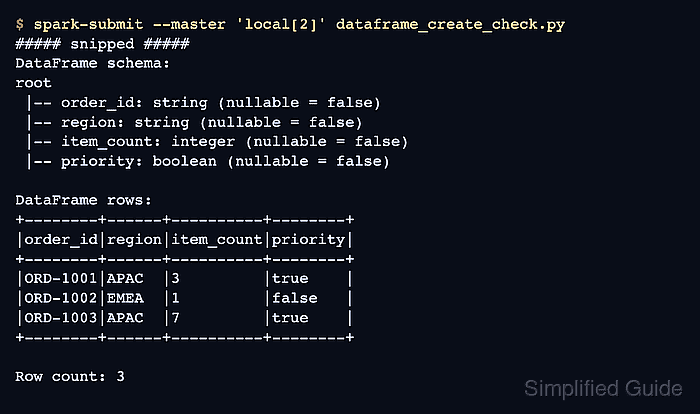
$ spark-submit --master 'local[2]' dataframe_create_check.py
##### snipped #####
DataFrame schema:
root
 |-- order_id: string (nullable = false)
 |-- region: string (nullable = false)
 |-- item_count: integer (nullable = false)
 |-- priority: boolean (nullable = false)

DataFrame rows:
+--------+------+----------+--------+
|order_id|region|item_count|priority|
+--------+------+----------+--------+
|ORD-1001|APAC  |3         |true    |
|ORD-1002|EMEA  |1         |false   |
|ORD-1003|APAC  |7         |true    |
+--------+------+----------+--------+

Row count: 3
Columns: ['order_id', 'region', 'item_count', 'priority']
The row count, column order, and nullable flags should match the schema and sample tuples.
- Remove the proof script when it is not part of the application code.
$ rm dataframe_create_check.py

Mohd Shakir Zakaria is a cloud architect with deep roots in software development and open-source advocacy. Certified in AWS, Red Hat, VMware, ITIL, and Linux, he specializes in designing and managing robust cloud and on-premises infrastructures.


