How to change a Spark DataFrame partition count
Spark DataFrame partitions control how many chunks Spark schedules for the next transformation or write. Changing the count is useful when a job needs more task parallelism, fewer output part files, or a fresh row distribution before a wide operation.
PySpark exposes two DataFrame methods for this job. repartition() performs a shuffle and can increase, decrease, or rebalance partitions, while coalesce() uses a narrow dependency and is mainly for reducing partitions without a full shuffle.
Inspect the resulting DataFrame before relying on the new layout, and check written part files when output file count is the reason for the change. A small local-mode range DataFrame makes the behavior visible without a cluster.
Steps to change a Spark DataFrame partition count in PySpark:
- Choose the target count and the method.
Use repartition(n) when the job needs more partitions or a shuffle-based rebalance. Use coalesce(n) when the job only needs fewer partitions, such as before a small file write.
- Create a short PySpark check script.
$ vi partition_count_check.py
- Build the SparkSession and source DataFrame.
- partition_count_check.py
from pathlib import Path
import shutil

from pyspark.sql import SparkSession

spark = (
    SparkSession.builder
    .appName("sg-local-check")
    .master("local[2]")
    .config("spark.ui.enabled", "false")
    .config("spark.ui.showConsoleProgress", "false")
    .getOrCreate()
)
spark.sparkContext.setLogLevel("ERROR")

output = Path("/tmp/sg-spark-output/partition-count")
shutil.rmtree(output, ignore_errors=True)

df = spark.range(0, 16, 1, numPartitions=4)
print(f"original partitions: {df.rdd.getNumPartitions()}")
- Add the repartition and coalesce checks.
rebalanced = df.repartition(6)
print(f"after repartition(6): {rebalanced.rdd.getNumPartitions()}")
print(f"repartition rows per partition: {rebalanced.rdd.glom().map(len).collect()}")

reduced = rebalanced.coalesce(2)
print(f"after coalesce(2): {reduced.rdd.getNumPartitions()}")
print(f"coalesce rows per partition: {reduced.rdd.glom().map(len).collect()}")

not_increased = df.coalesce(8)
print(f"after coalesce(8) from original: {not_increased.rdd.getNumPartitions()}")
rdd.getNumPartitions() reads the partition count for the DataFrame-backed RDD. glom().map(len).collect() is only for this tiny local proof because it collects partition-size data to the driver.
- Write the reduced DataFrame and count the output part files.
reduced.write.mode("overwrite").parquet(str(output))
part_files = sorted(path.name for path in output.glob("part-*.parquet"))
print(f"written part files: {len(part_files)}")
for name in part_files:
    print(name)

shutil.rmtree(output, ignore_errors=True)
spark.stop()
Spark writes one or more part-* files for file-based DataFrame output. Reducing to one partition can make a tiny handoff easier to inspect, but it also forces the write through one task.
- Run the script in local mode.
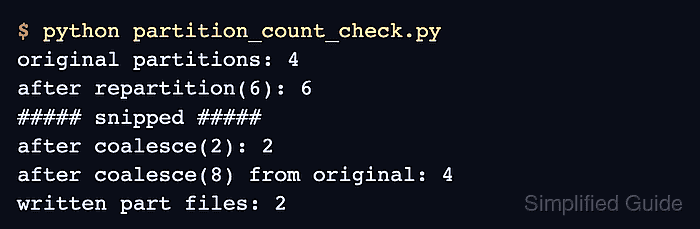
$ python partition_count_check.py
original partitions: 4
after repartition(6): 6
repartition rows per partition: [4, 3, 2, 2, 2, 3]
after coalesce(2): 2
coalesce rows per partition: [9, 7]
after coalesce(8) from original: 4
written part files: 2
part-00000-b6e9d631-89ca-4305-b35a-2958403df5a8-c000.snappy.parquet
part-00001-b6e9d631-89ca-4305-b35a-2958403df5a8-c000.snappy.parquet
The repartition(6) line shows Spark accepted the higher target. The coalesce(2) line shows the reduced count, and coalesce(8) from the original four-partition DataFrame stays at four because coalesce() does not increase partitions.
- Remove the proof script when it is not part of the application code.
$ rm partition_count_check.py